Community Access
With Mentortools, you can precisely define who has access to your community—whether it's public, for members only, or for specific groups. This guide shows you, step by step, how to adjust your community's visibility and access rights.
Last updated 12 months ago
Public Community vs. Community with Course Access
With just a few clicks, you can precisely control community access in Mentortools to fit your offerings.
A public community is accessible to all members. Anyone registered in your member area has access to this community.
A community with course access is only accessible to participants of the course that is linked to this community.
You set this community access in the Community Settings under the Access section.
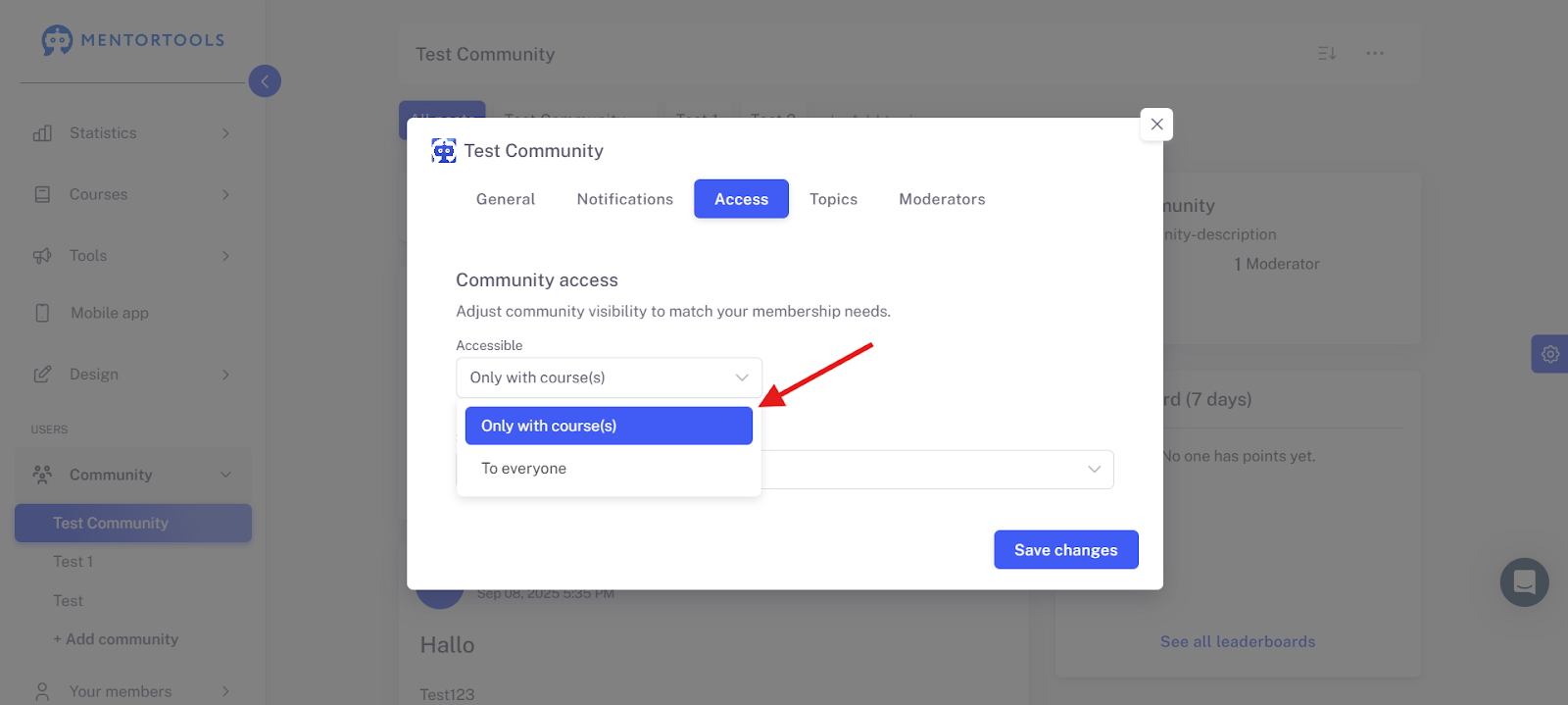
For more specific topics or if you want to offer another content level by linking it to a course, "Only with course(s)" is a suitable option.
A public community is ideal for community marketing and lively exchange. In a community with course access, you build a closed area, such as support forums or course groups.