Digistore API Key
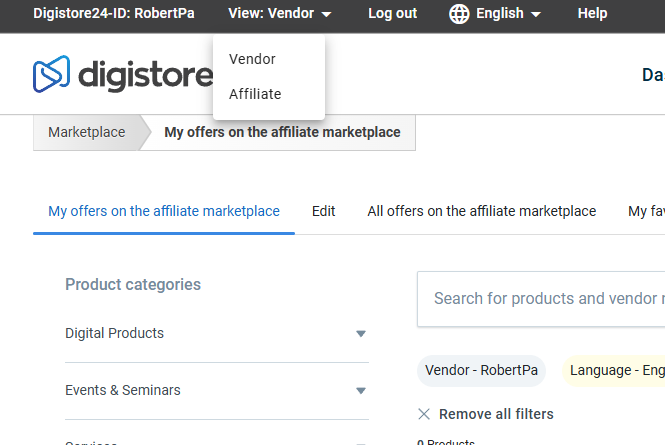
To get the DigiStore24 API Key, please first go to the DigiStore Vendor View. Note that you must be logged in as a "Vendor".
Last updated 11 months ago
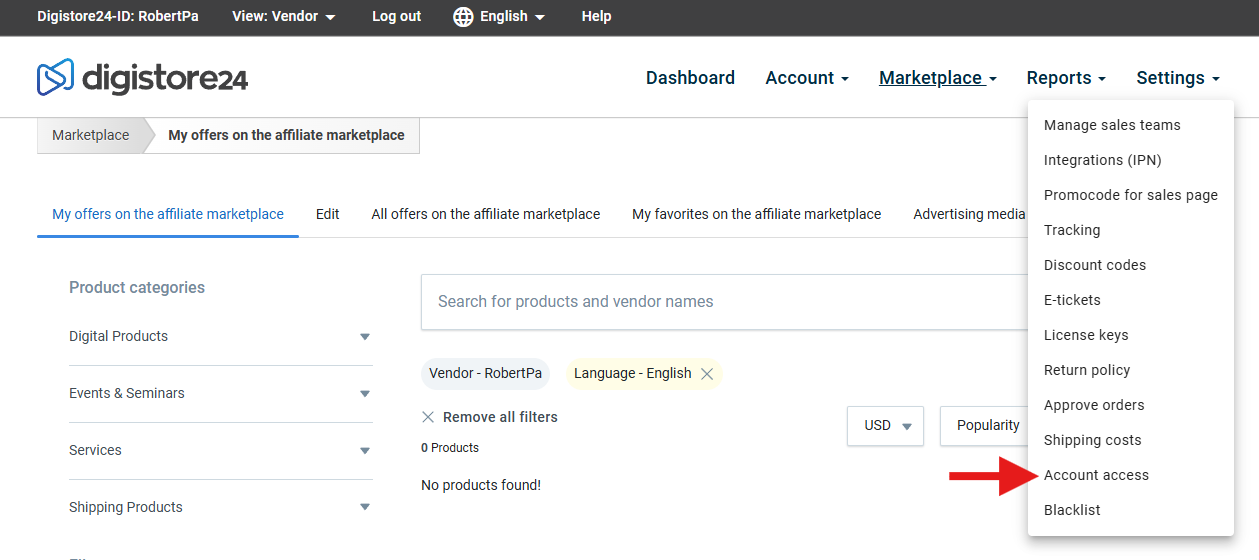
Then navigate to Settings and Account Access.
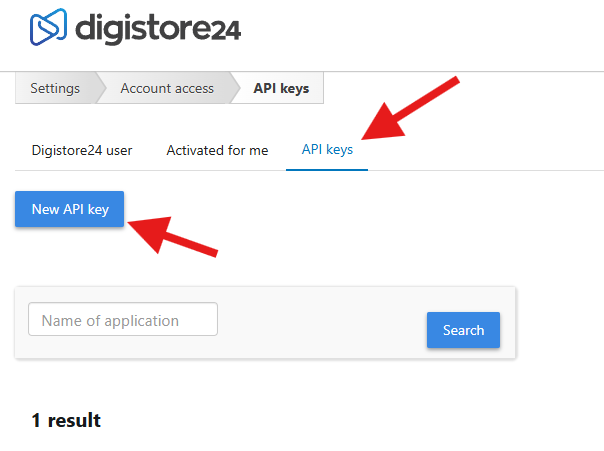
Next, click on "API Keys" and then on "New API Key":
Then select "Full access" here:
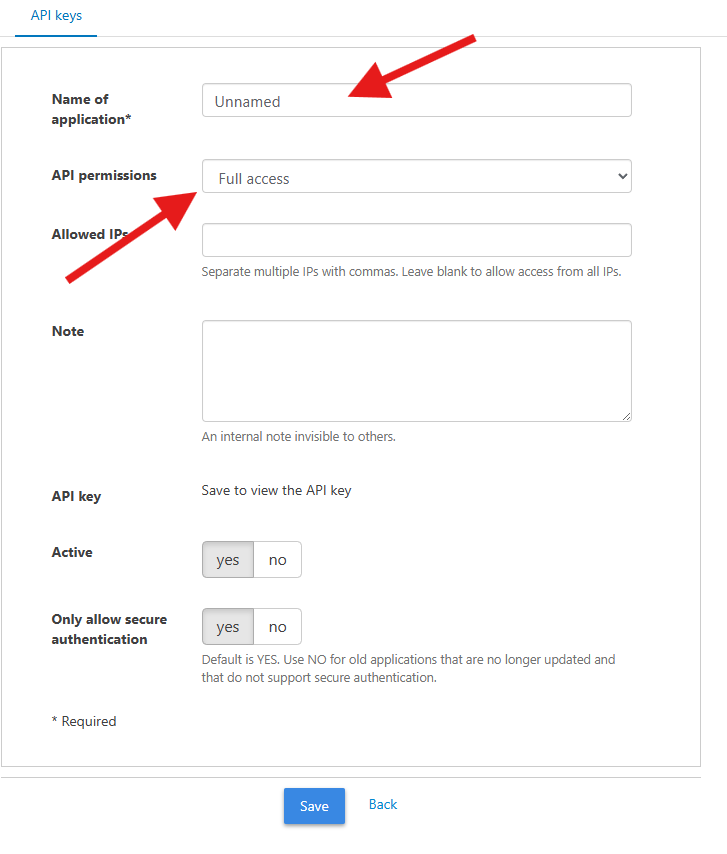
The name can essentially be anything you choose. We recommend "Mentortools Member Area" so you know later what the key is used for.
Then save this key and go to Mentortools under Settings, Payment Providers.
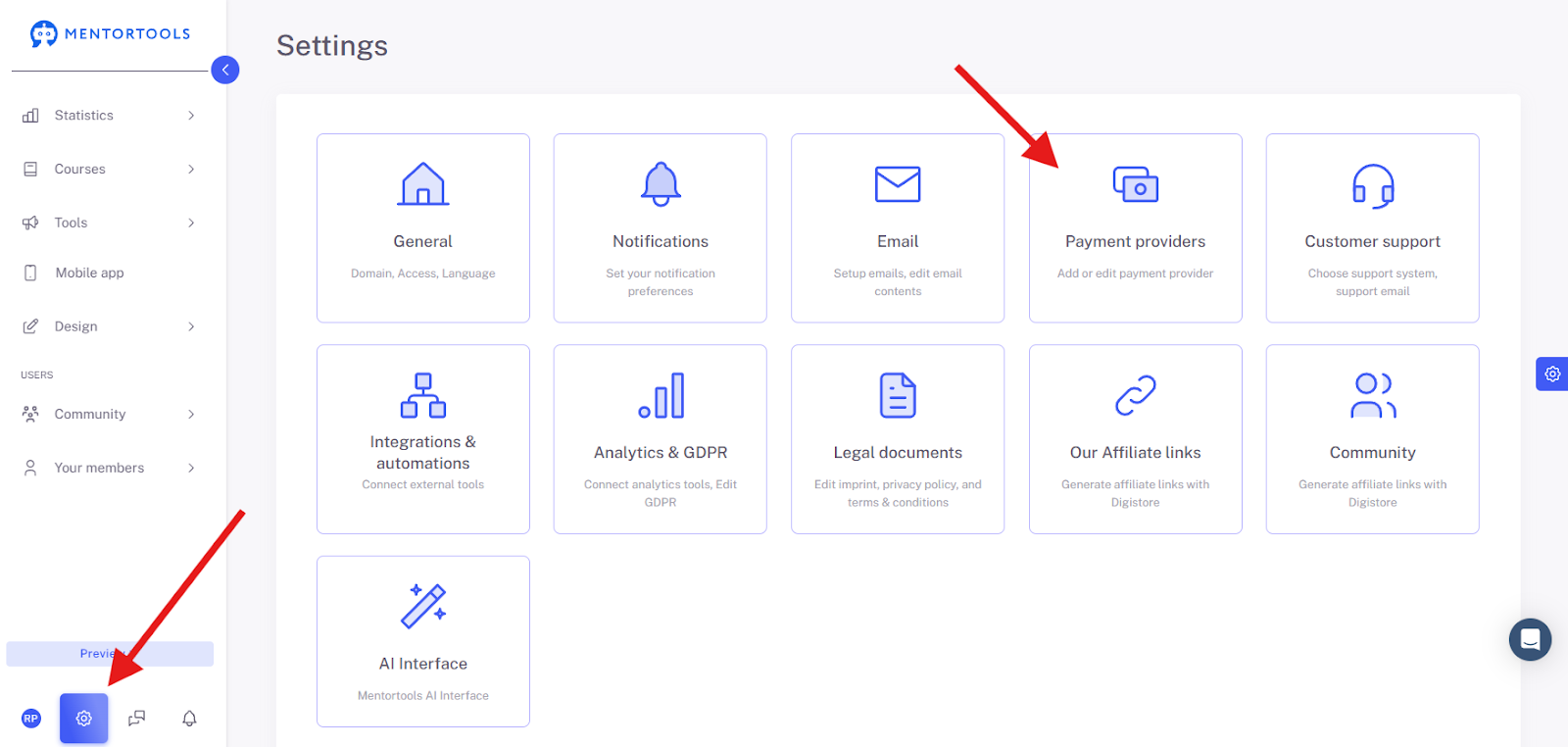
to Digistore24
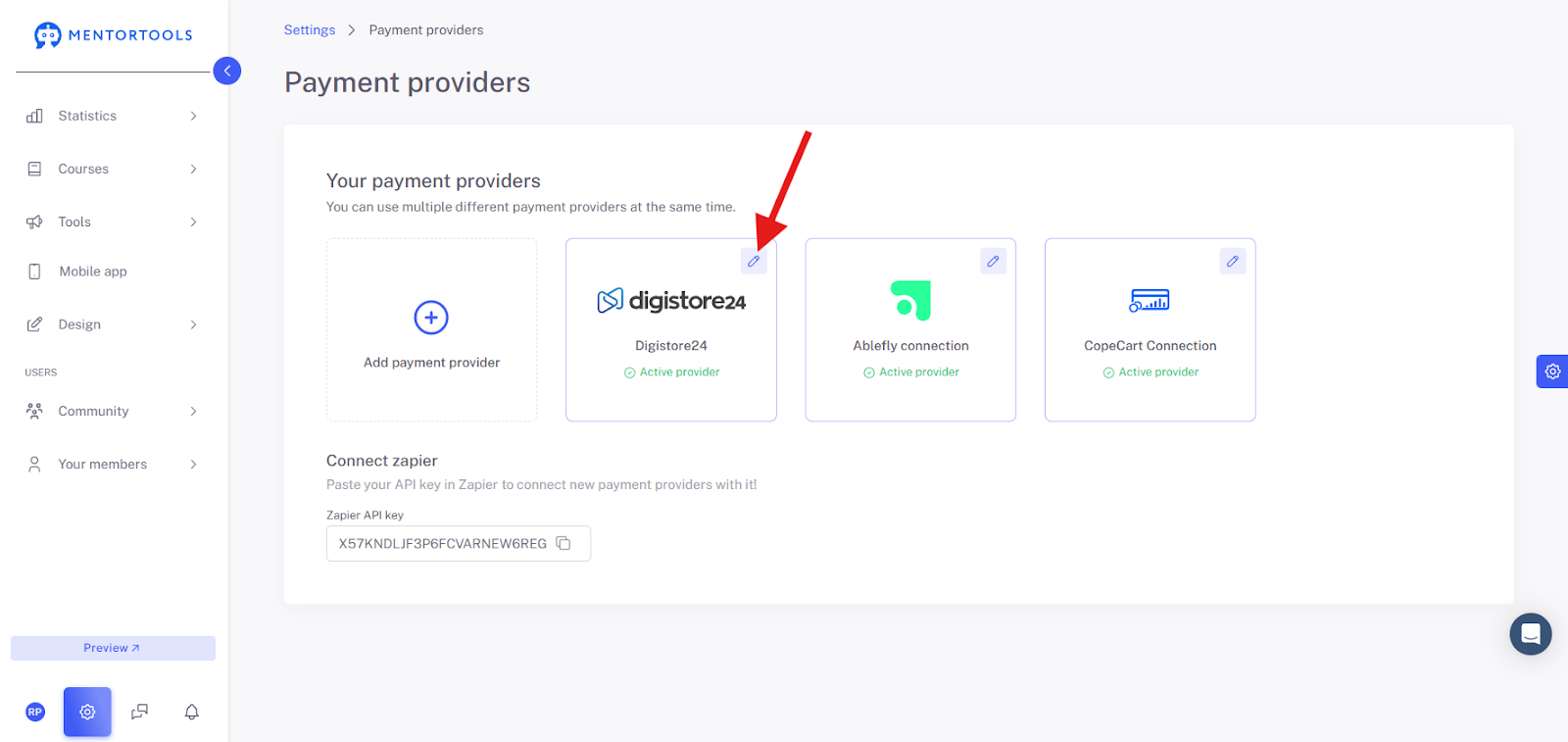
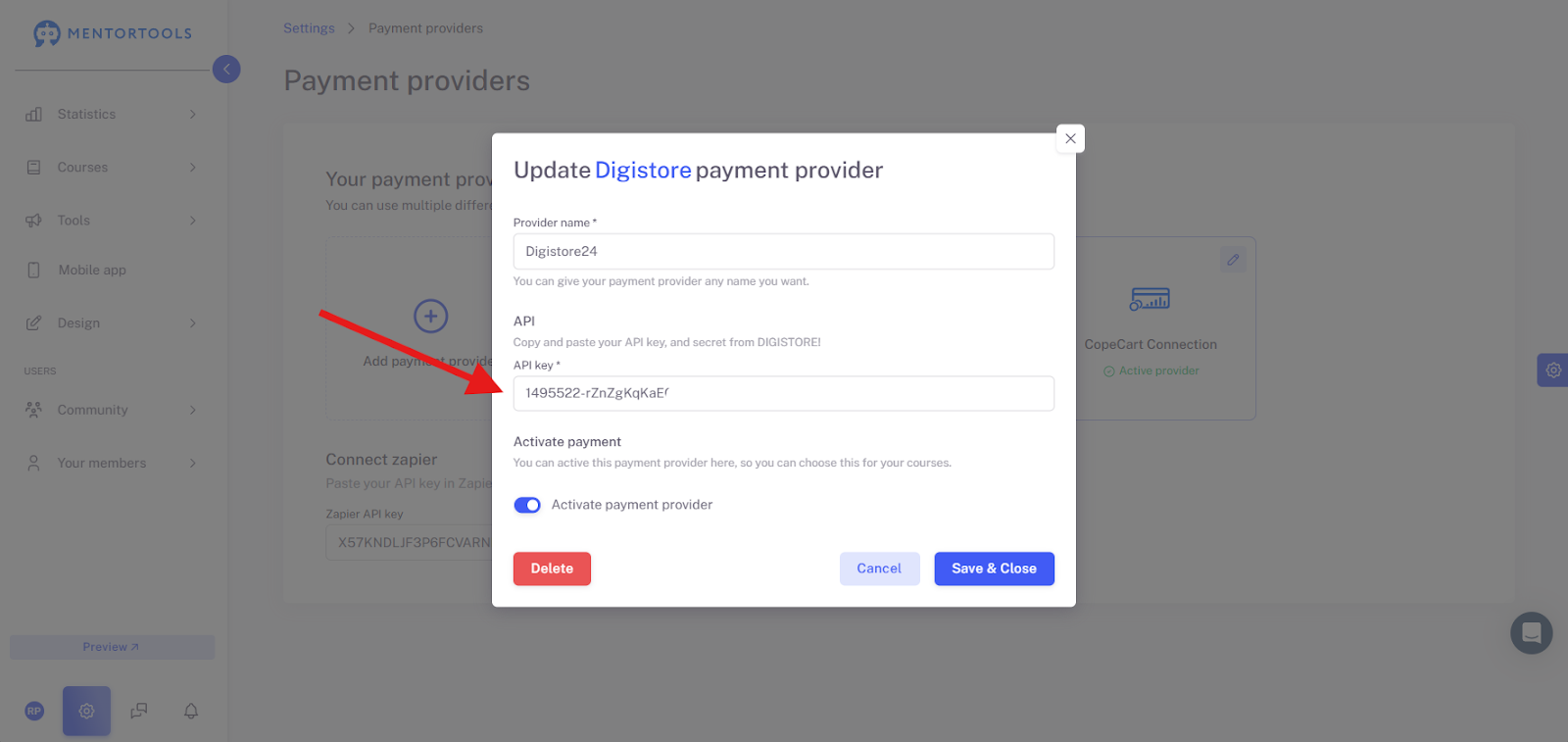
and enter the API Key here:
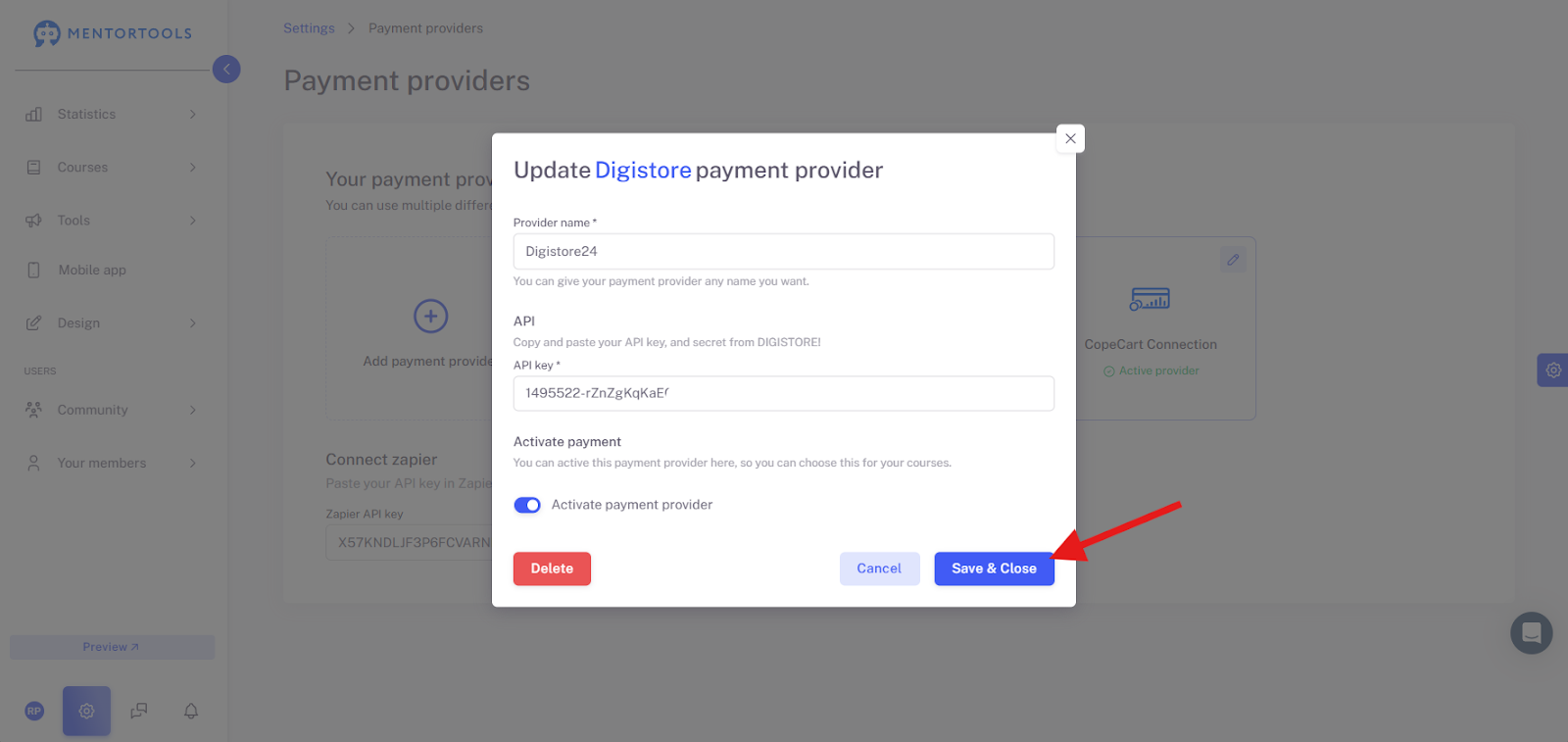
Don't forget to save the changes!
We wish you continued fun and success,
Team Mentortools