Creating and Editing Topics
In Mentortools, you can structure your community by creating your own topic areas. This is especially helpful for organizing discussions—for example, by modules, questions, feedback, or project phases.
Last updated 12 months ago
Prerequisites
You need to have admin access to the community.
You must have an existing community selected.
1. Access the Community
Go to your Mentortools dashboard: https://app.mentortools.com
In the menu, click on Community.
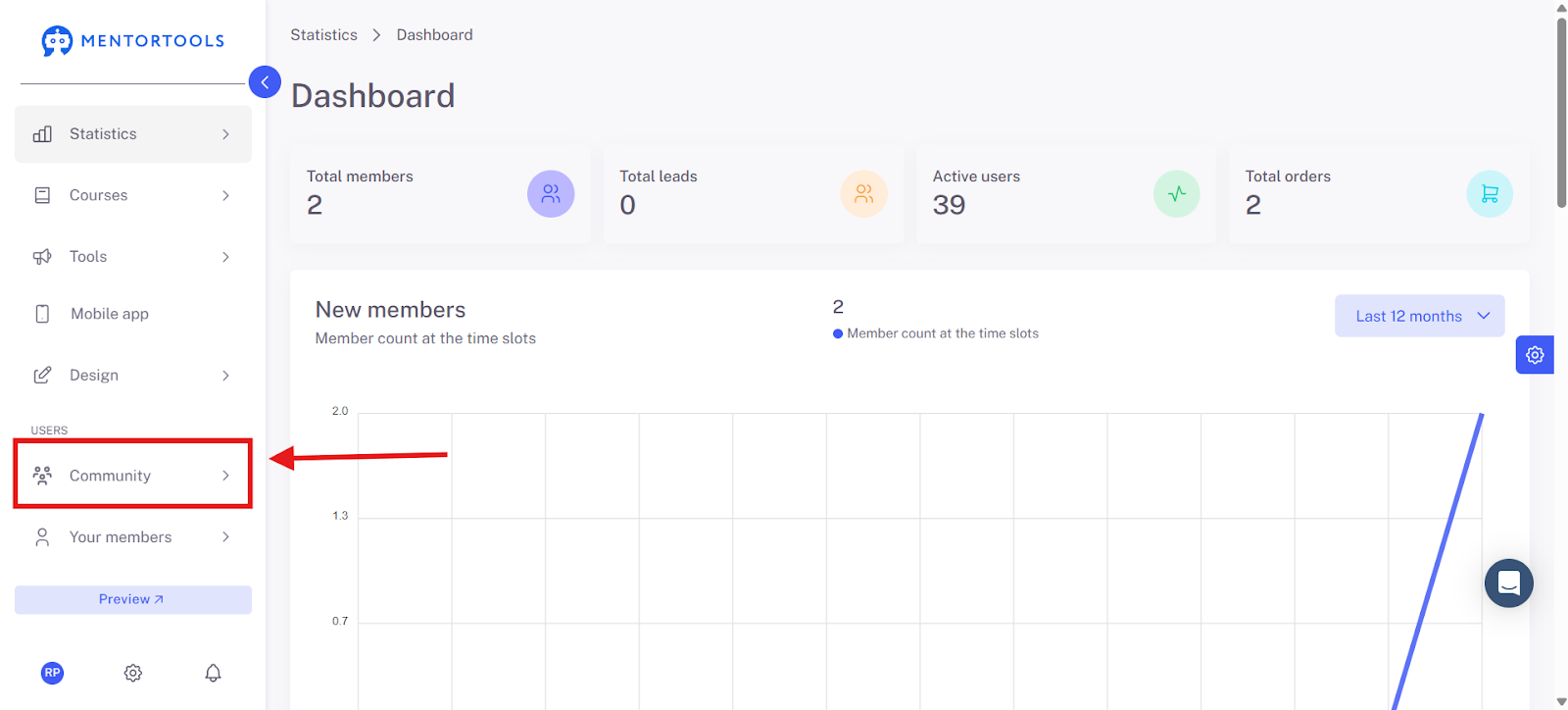
Select your community (e.g., Test Community).

2. Manage Topics
Open the Community Settings menu.
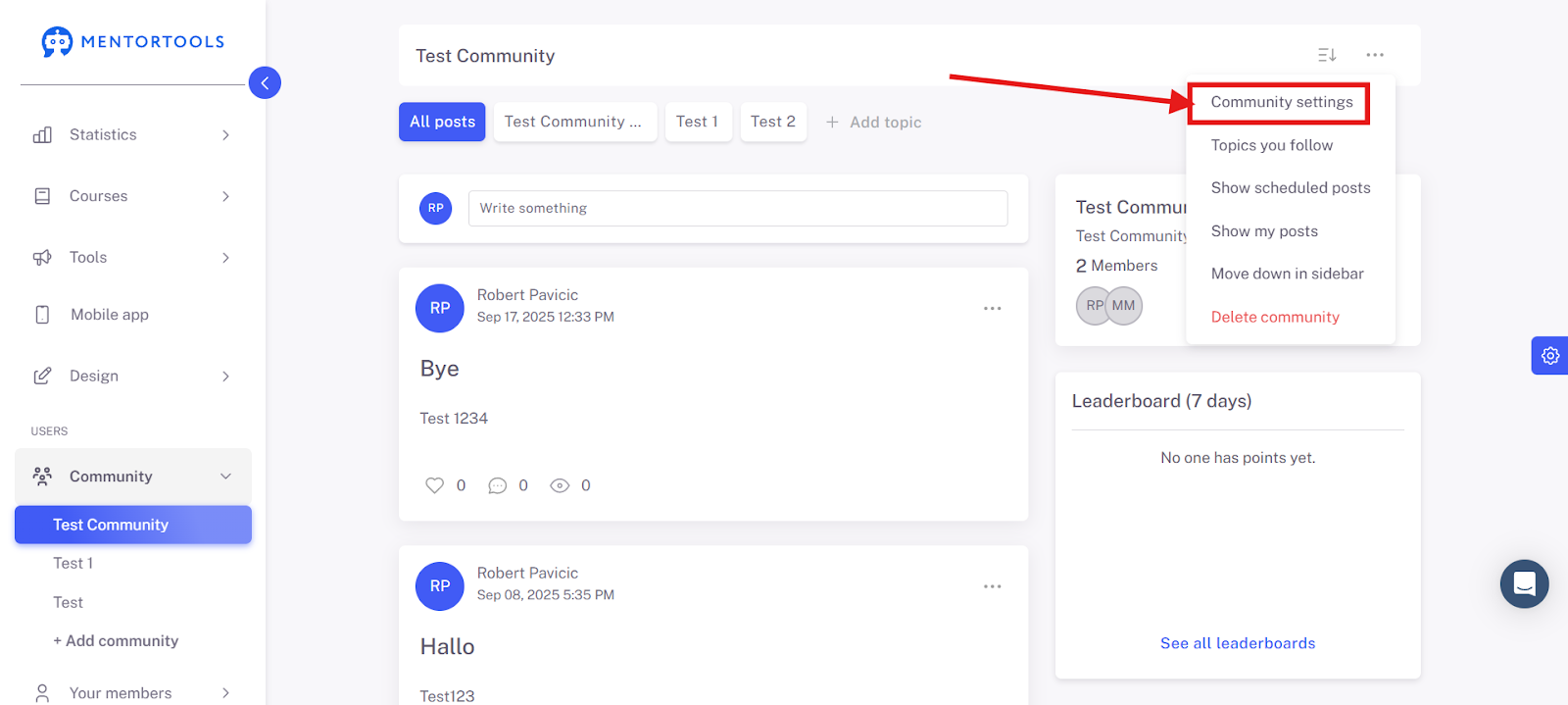
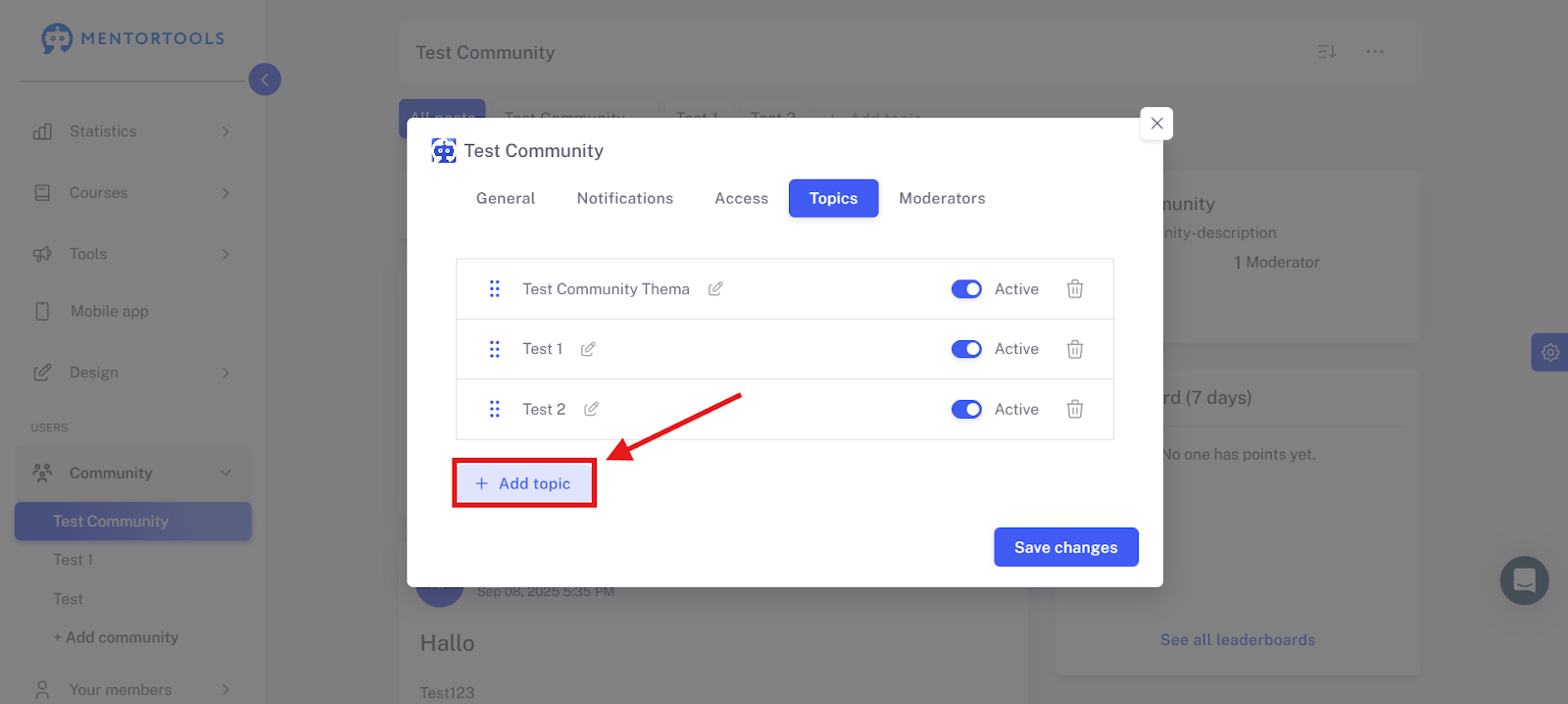
Click on Topics.

3. Create a New Topic
Click on "Add topic."
Enter a topic name.
Example: Feedback, Module 1, Questions & Answers

Optional: Activate "Users may create posts" if you want members to be able to post.
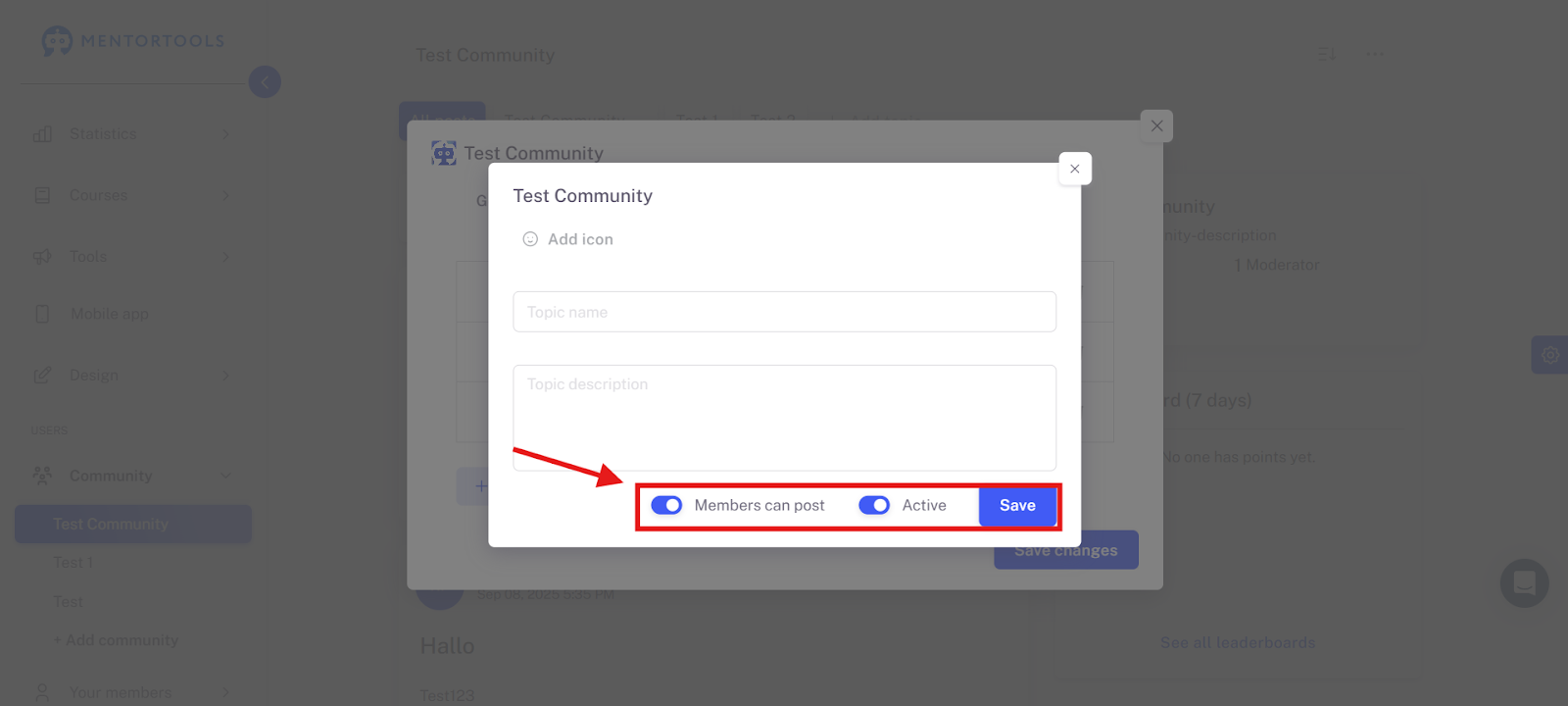
Click on "Save."

4. Edit Existing Topics
Open the desired topic.
Activate or deactivate posting rights.
Adjust the name.
Save your changes.
Tips for Structure
With a clear topic structure, you promote exchange, order, and added value in your community!