Mobile App – Order the app
In this article, you will learn how to start the process of ordering your own mobile app from Mentortools. With just a few clicks, you can submit the application and begin your journey toward having your own app on the Google Play Store and Apple App Store.
Last updated 11 months ago
What is the Mentortools Mobile App Feature?
With the Mobile App feature, you can publish your online academy as a native iOS and Android app. Your members gain access to your courses directly through a professional app in the App Store—including a login area, community, and course access.
For us to develop and publish your app, you must start the ordering process. This works directly in the Mentortools dashboard.
Prerequisites
Before you order your app, you should prepare the following:
You have already created courses in your account.
You have your logo as an image file ready.
You know what you want your app to be named.
Tip: It's also best to have your business concept ready—for example, whether you offer courses for free or for a fee.
Note: For the app to be successfully published, at least one free product must exist.
Step 1: Start the App Application
In the left menu, click on "Mobile App."
At the very top, select the step "Order Application."
Click the "Order Application" button to start the process.
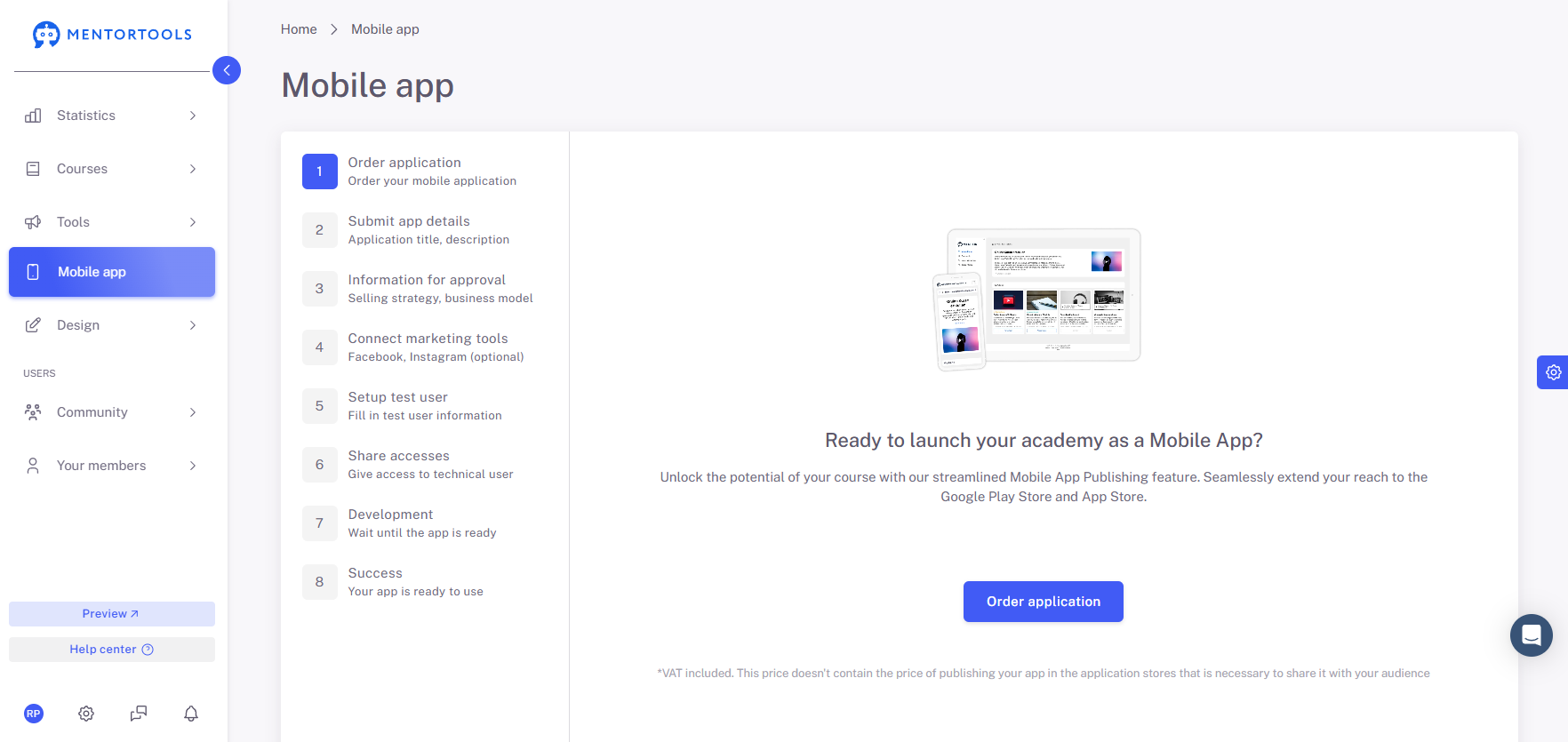
After clicking, the step will be marked as complete, and you can continue with the next section, "Submit App Details."
What Happens After Ordering?
Once you have submitted the application, you will be guided step-by-step through the entire process:
Submitting app data
Releasing content
Setting up a test user
Granting App Store access
And much more
You can find the complete guide here: 👉 Creating Your Mobile App on the App Store and Play Store
Summary
Ordering the app in Mentortools is the first step on the path to your own mobile academy. You can find the function under the "Mobile App" menu item and start the application with a single click. After that, you will be automatically guided through all further steps—our team will accompany you until publication.