Creating a Post (Discussion)
With the community feature of Mentortools, you can create your own posts, start discussions, or publish tutorials—ideal for strengthening the exchange with your members.
Last updated 12 months ago
Prerequisites
You have access to a community in Mentortools.
There is a topic where posts are allowed (e.g., "Feedback," "Tutorials").
1. Access the Community
Go to your Mentortools dashboard: https://app.mentortools.com
In the menu, click on Community.
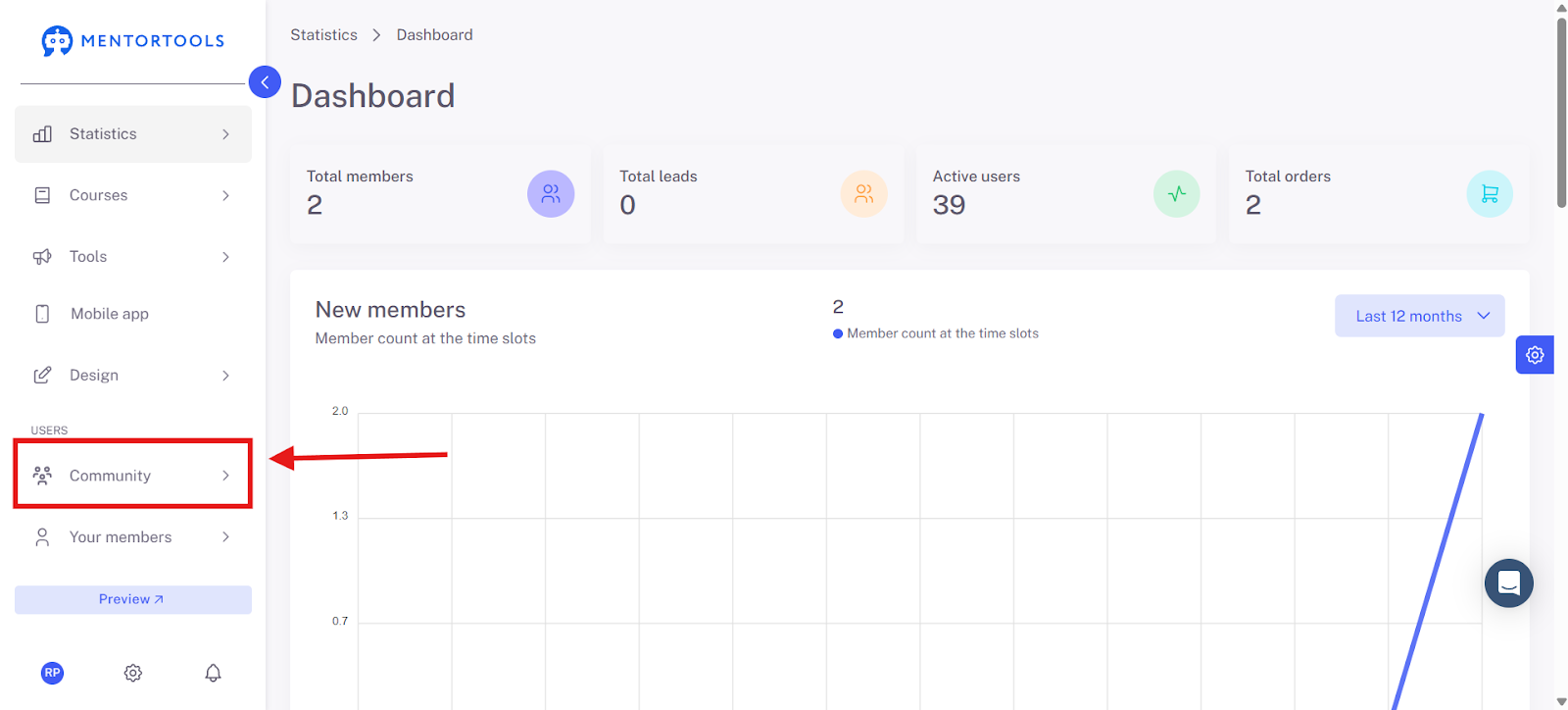
Select your community (e.g., Test Community).

2. Write a Post
Click in the input field "Write something here."

Enter a post title (e.g., "New video lesson published").
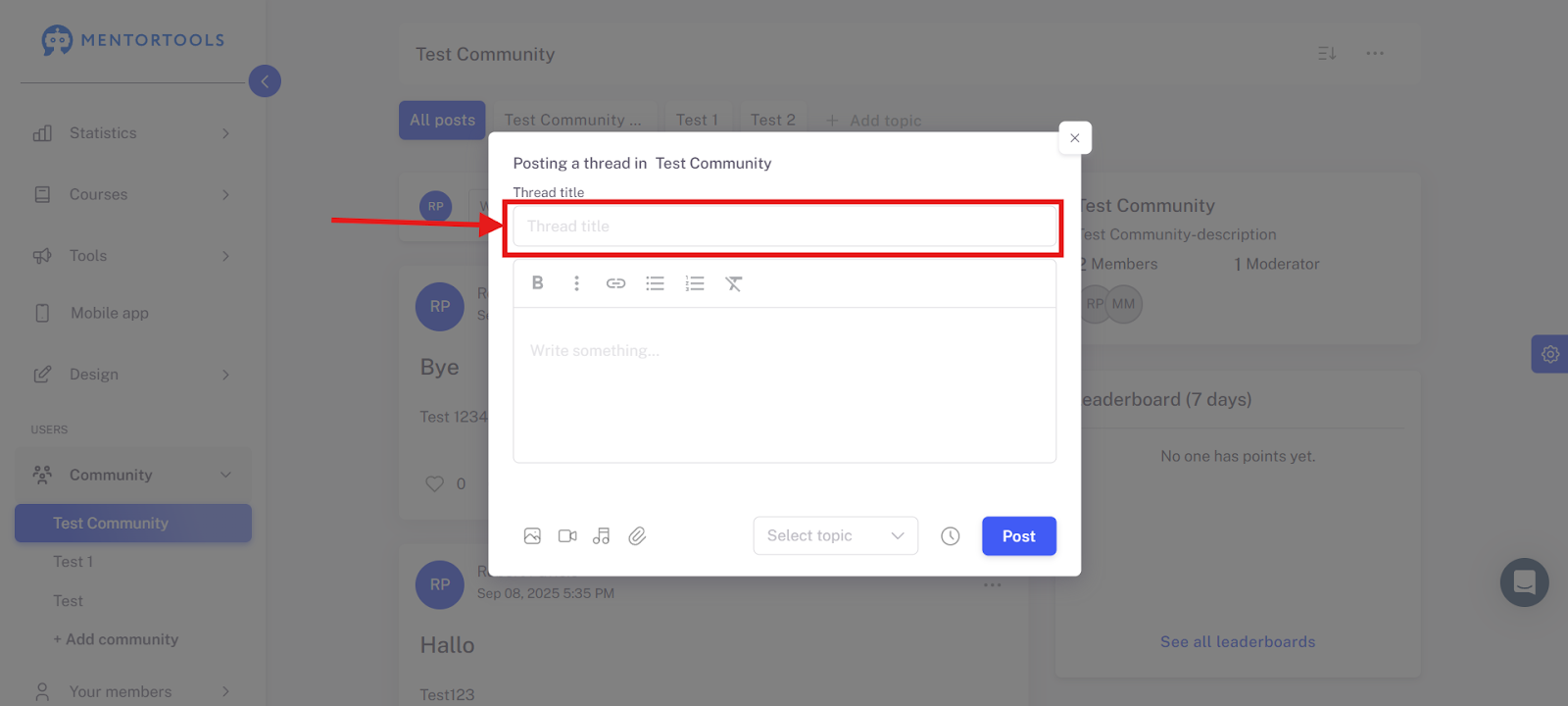
Select a suitable topic (e.g., "Tutorial," "Questions").

Add your actual post text (e.g., description, link, instructions, question).
3. Publish the Post
Click Post.

Best Practices
With just a few clicks, you can create posts, ask questions, share content, or start discussions in Mentortools—directly within your learning platform.