What is a Private Browser Window?
Last updated 11 months ago
To browse privately, you can switch your browser to Incognito Mode. This protects your data. An Incognito window is also important for testing various internet and software programs. For example, when testing a registration process or generally viewing areas from the perspective of an end-user.
While this would also work in a normal window, you are usually already logged into the software in the same window, which leads to different views. That's why we recommend using a private window. Here are instructions for different browsers on how to enter Incognito Mode.
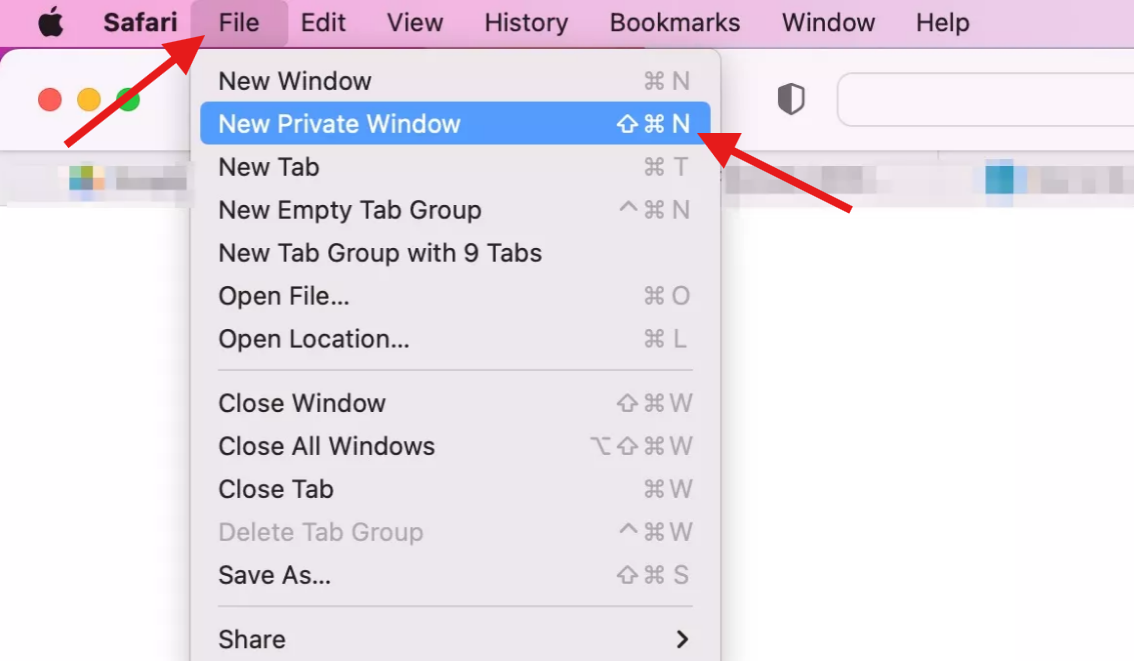
Safari
Navigate with your mouse to the Safari Browser and right-click. A small window will then open above it where you can open a “New Private Window”. You can also open a “New Private Window” as seen on the screenshot.
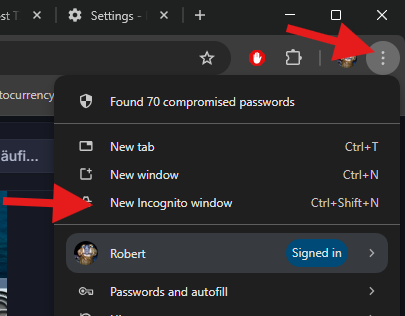
Chrome
Navigate with your mouse to the Chrome Browser and right-click. A small window will then open above it where you can open a “New Incognito Window”. You can also open a “New Private Window” as seen on the screenshot.
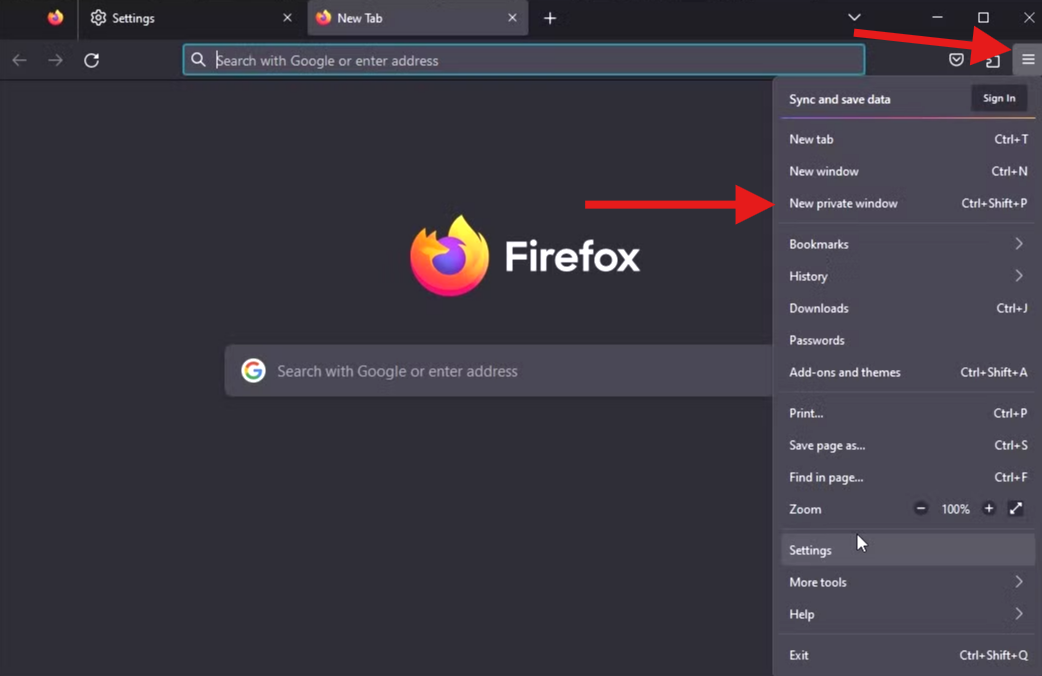
Firefox
Navigate with your mouse to the Firefox Browser and right-click. A small window will then open above it where you can open a “New Private Window”. You can also open a “New Private Window” as seen on the screenshot.
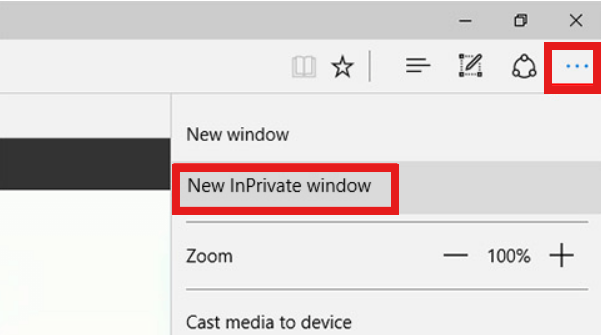
Microsoft Edge
Navigate with your mouse to the Edge Browser and right-click. A small window will then open above it where you can open a “New InPrivate Window”. You can also open a “New Private Window” as seen on the screenshot.