Verify Domain in Facebook
Last updated 11 months ago
Please first log into your private Facebook Account. Once you are logged in, open the following domain: https://business.facebook.com/
The Business Manager should then open. Now proceed as follows:

In the Business Manager, go to "Brand Safety" in the left menu:
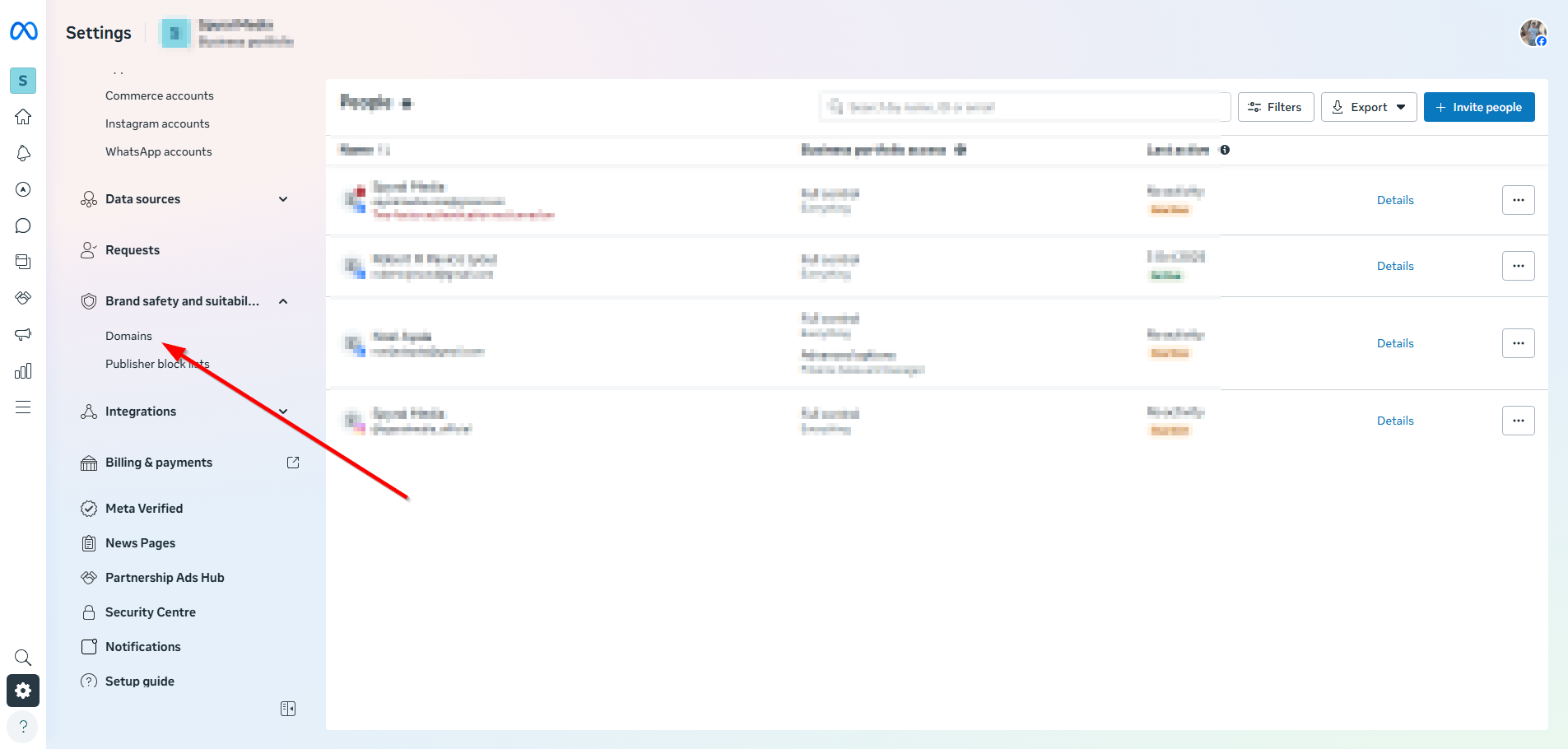
Click on "Add" and enter a domain. This domain must belong to you. You can buy domains from name.com, for example.
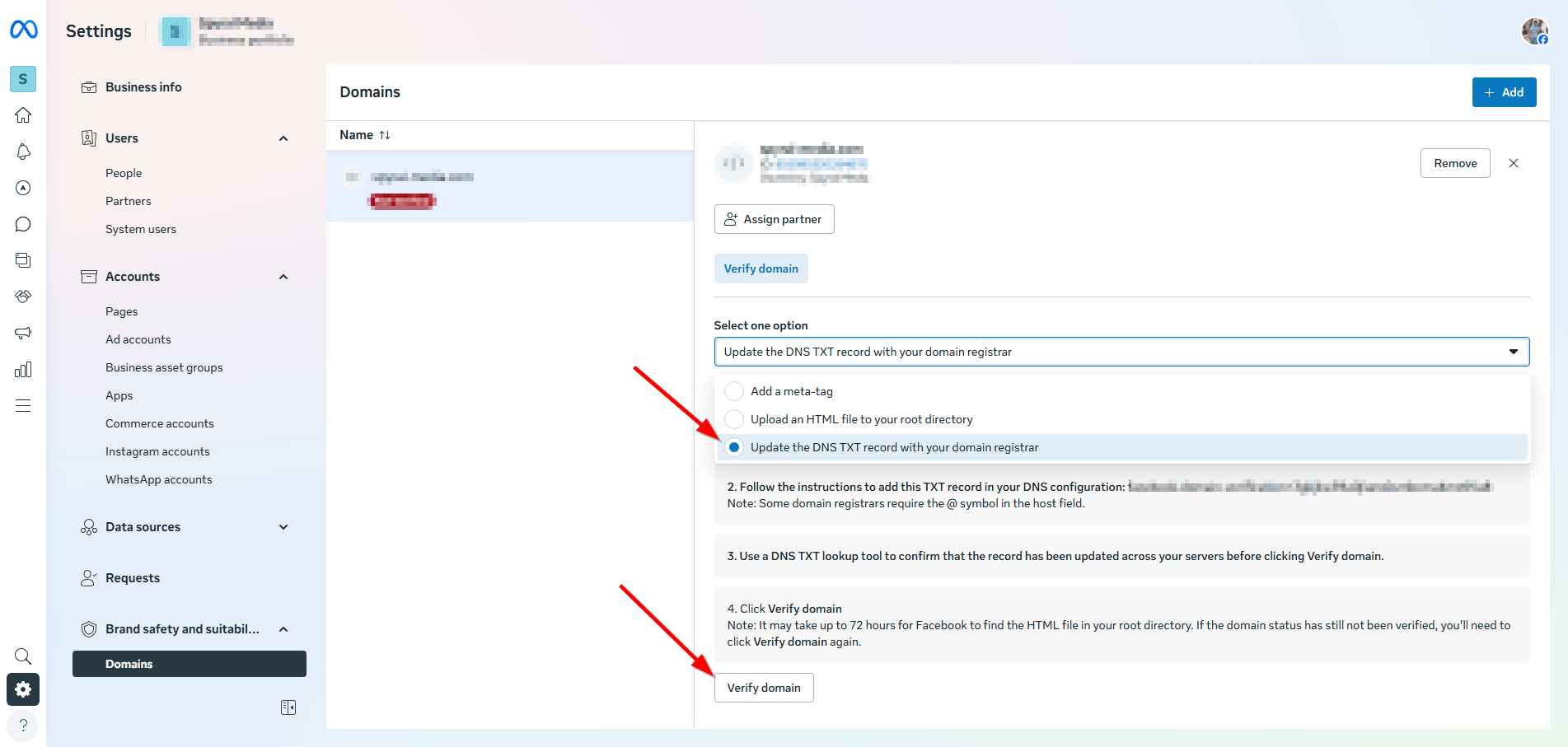
You then select DNS verification. Under point "2", a URL code will appear, which you only need to copy with a single click.
To verify the domain, you need access to your domain host. This is the provider where you bought your domain, e.g., name.com, all-inkl.com, etc. The best way is to enter the name of the host plus "TXT-DNS-Record" into a search engine (e.g., Google). This will most likely lead you to instructions that show you exactly where to insert the TXT code.
As a member of the Traffic Insiders or the Campaign Manager training, you have access to our support and can ask us how this process works with your domain hosting provider.
If you have done everything correctly, please click the "Verify Domain" button.

If you have worked through the process, a message will appear stating that the domain has now been verified. Then click on "Connect Assets".

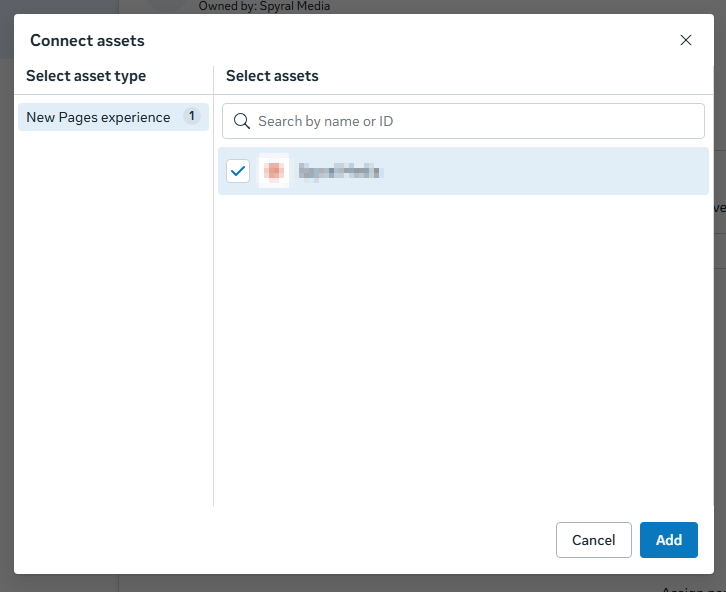
A new window will then appear on the screen. There, you first select the "Classic Page Version" If the Option appears. Now click "Add".
That dialog shows asset types that actually exist in your business. If you don’t have any classic pages (old “Page roles” model) linked, the Classic Page option simply won’t appear. Facebook has been migrating most pages to the new experience, so many accounts no longer see the classic option at all.
How to double-check:
In Business Settings → Accounts → Pages, see if any page is labeled as “Classic.”
If all pages are “New Pages experience,” that’s why only that option shows.
To see the classic option, you’d need to connect a page that’s still on the classic model (you can’t convert a new page back).
If your goal is just to assign the domain to your page, selecting New Pages experience for your page is correct.
Your domain has thus been verified.
We wish you continued fun and success,
Team Mentortools