Quiz results
In this guide, you will learn how to view the quiz statistics of individual members in Mentortools. You can use this to track if and how a member has completed quizzes within your courses—including their score, result, date, and quiz details.
Last updated 12 months ago
To view the quiz statistics, follow these steps:
Go to "Statistics"
Log in to your membership area and go to "Statistics" in the side menu. Then, select "Quiz Results". Here you will find a list of all quizzes completed in your membership area.
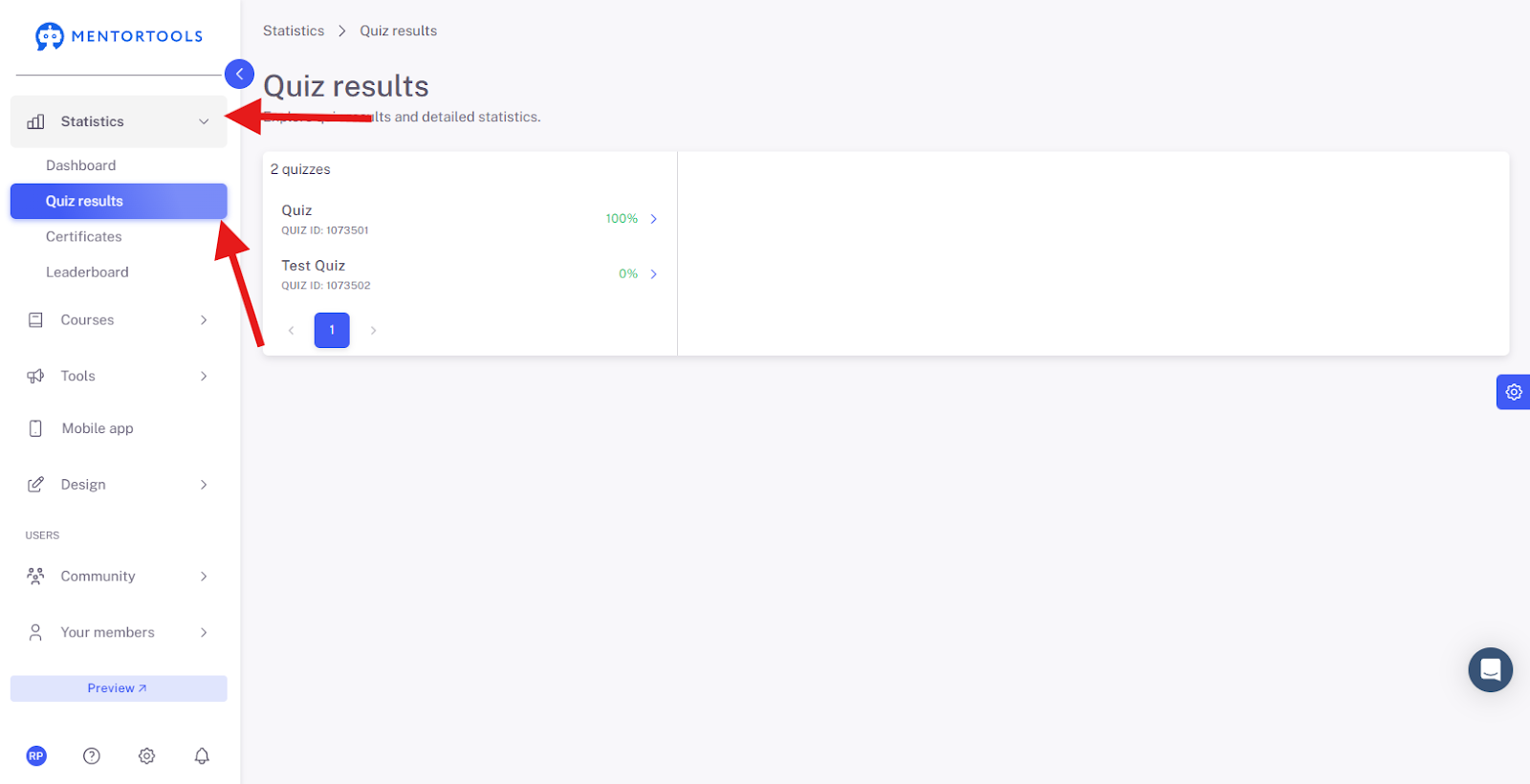
Quiz Results
When you click on a specific quiz (in the left-hand list), its statistics will be displayed.
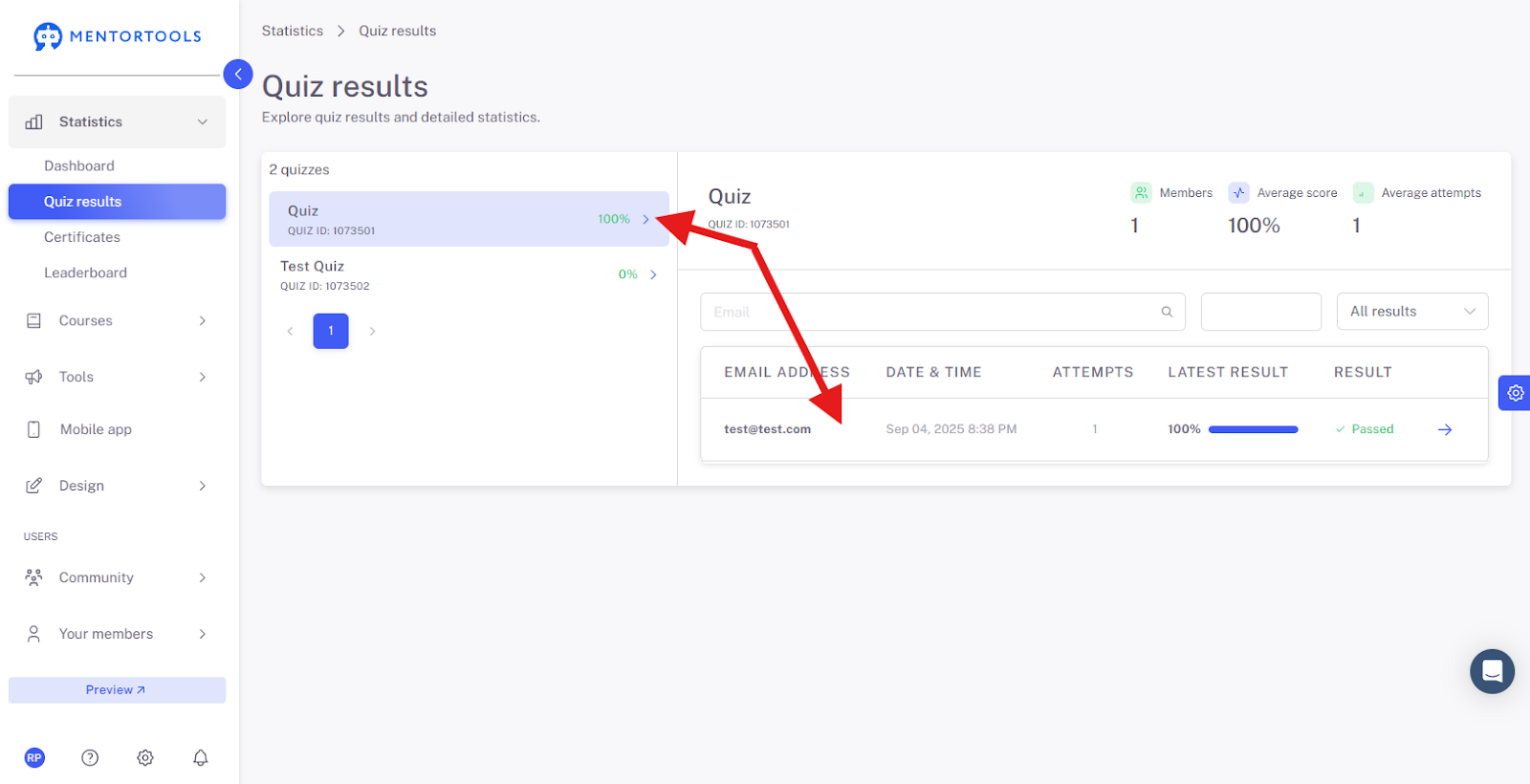
In the statistics, you can search for users who have completed the quiz—either by their email address or by the date of participation. If you select the option:
All - all quiz results will be displayed.
In progress - quizzes that are currently in progress will be displayed.
Failed - results from quizzes that were not passed will be displayed.
Passed - results from quizzes that were successfully passed will be displayed.
For a specific quiz, the following statistics are displayed:
Members - number of members who have completed the quiz.
Ø Result - average score in percent (%).
Ø Attempts - average number of attempts.
For a specific member, the following information is displayed:
Email address.
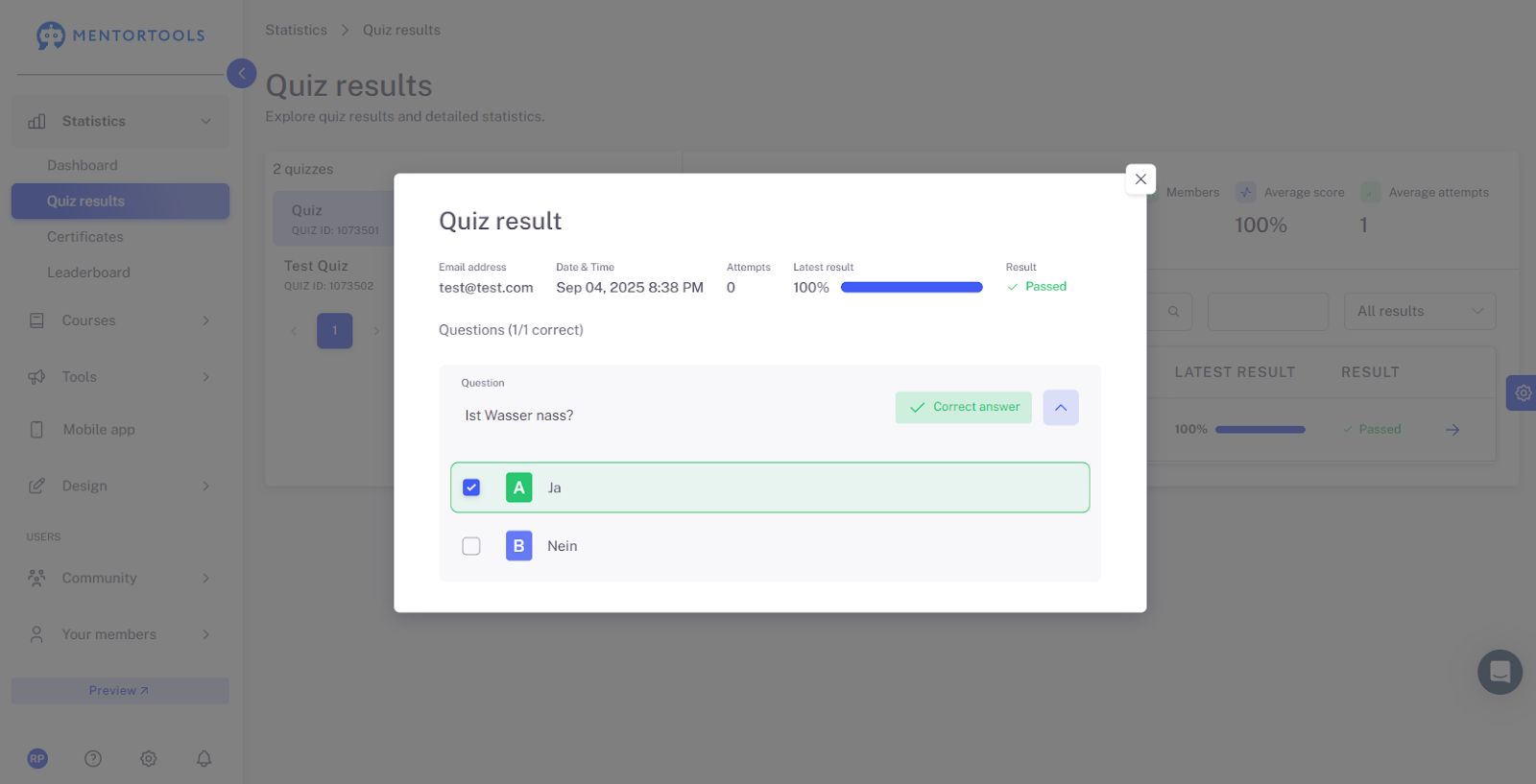
Date and time of quiz participation.
Number of attempts.
Last Result - in percent (%).
Result - whether the quiz was passed or failed.
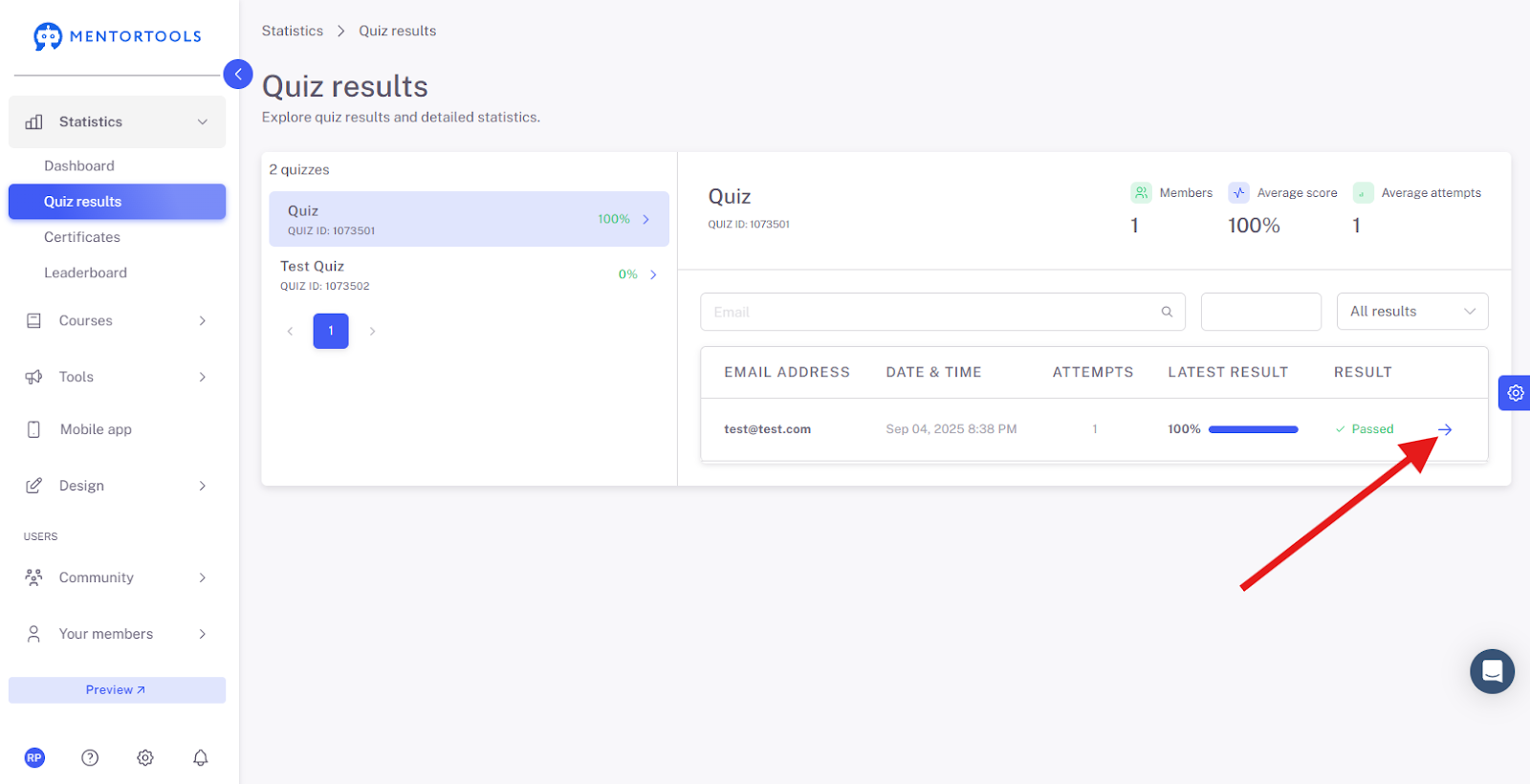
If you click on the blue arrow on the far right, the details of that member's quiz will also be displayed—all the questions and the member's answers to the individual questions.
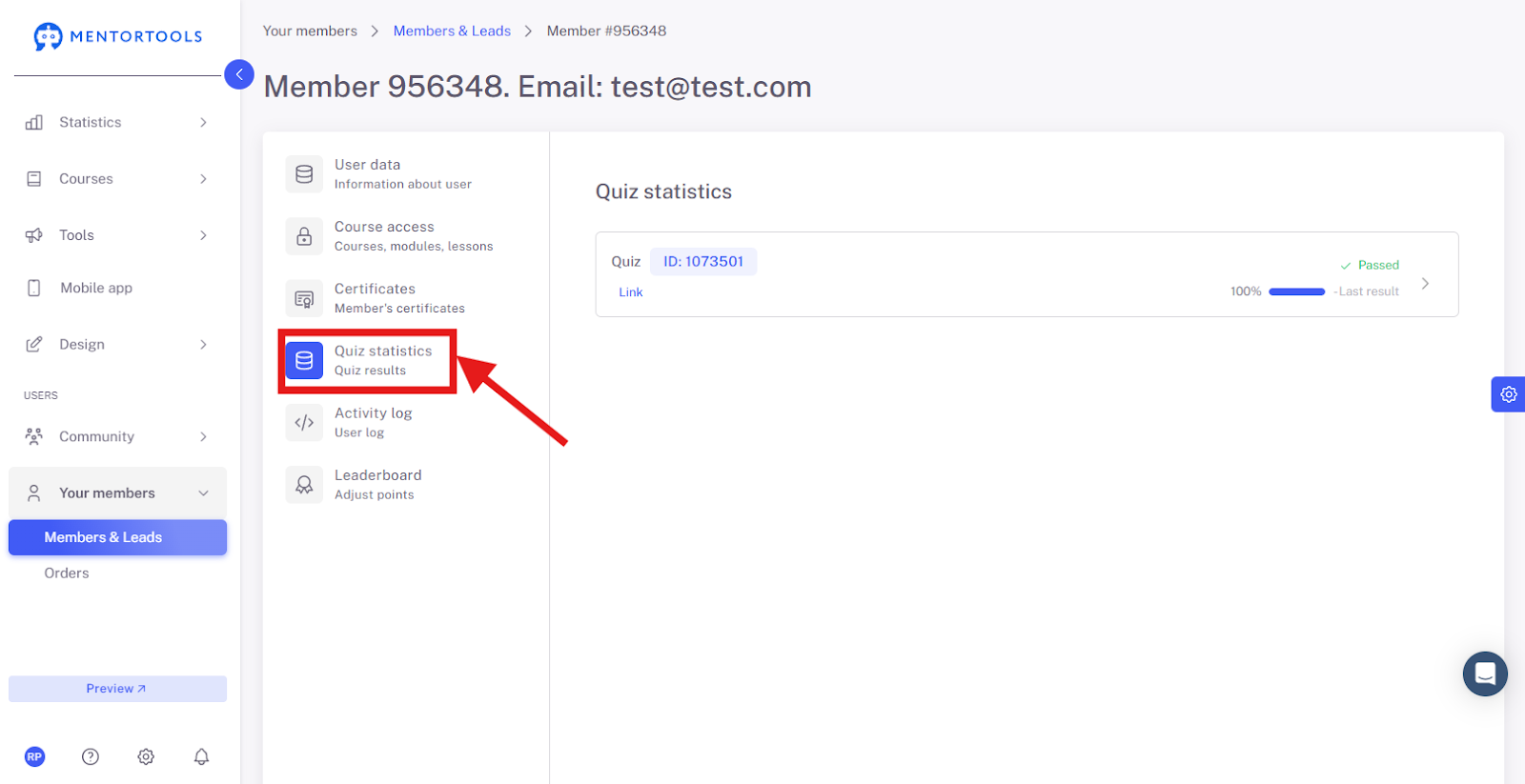
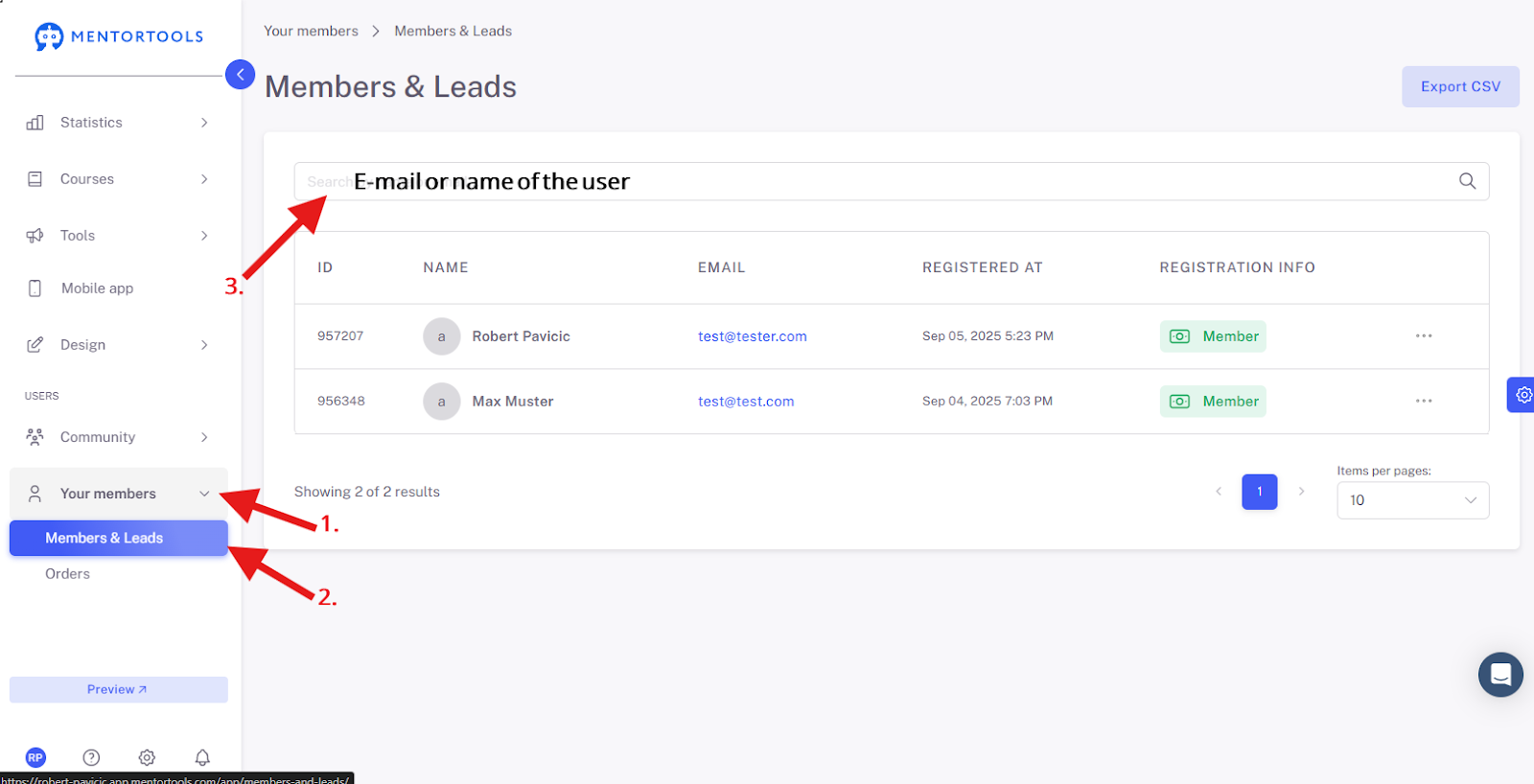
You can also access a specific member's quiz results by going to "Your members" and then "Members and Leads" in the side menu. From there, you search for the specific member and click on their name or email address.
The settings will then be displayed across 5 tabs. Select the "Quiz Statistics" tab to get to that member's quiz results.