Welcome Emails – Direct Link Emails
In these settings, you can define what the message (also called a welcome email) should look like.
Last updated 12 months ago
Direct Link Emails
You can also customize the text for single and double opt-in registrations.
This refers to all accesses that were registered via the direct link to the course.
The direct link can be found in the "Course Settings" under the "Access" section. This direct link is mostly used to invite users to a course.
Please note: This link represents direct access. This means that users who register via the direct link do not have to pay for the course and are automatically granted access to the online course.


The following categories exist:
Welcome emails for single opt-in processes
Welcome emails for double opt-in processes
Confirmation email for the double opt-in process

In each category, you can customize the text of the email.
IMPORTANT: Make sure that variables such as {{content_creator_page_url}}, {{customer.email}}, or {{customer_password}} are NOT CHANGED.
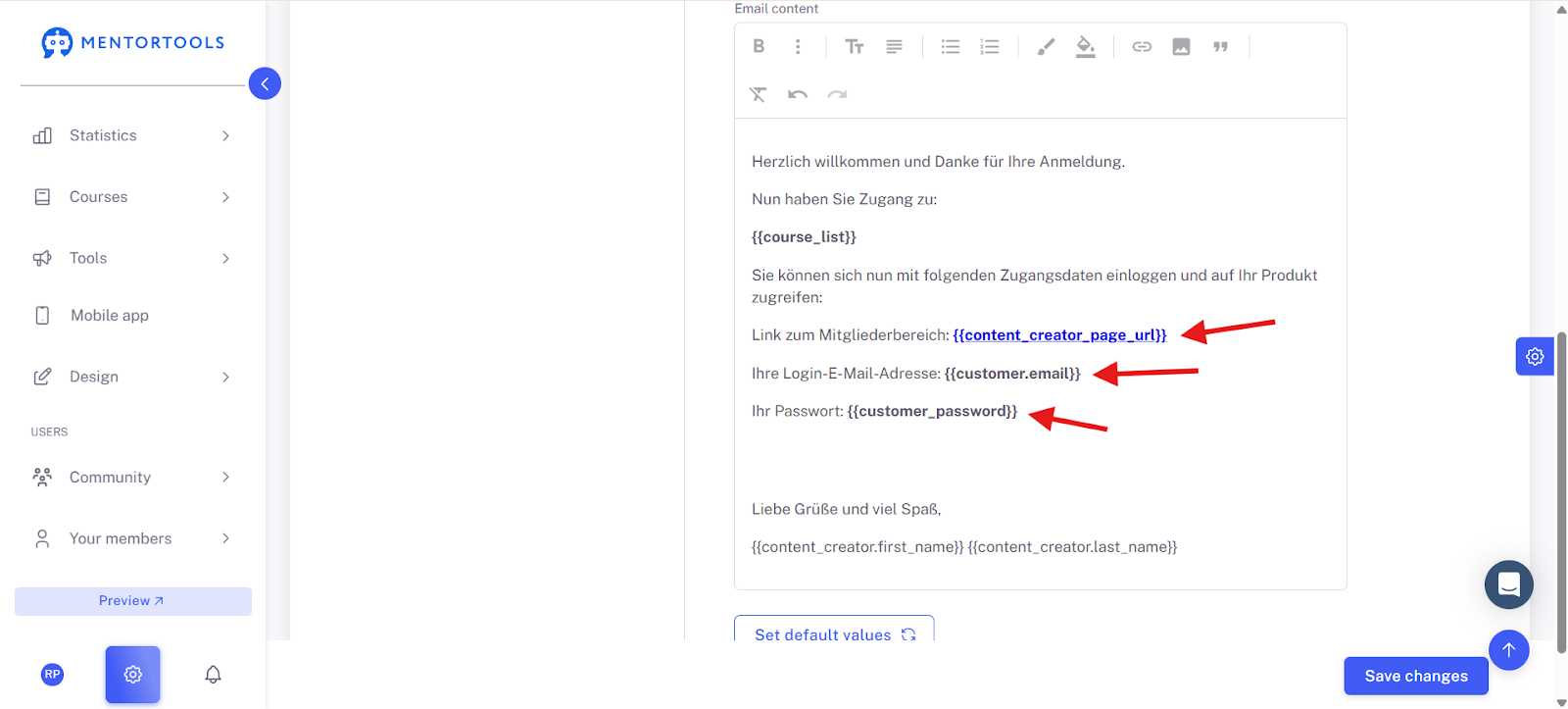
Once you have customized everything, click on "Save Changes."
Goodluck!