Payment Providers – Connecting Mentortools with FAPI
In this guide, you will learn how to connect FAPI as a payment provider with Mentortools to automatically receive payments for your courses.
Last updated 11 months ago
1. Open Mentortools
Log in to your admin area at https://app.mentortools.com.
2. Open Settings
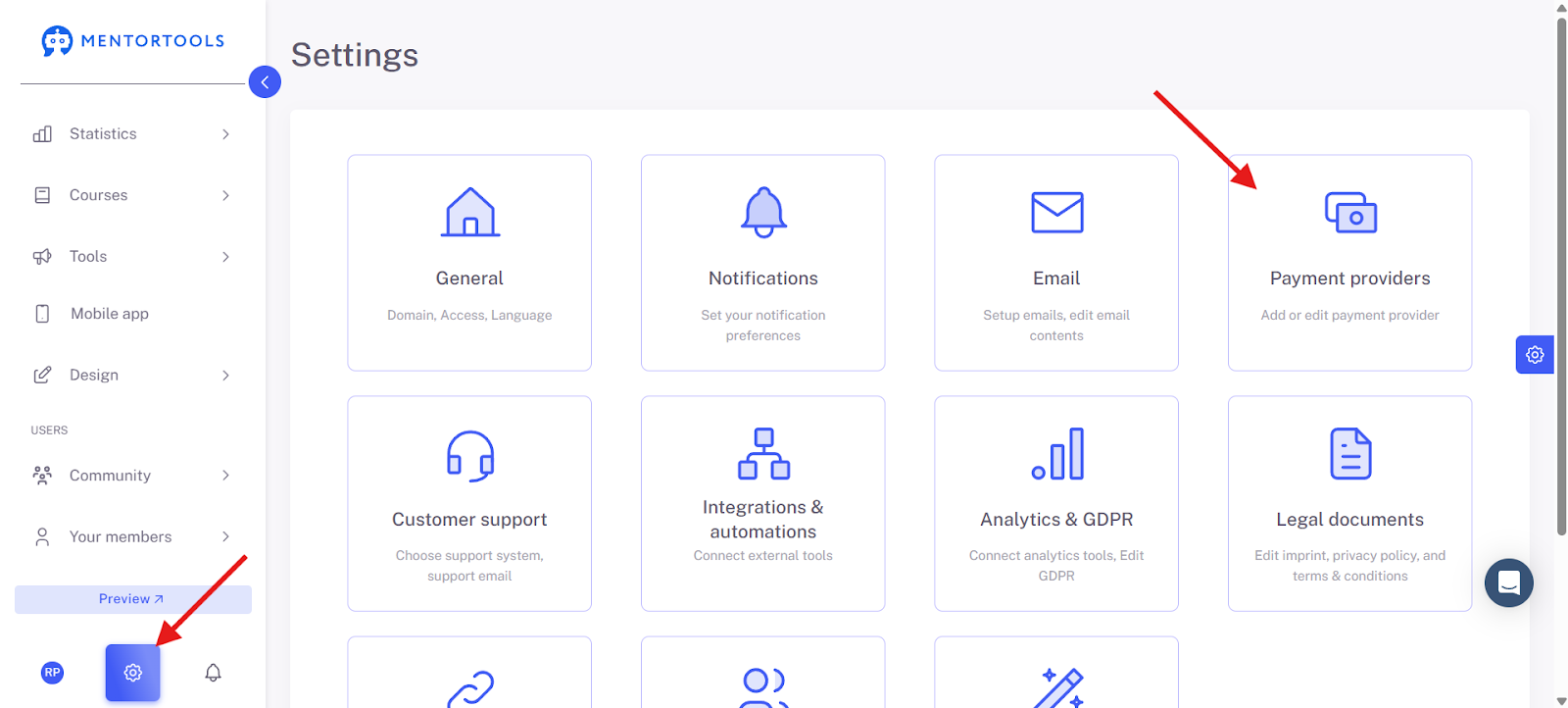
Click on the gear icon at the bottom left of the menu and select "Payment Providers".
3. Select Payment Provider
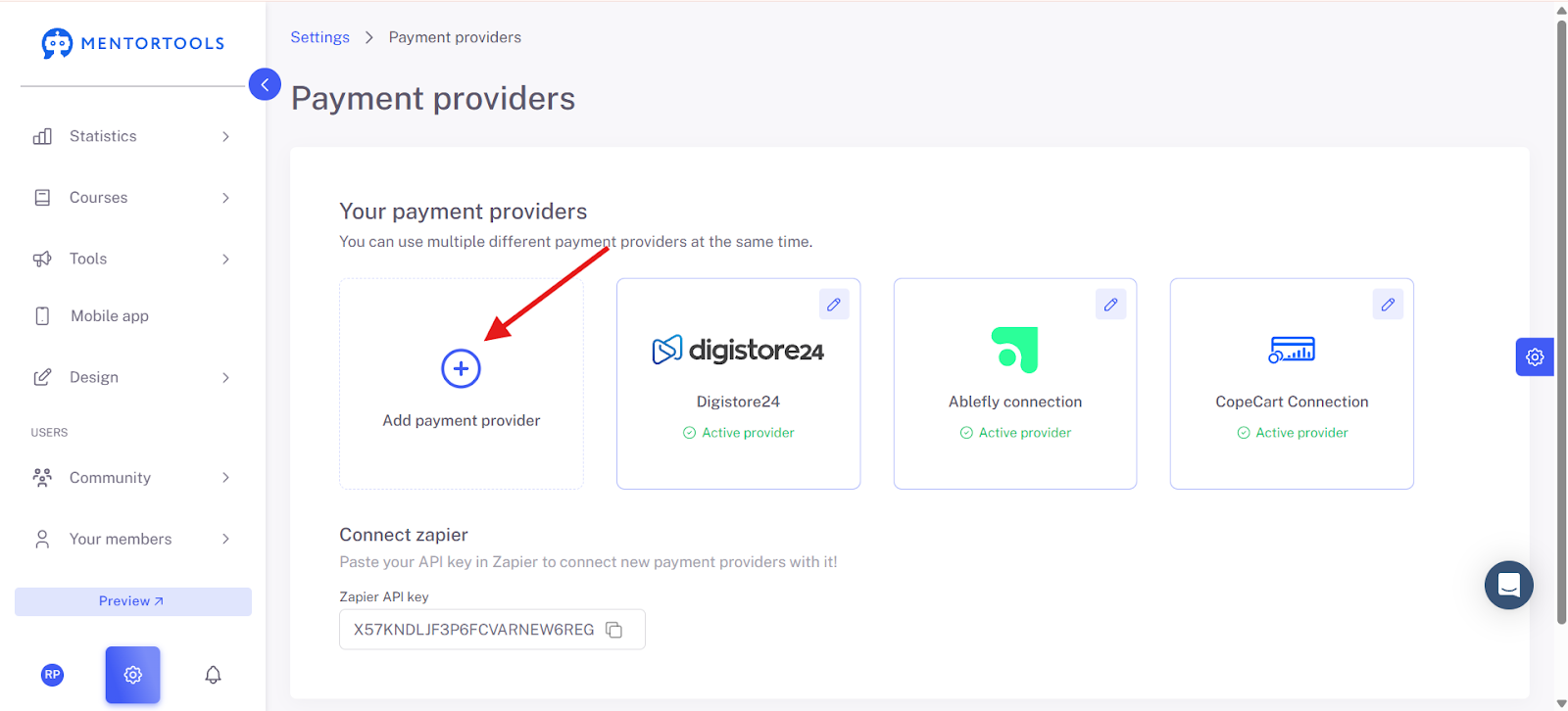
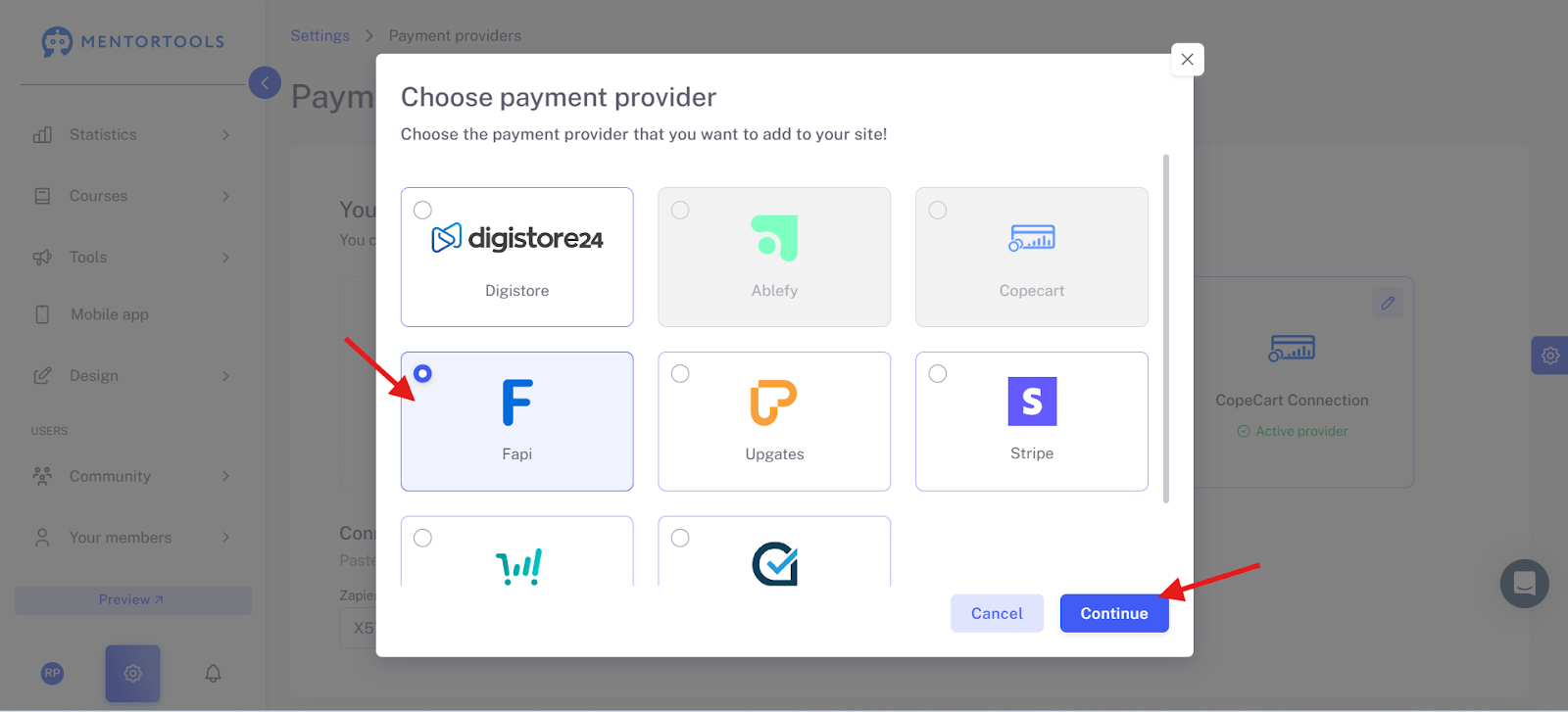
In the overview, select "FAPI" from the list of supported payment providers.
4. Enter FAPI API Credentials
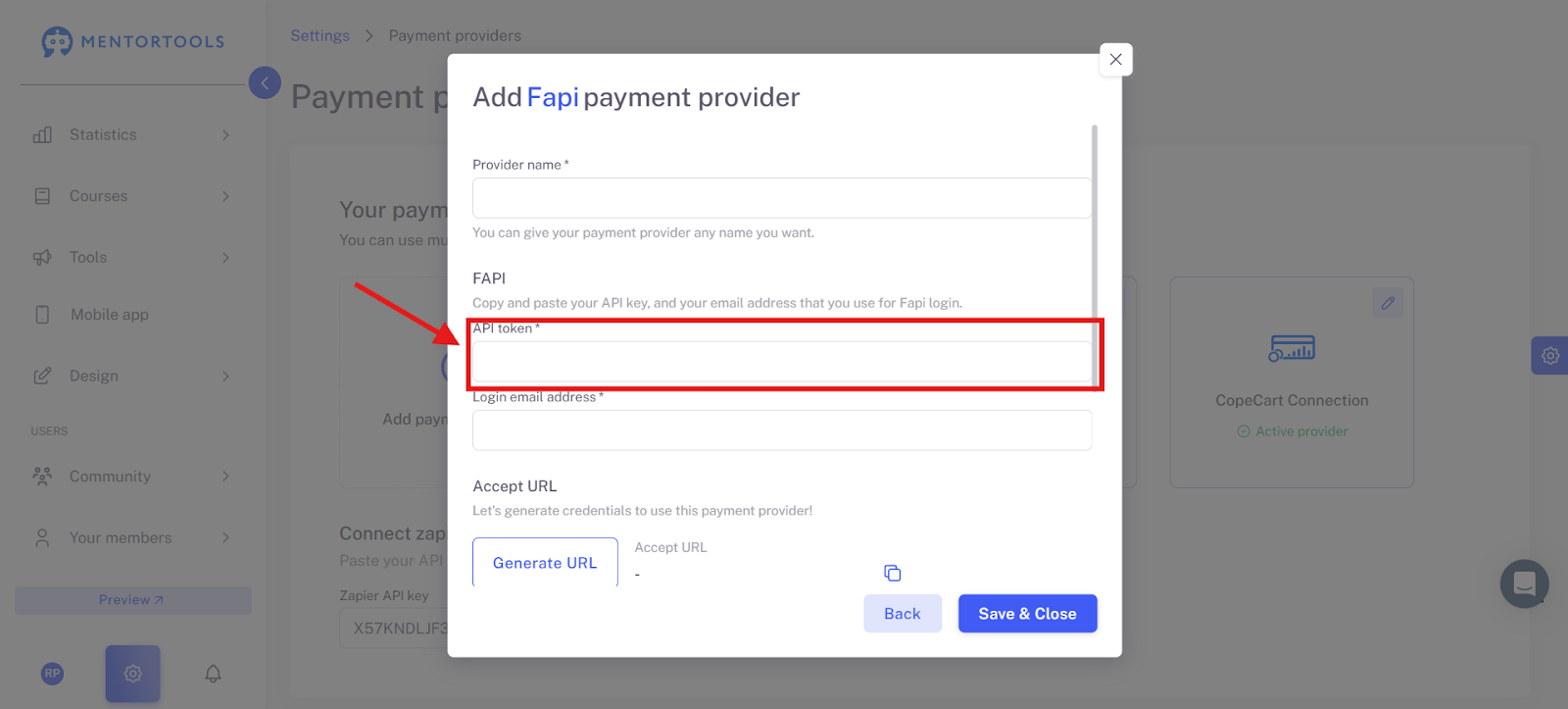
Now, enter the provider name and the API key that you can find in your FAPI dashboard.
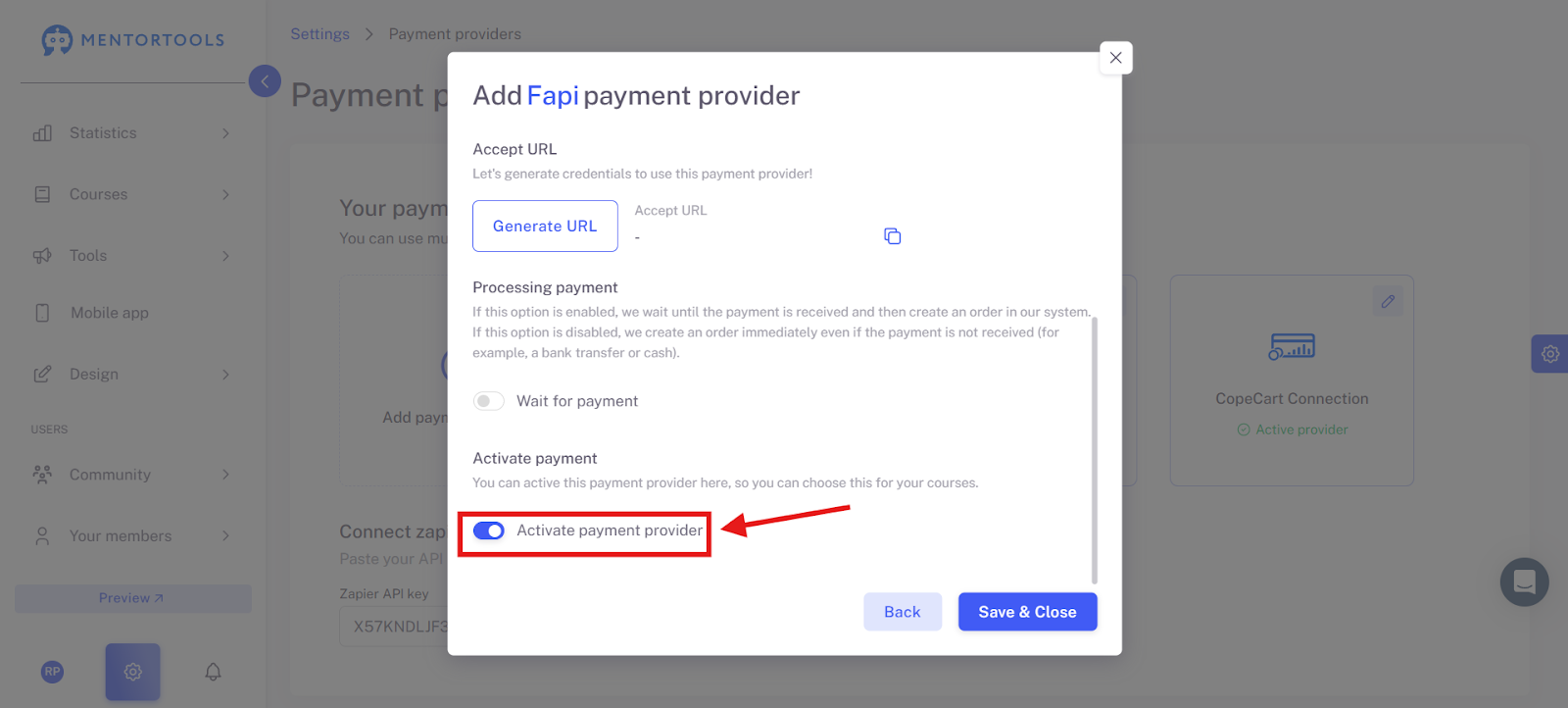
5. Activate Payment Provider
Activate the provider by checking the box next to "Activate payment provider."
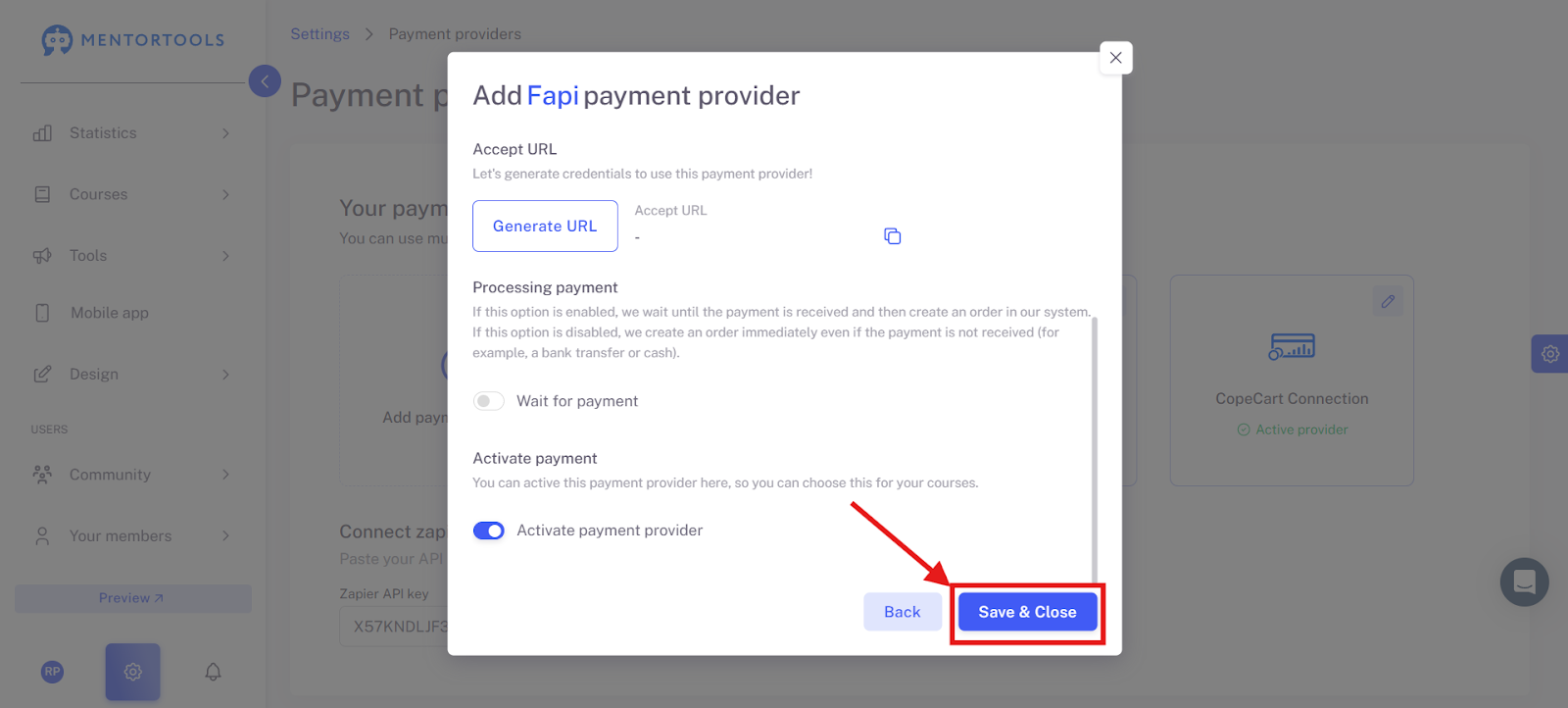
6. Save and Close
Finally, click on "Save and close" to finalize the integration.
Conclusion: The integration of FAPI into Mentortools allows you to process course sales and subscriptions smoothly—directly through your member area. Ideal for scalable and automated course sales.