Module – Main information
In this guide, you will learn how to adjust the basic settings of a module in Mentortools—its name, description, and also the cover image.
Last updated 12 months ago
Where Can I Find the Basic Module Settings?
Log in to your Mentortools account.
Go to "Courses" → "Overview" and select the desired course.
In the course, go to "Modules".
Find the specific module you want to edit.
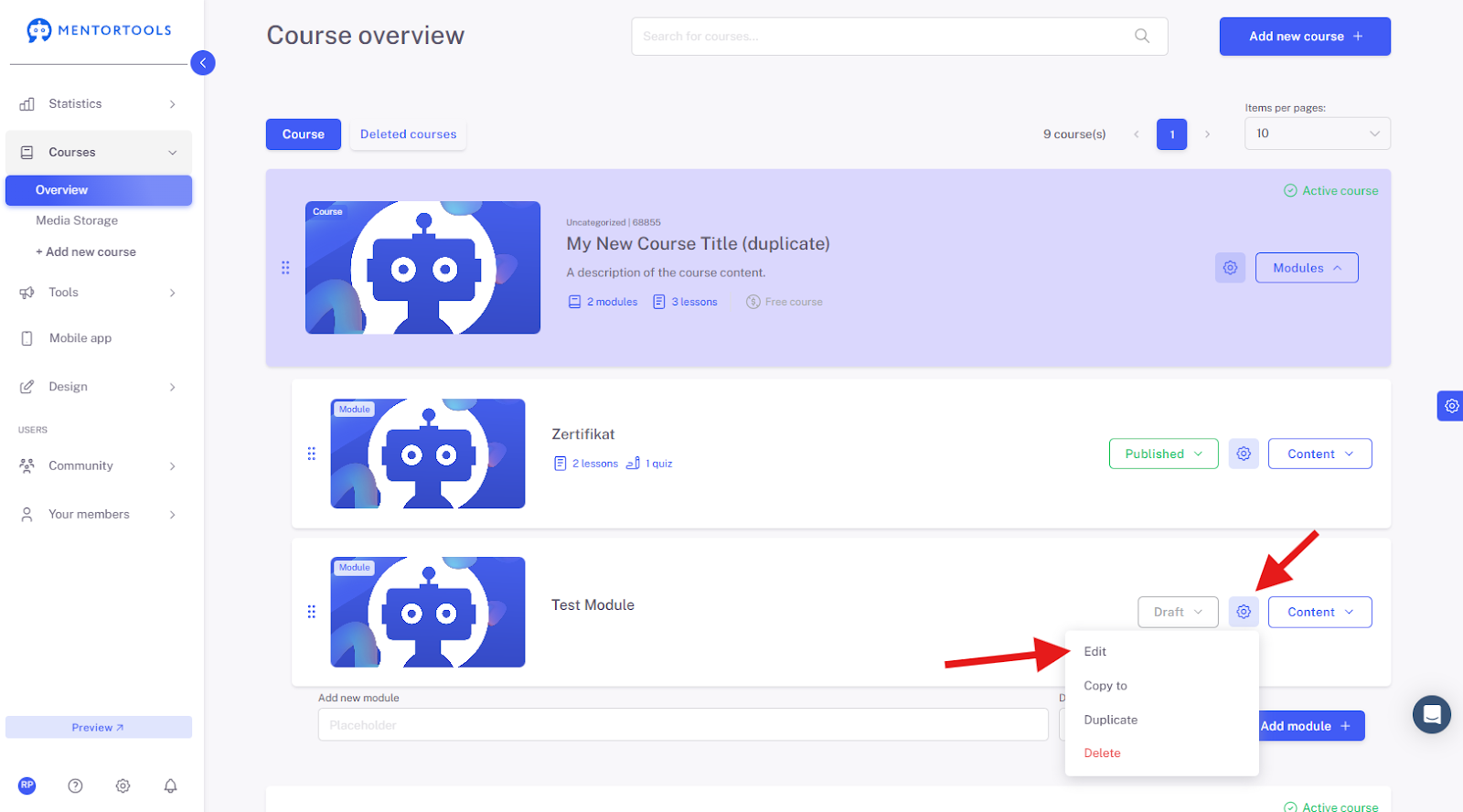
Click on the gear icon to the right of the module name (⚙️) and then on "Edit", or simply click on the module name. The module's settings will then be displayed.
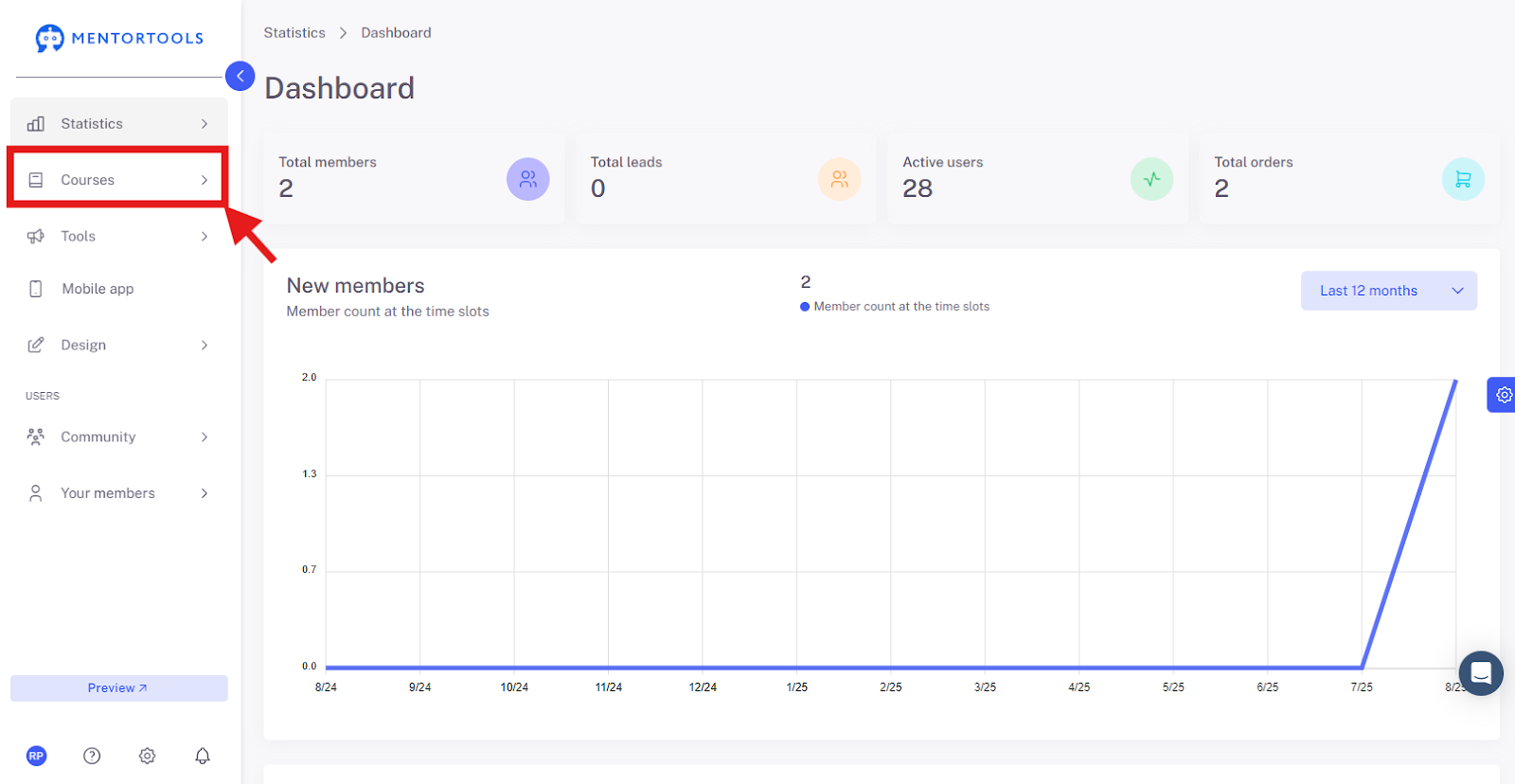
1. Go to "Courses"
Log in to your membership area and go to "Courses" in the side menu.
2. Go to "Overview"
Then click on "Overview" to display the list of all your courses.

3. Select a Specific Course
Select a specific course in which you want to create a new module. By clicking on "Modules", all existing modules in this specific course will be displayed.
4. Select a Specific Module
Choose the specific module for which you want to adjust the settings.

5. Edit Settings
To edit the module settings, click on the module name or the gear icon next to the module name and then select the "Edit" option.
Overview of Available Settings – Main information
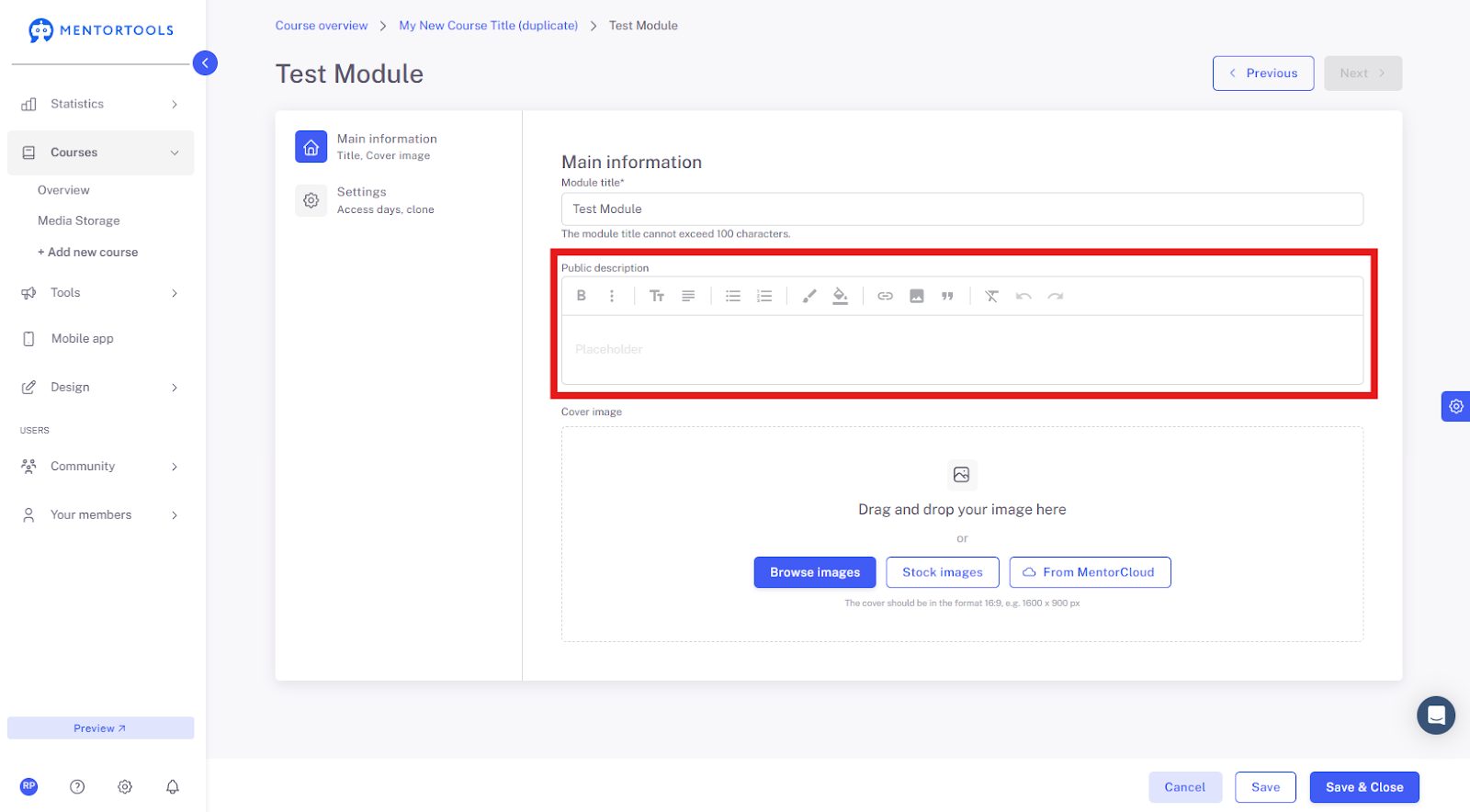
Module Title
Here you can change the title of your module. The title is directly visible to course participants.

Module Description
In this section, you can add the description of your module. The module description is a brief summary of the content and goals of the module. It helps participants quickly understand what to expect in the module, what they should focus on, and what knowledge or skills they can take away from it.
Cover Image
Select an image from your computer, use pre-made image templates, or choose an image from the media database. The recommended format is 1600 x 900 px.

6. Saving the Settings
Save the changes you have made by clicking on the "Save" or "Save and close" button at the bottom.

Tip for Coaches & Course Providers
Clearly defined module names, understandable descriptions, thoughtful content release, and visibility settings help participants navigate the course seamlessly. A good module name and a concise description act as a guide throughout the entire learning process.