Create and Edit a Leaderboard
Last updated 12 months ago
What is a Leaderboard?
A leaderboard within a community is a ranking list that sorts community members based on specific criteria or achievements. These criteria can vary and include points that your members can collect through various activities. The goal is to have active members and a lively and successful community.
The most active and engaged members are highlighted and rewarded in this way. This can increase the motivation and activity of other members by encouraging them to get more involved, as there is visible recognition for their activities.
How Do I Set Up My Leaderboard?
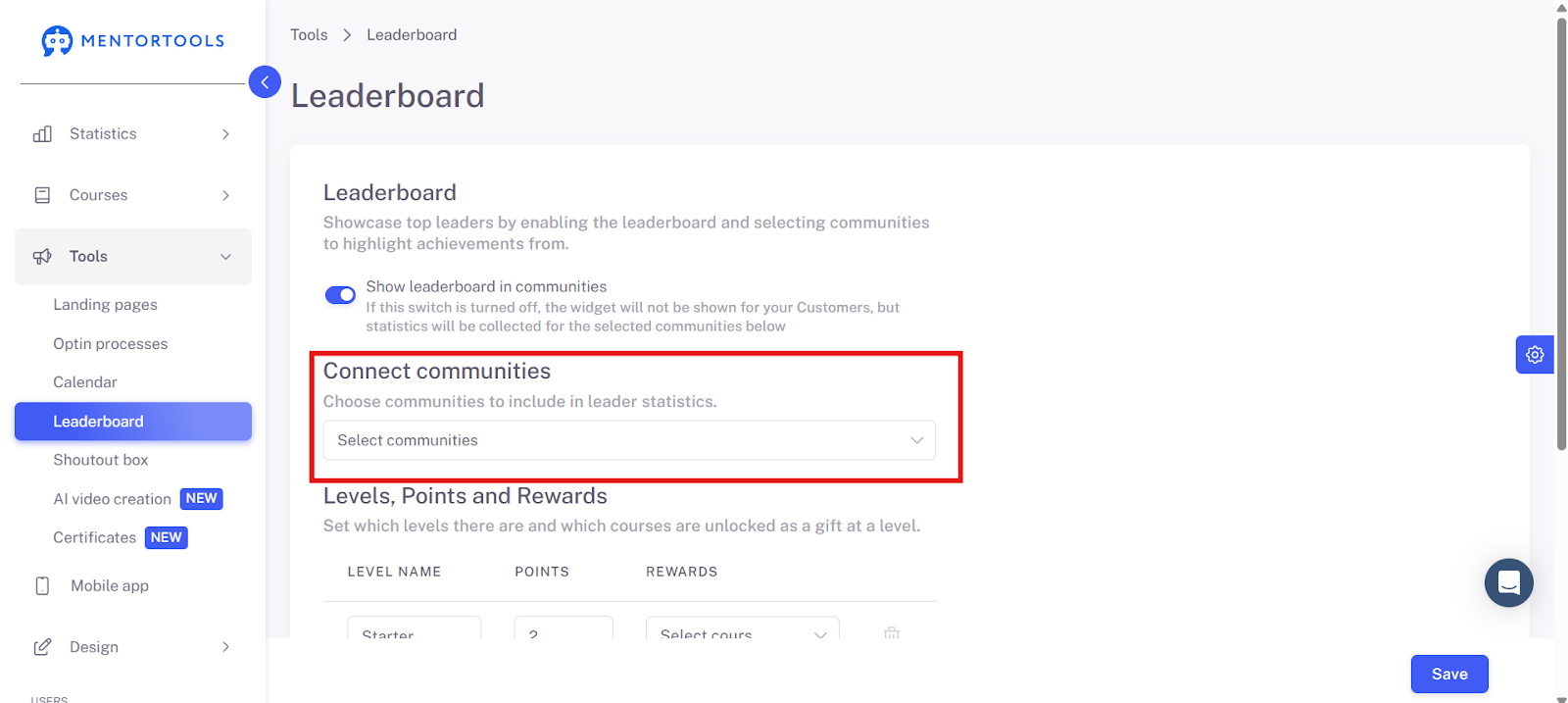
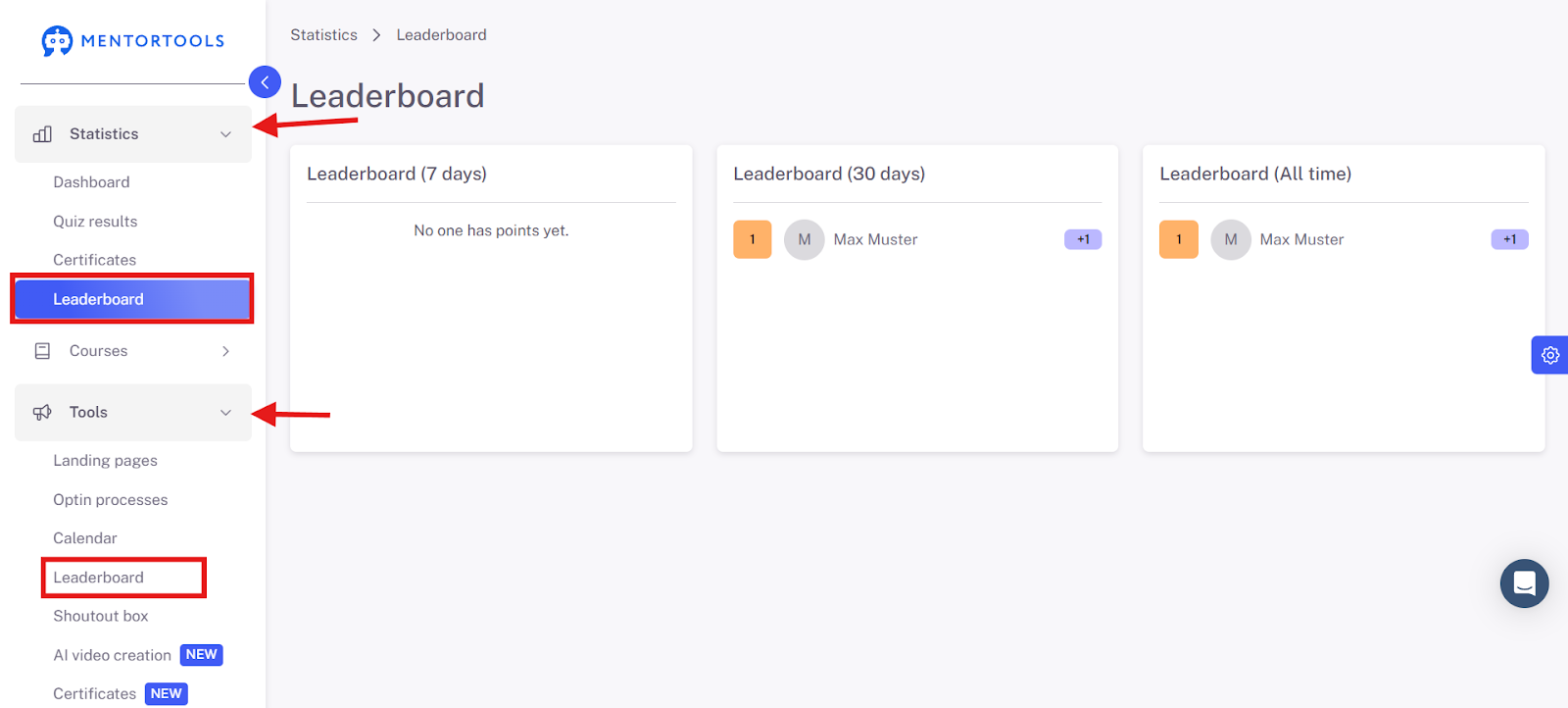
You can find your leaderboard in the menu bar under the Tools section.

Activate the leaderboard so that it becomes available to your members.

Choose which communities the leaderboard should be linked to and from which communities the leaderboard should collect statistics. This will give you an overview of your members' progress.
Give the different levels names—this is where you can get creative. Now, define which level is reached at which score. Then, select a course that should be unlocked for your members upon reaching that score and level. You do not have to activate a course for every level.
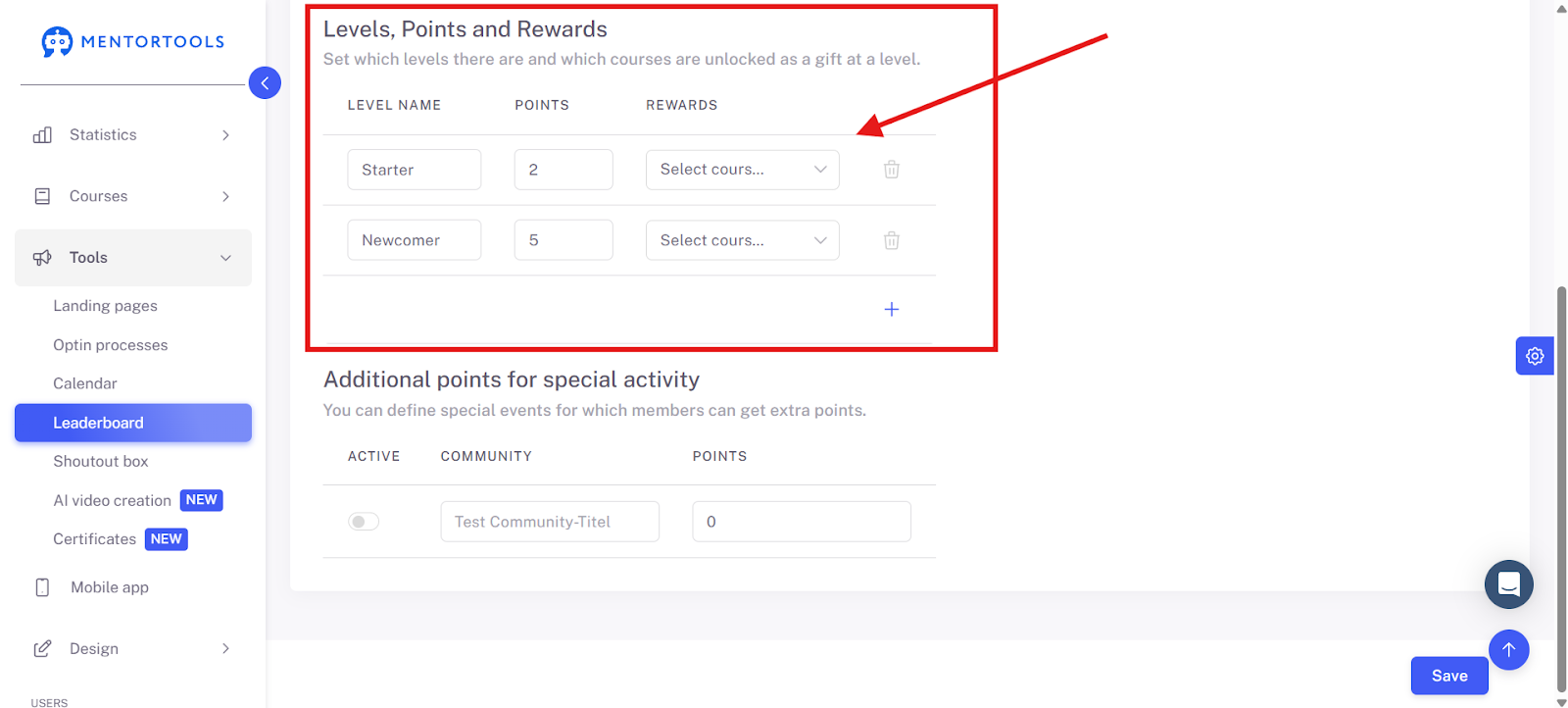
A leaderboard must consist of at least 2 levels. By clicking the + sign, you can add more levels if needed.

To increase the incentive for your members' activity, you can award small prizes in the form of courses at certain levels. These courses can be very short and contain various content in the form of videos, images, files, exercises, audio, or similar.
These prizes serve as recognition of achievement. So, if a member has a high level of activity and a large number of points, they will surely be happy to receive free recognition in the form of a gimmick.
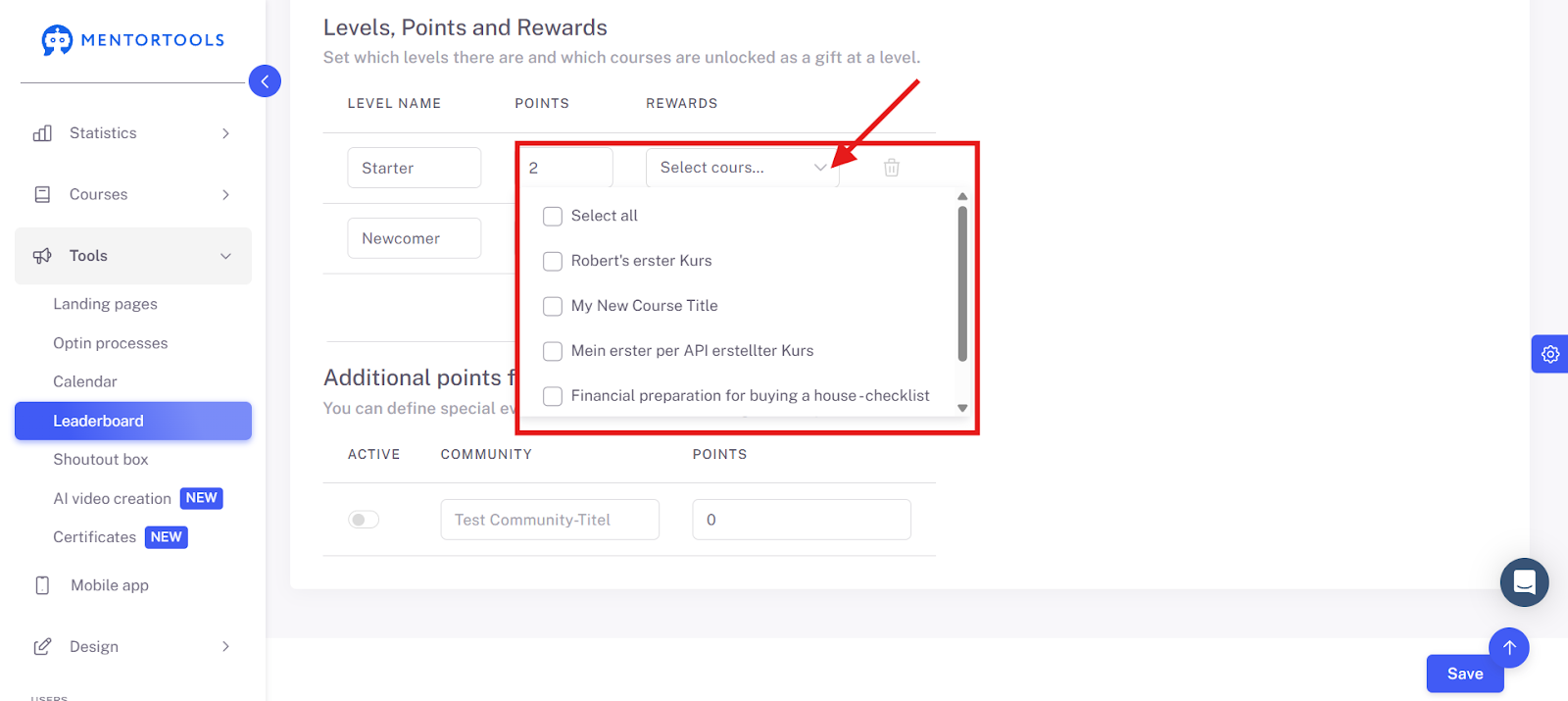
By clicking Select Courses, you will get a list of your active courses that you can set as prizes here.
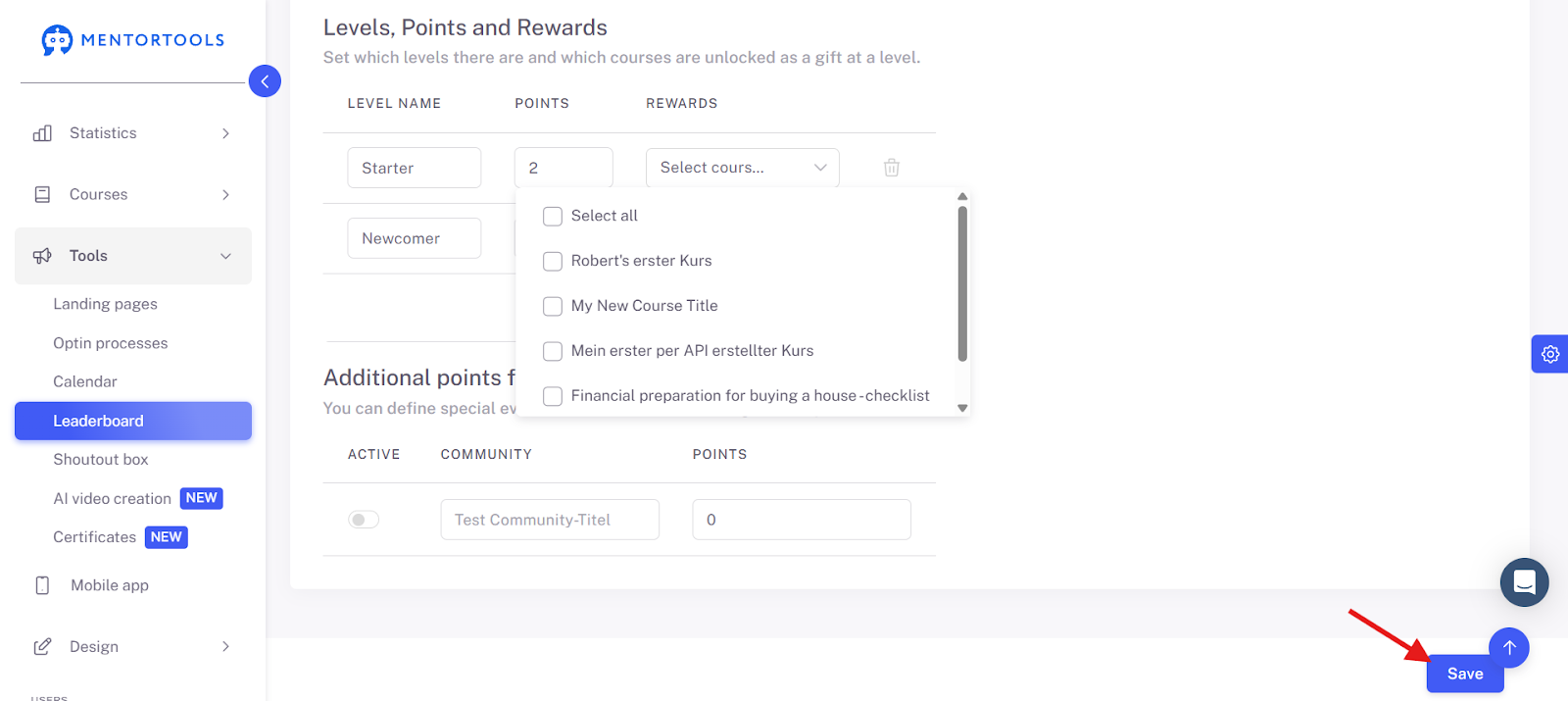
Important: Click Save in the bottom right-hand corner.
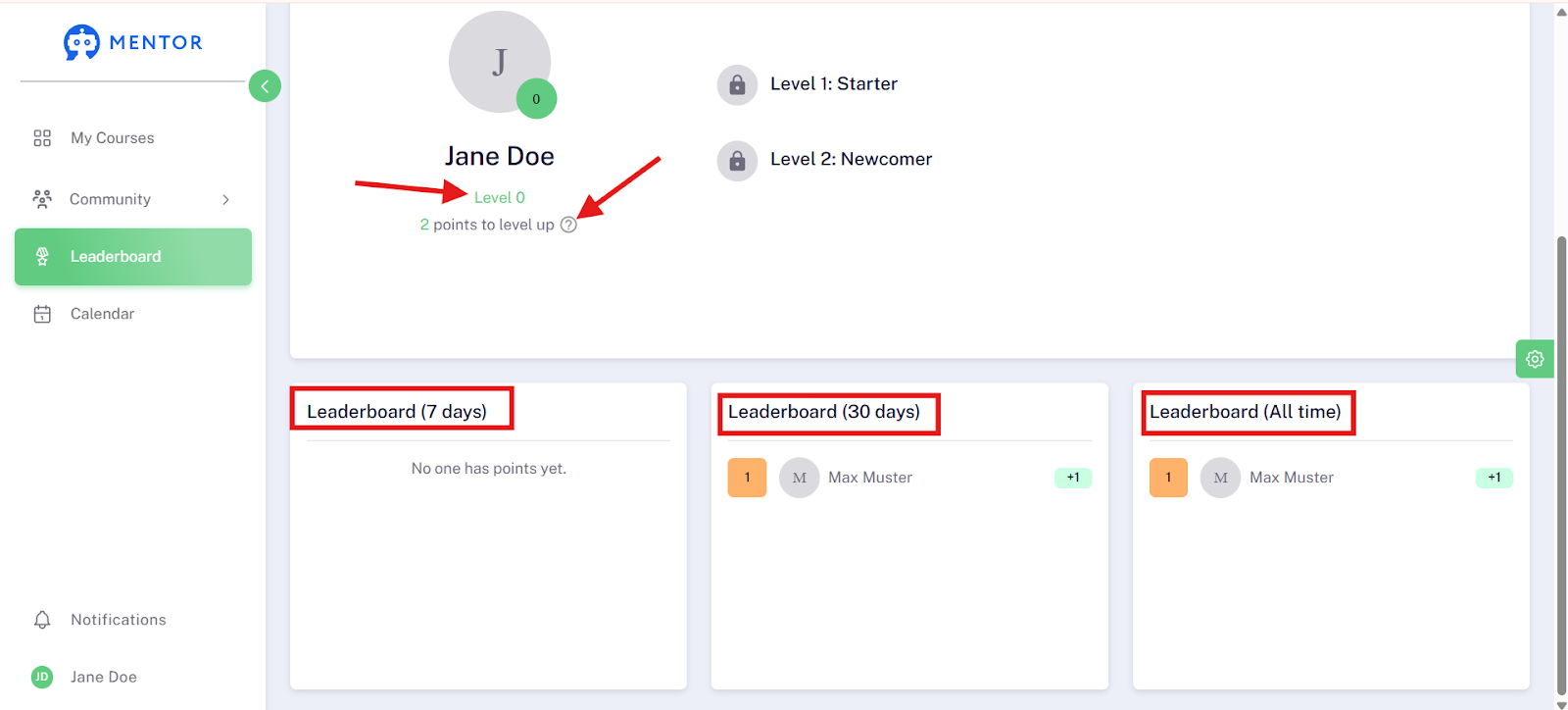
Your members will then see the leaderboard in the navigation bar within the member area.

Here, your members will find information about which level they have reached. Under the question mark icon, they can learn how to collect points.
They also see how high their activity has been in the last 7, 30 days, and overall.
In the menu bar, you will find the Leaderboard item twice. Once under Statistics and once under Tools.
We wish you a lot of fun & continued success!