Group Courses by Category
Last updated 11 months ago
Group Courses by Category
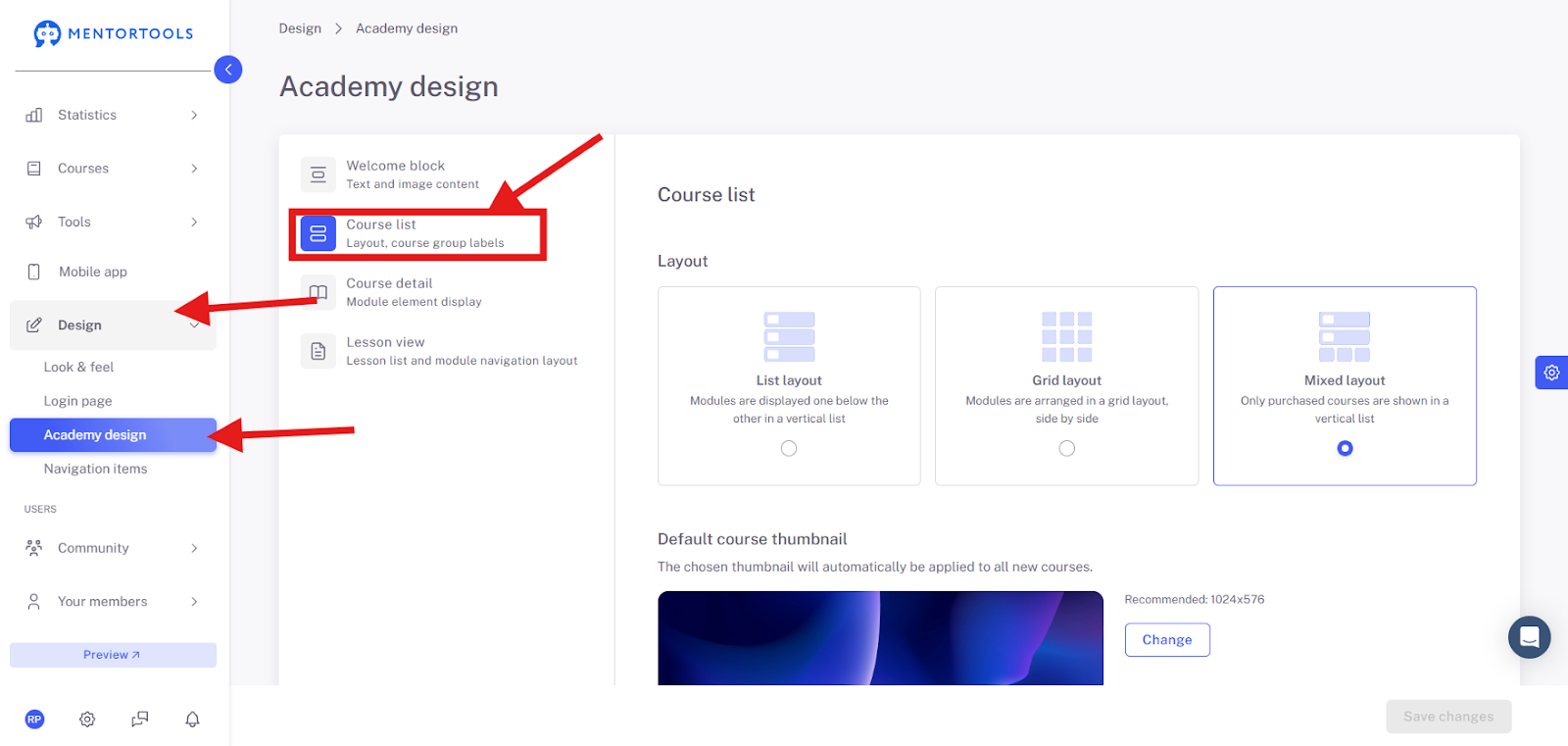
If you want to group courses by categories in your member area, first navigate to the menu item "Design", then click on the submenu item "Academy Design". Then select the "Course List" area.
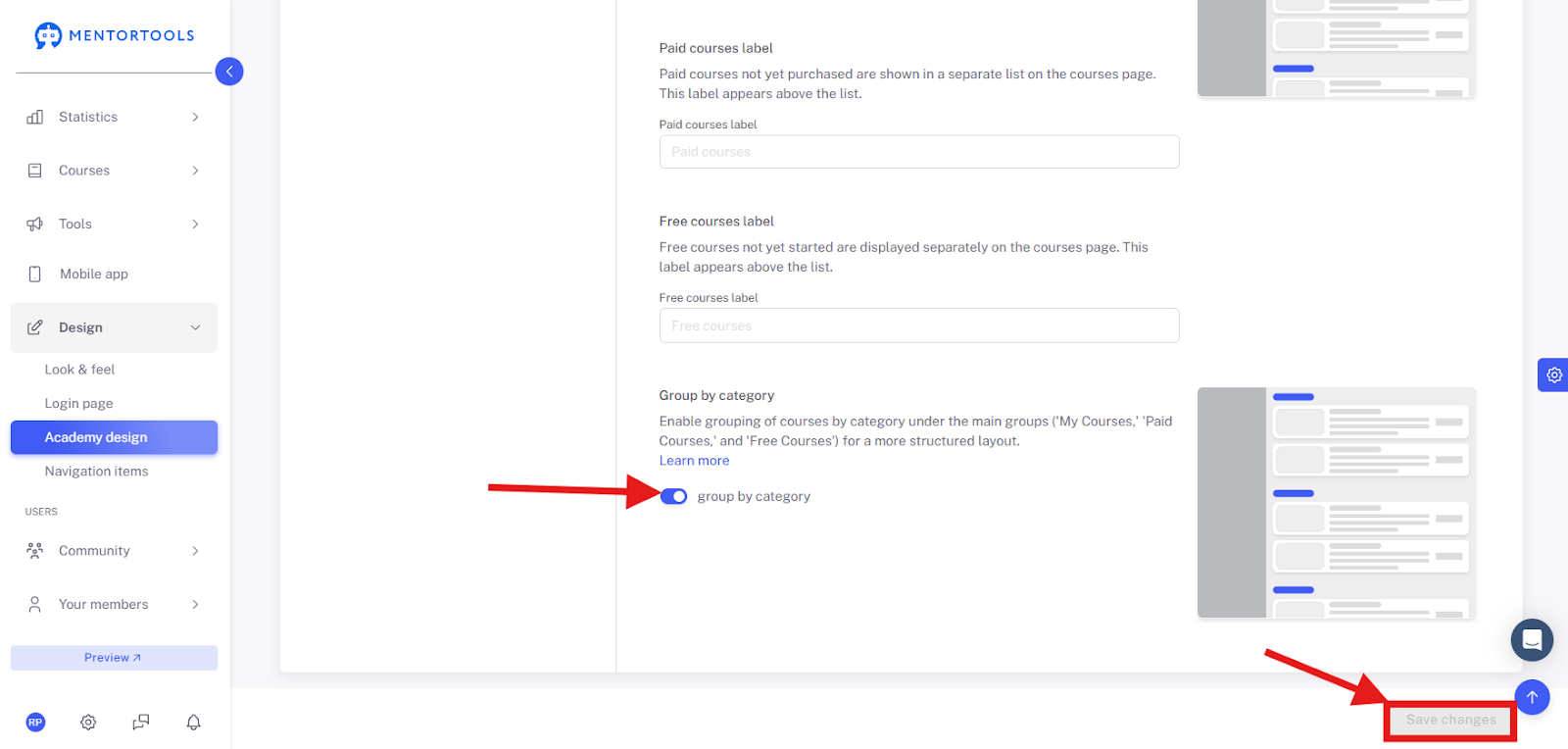
There you can scroll down to the menu item "Group by Category" to activate it. Then save the change.
The categories will then be taken from the Course Overview to group courses together.
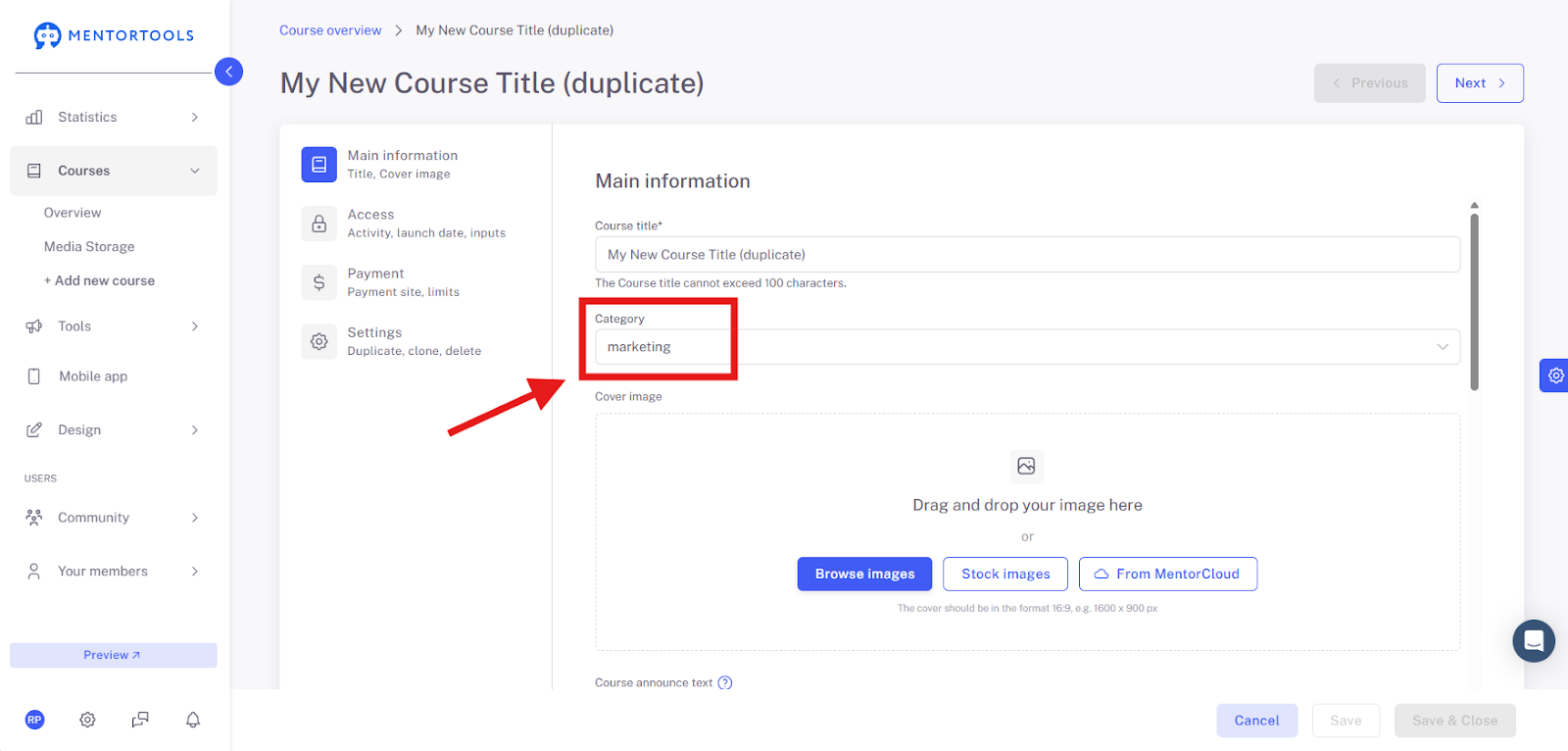
In the Dashboard in the Course Overview, the "marketing" courses will then be displayed together as a group.
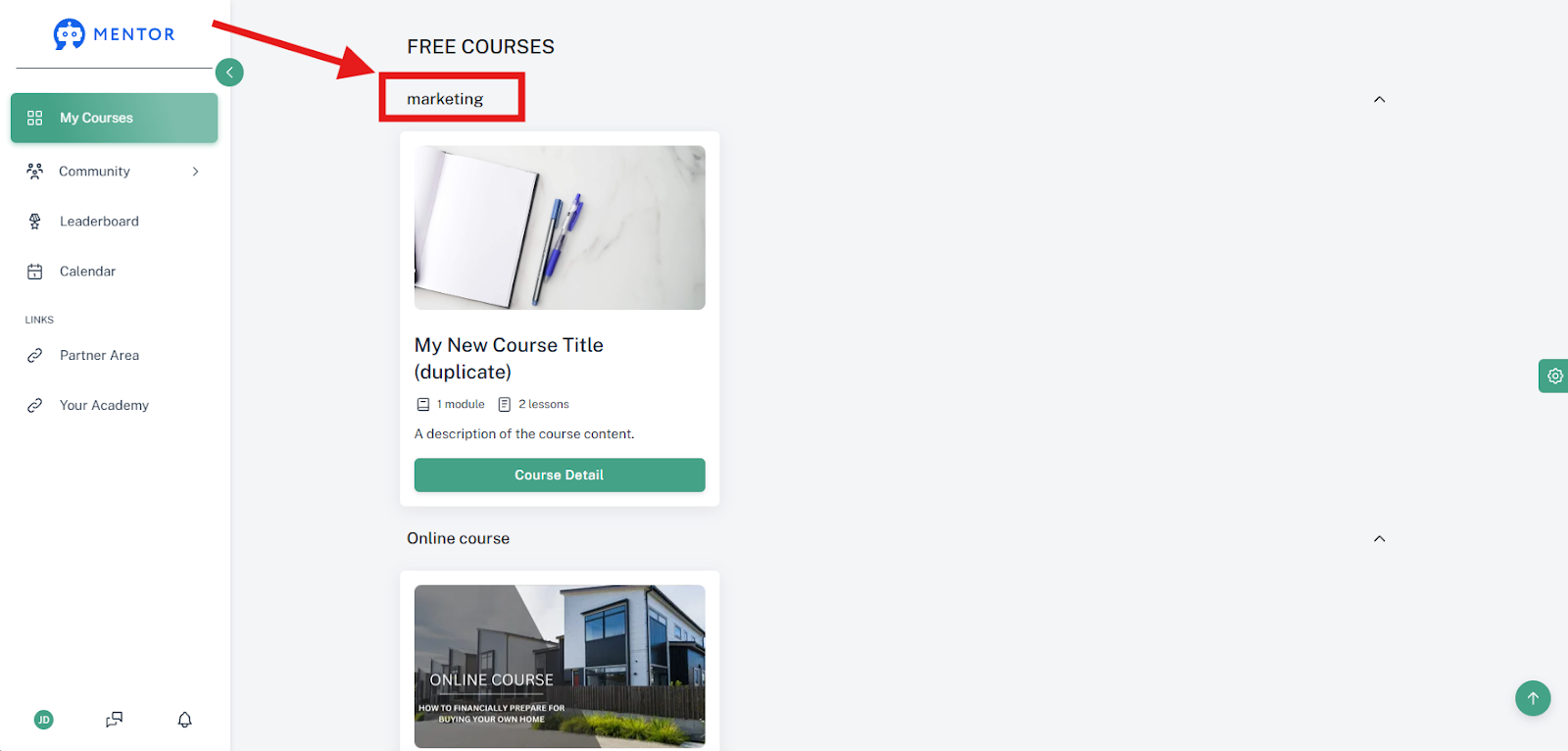
If you go to the "Preview Function", you will see the final result. In that case, it looks like this, for example: