Assign a Community to a Course
Last updated 11 months ago
In this article, you will learn how to assign a specific course to a specific Community. This allows the members of your course to access a Community exclusively. This is particularly suitable for high-ticket forums with exclusive content.
For courses with unlimited access, access to the Community also remains unlimited. For courses set up as a subscription, access to the assigned Community will be removed upon cancellation or expiration of the subscription.
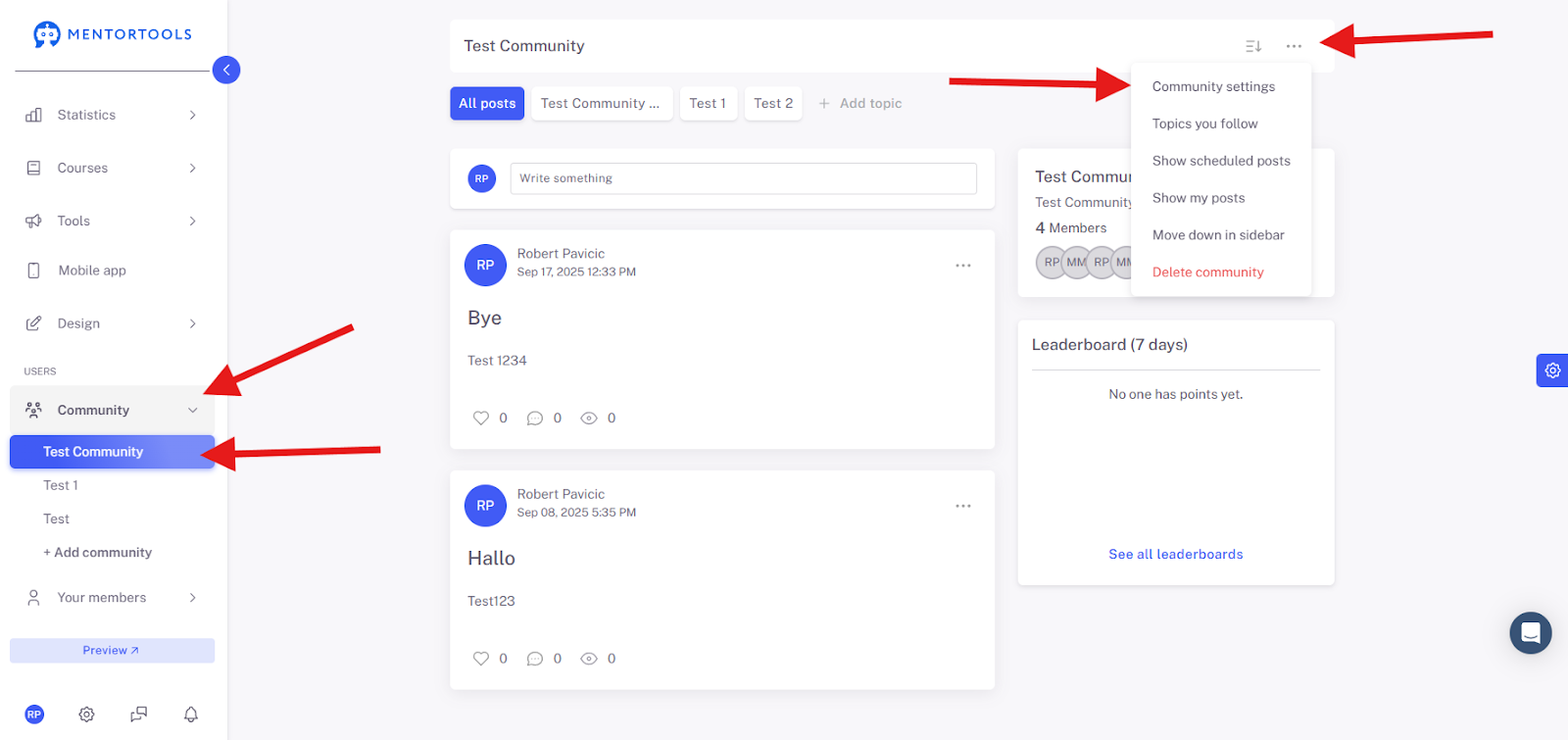
First, navigate to the "Community" menu item and open the Community you want to assign to a specific course. Then click on the three dots and select "Community Settings" to access the Community's settings.
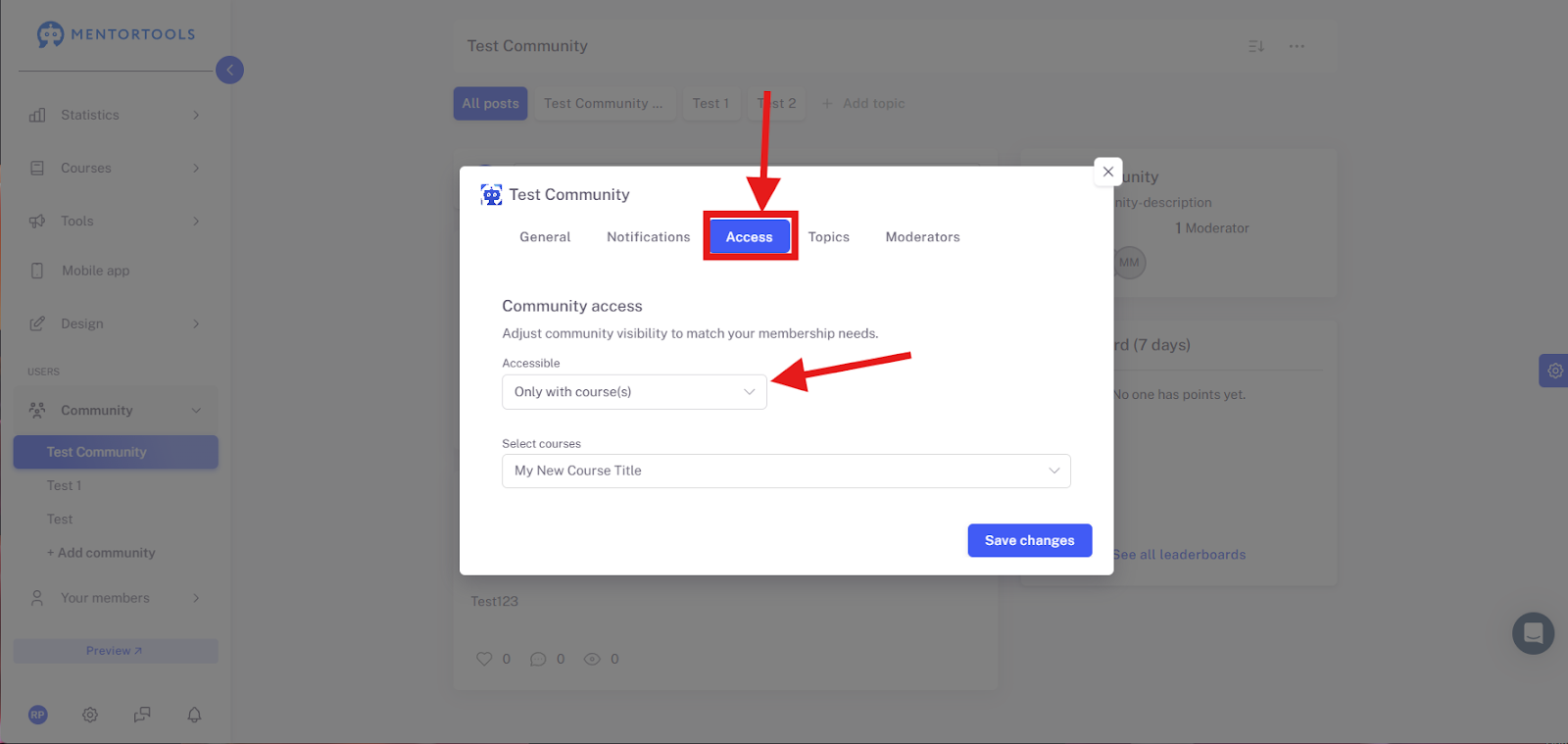
Under "Access," select "Only with course."
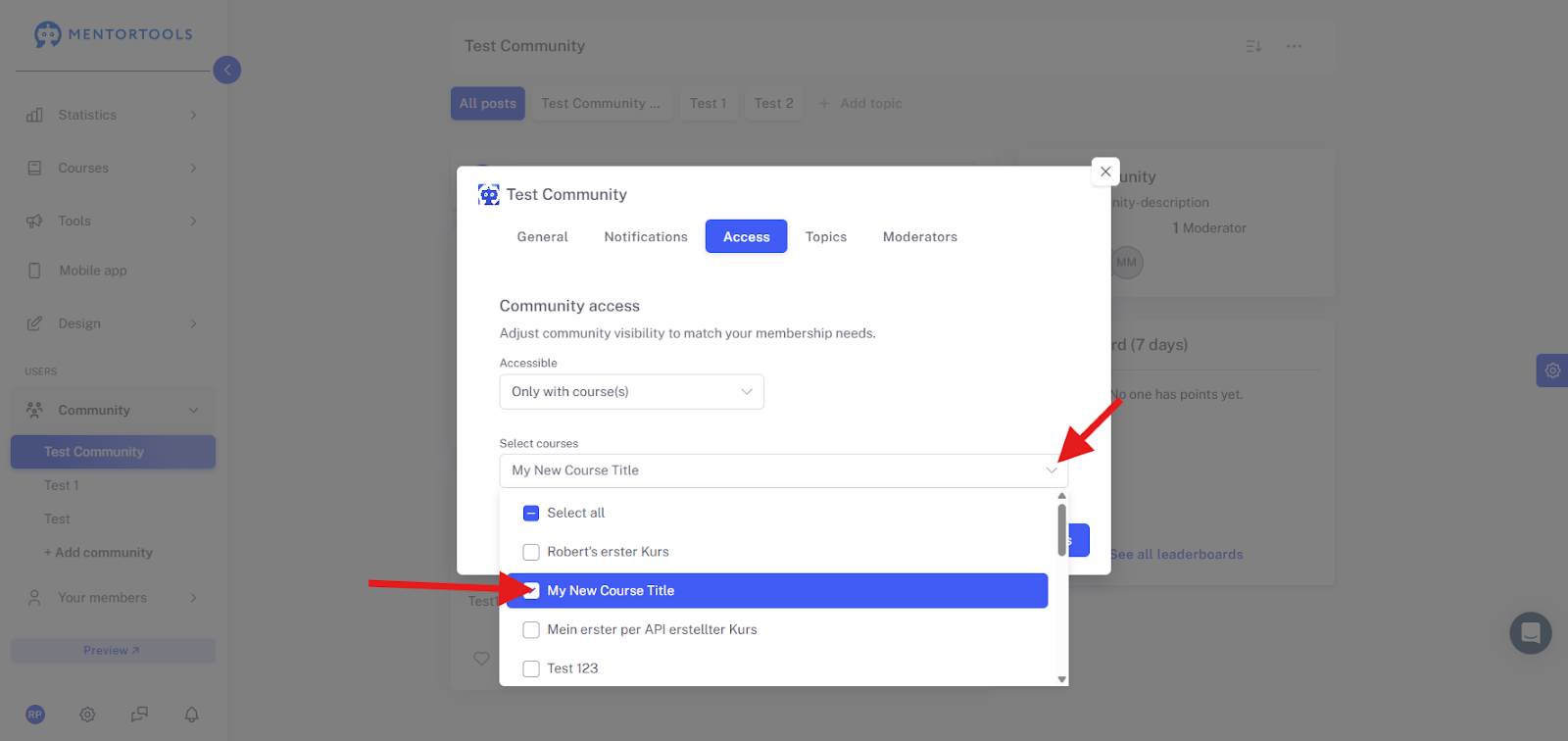
Next, activate one or more courses. Only members who have access to these selected courses will also get access to this Community.
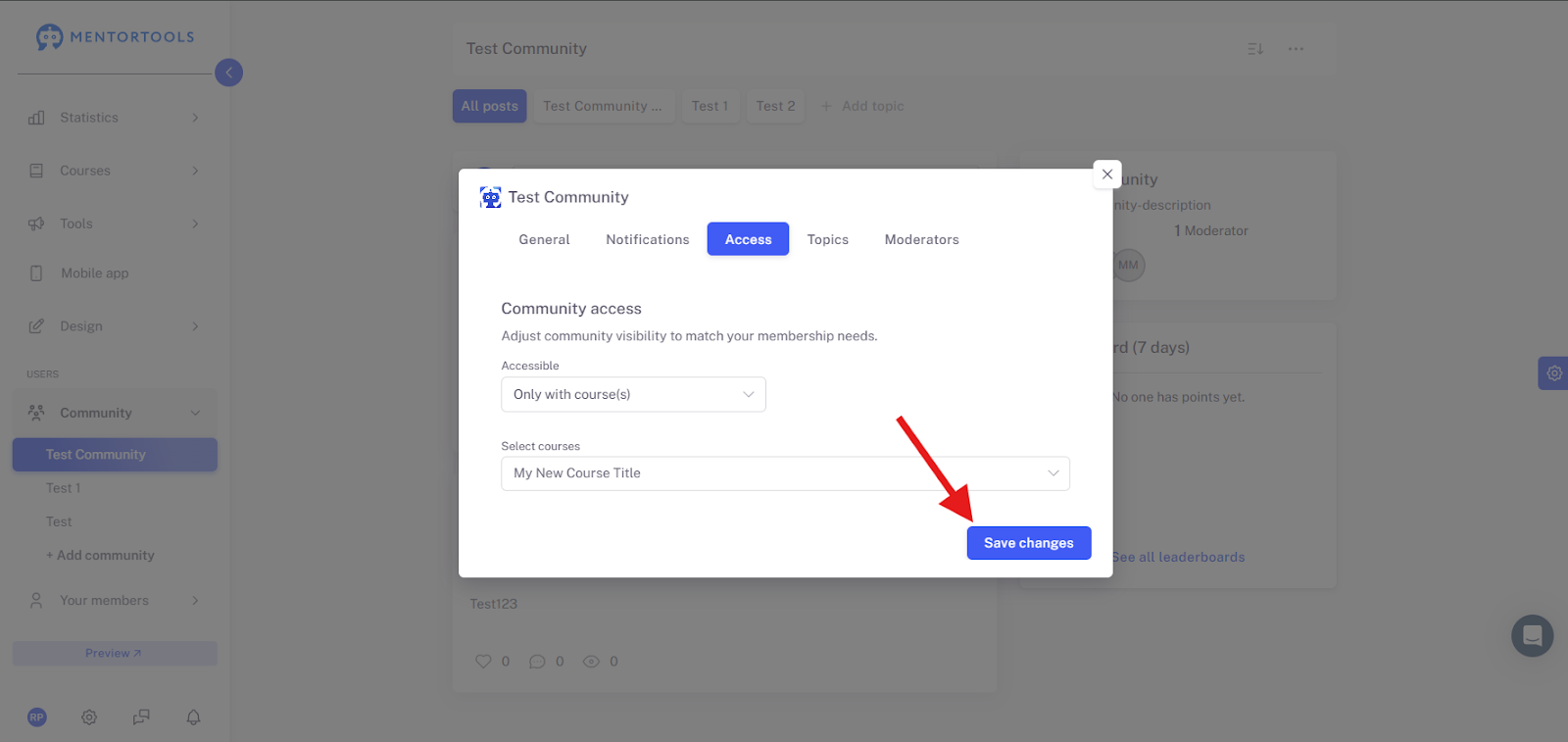
Finally, save your settings.
Here you can find more information about Community notifications and their settings.
Wishing you success and fun,
Team Mentortools