Delete Landing Pages
Last updated 11 months ago
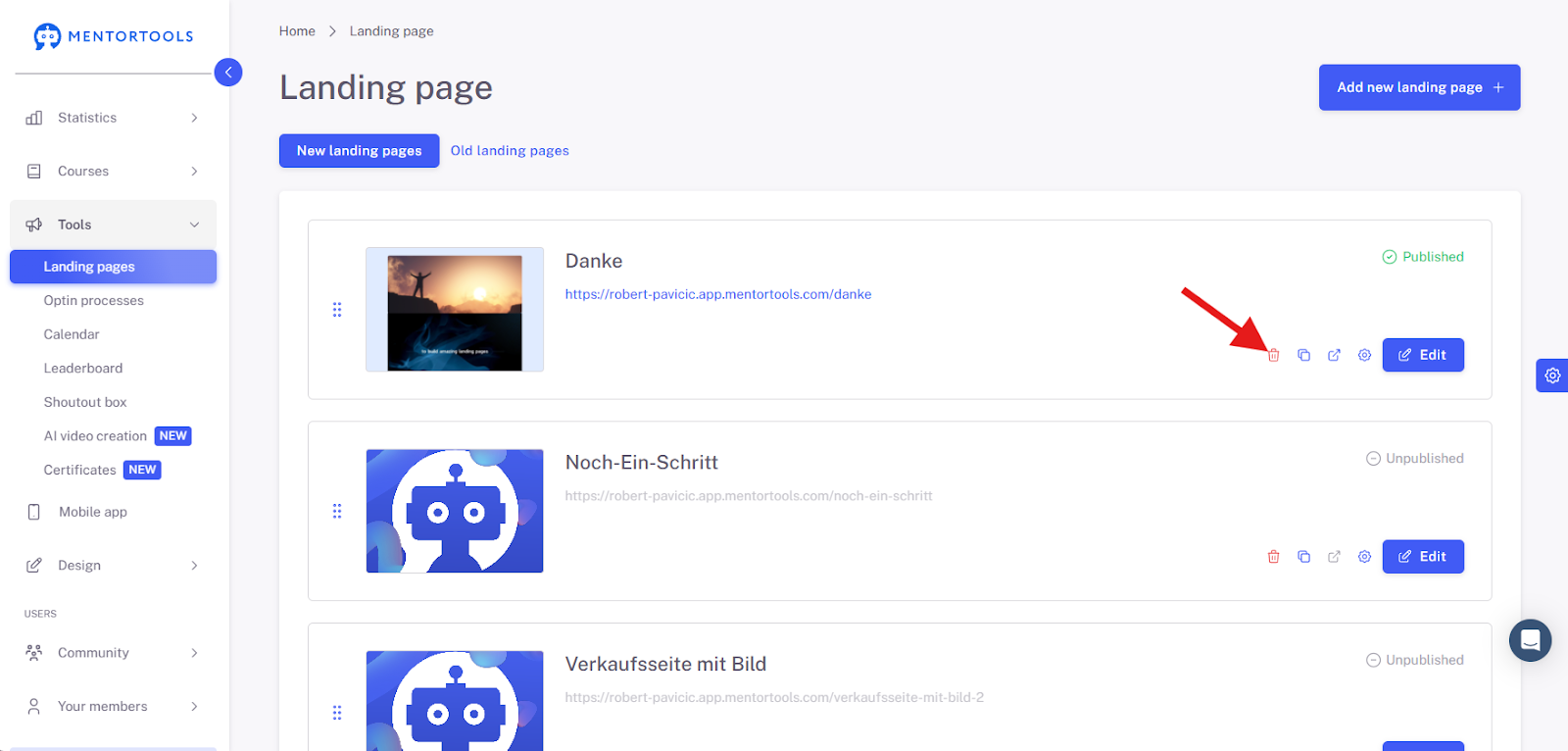
To delete a Landing Page, first navigate with your mouse to the submenu item “Landing Pages”.

Then, select the Landing Page you want to delete and click on the red trash can icon.
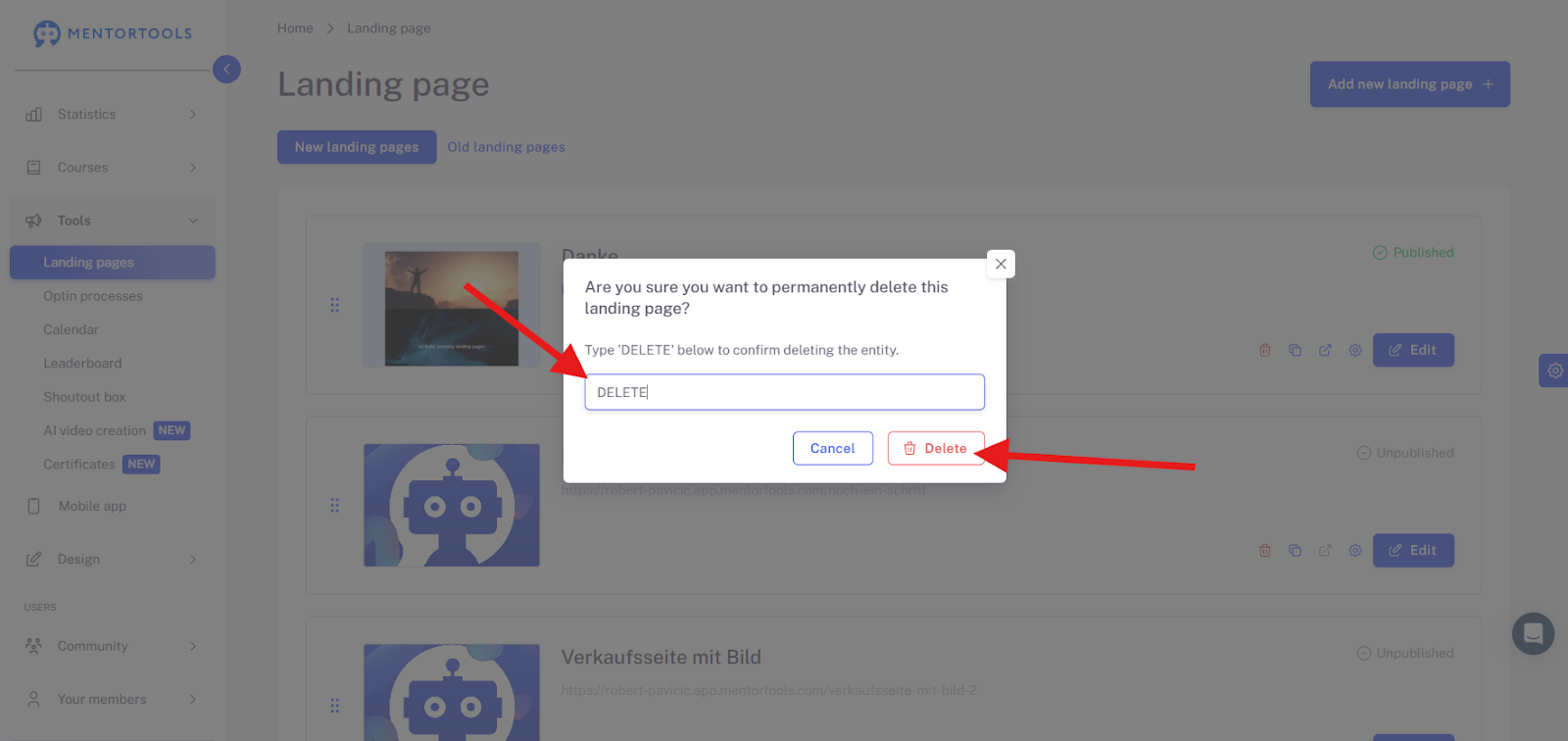
A new window will then appear. Before you delete the Landing Page, make sure that the page is not linked to any Opt-in Process, otherwise it will not be possible to delete the page.
Once you have checked all of this, you can confirm the deletion in the new window by typing “DELETE” into the input field and delete the Landing Page by clicking the button.