Shoutout Box – Settings
A very popular marketing feature is the Shoutout Box, which immediately catches the eye and grabs attention. It's essentially a news alert.
Last updated 12 months ago
This is the Shoutout Box of the Mentortools Academy:
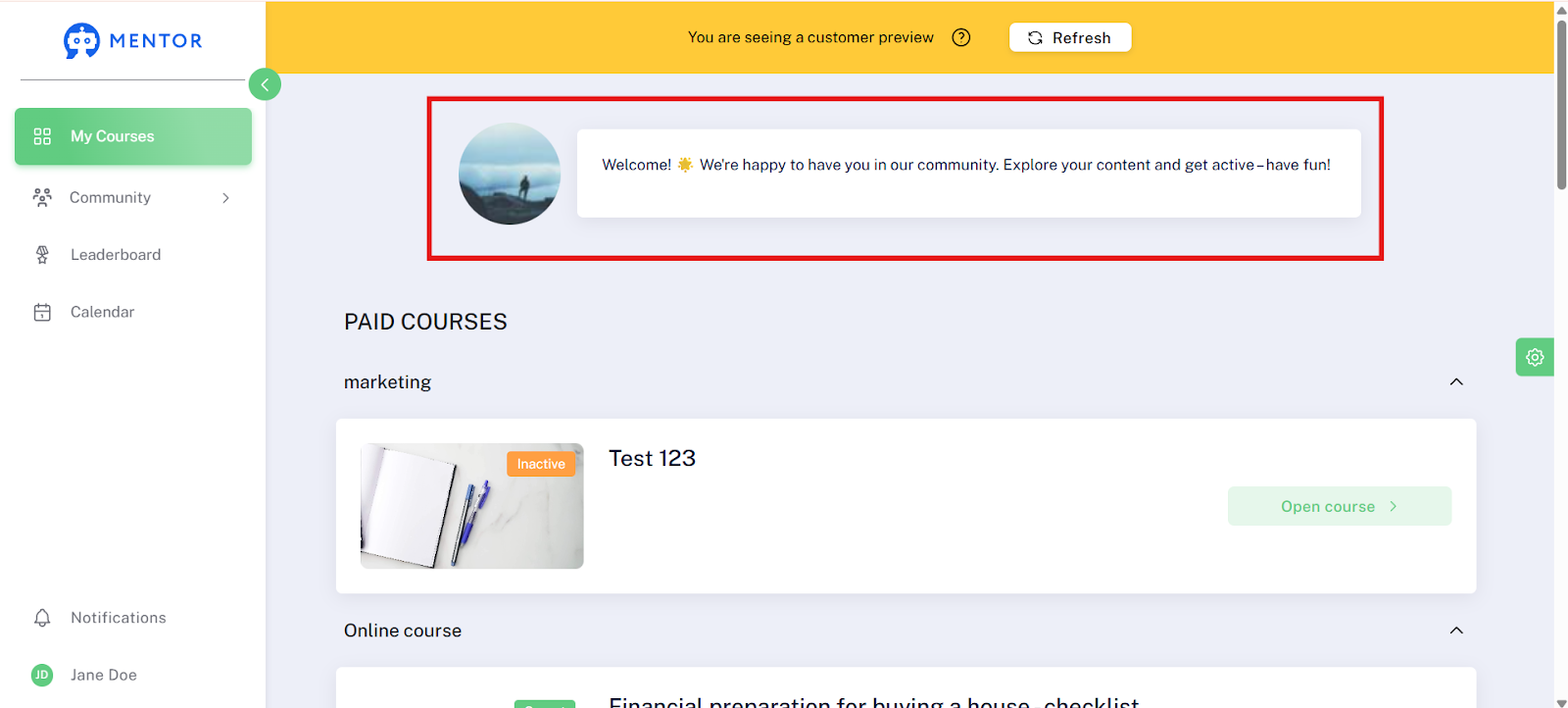
With the Shoutout Box, you can place messages, announcements, or highlights directly on your members' dashboards—visible, immediate, and without detours.
The highlighted notice box is perfect for informing members about new content, events, exclusive promotions, or a new launch—without an email or push notification.
A true marketing booster: Link your calendar, for example, to offer personal appointments, or draw attention to current offers. It's ideal for direct communication with your members!
What are the Common Uses for the Shoutout Box?
The Shoutout Box is ideal for reaching your members in a targeted and personal way. Here are a few popular examples of how to use it:
A welcome message for new members, including a brief introduction to the first steps.
An invitation to a personal consultation, for example, by linking your calendar.
A reminder about upcoming webinars or workshops so that no one misses out.
Share your Zoom link with all your members for the next open workshop.
You can also post the "tip of the week" here, for example.
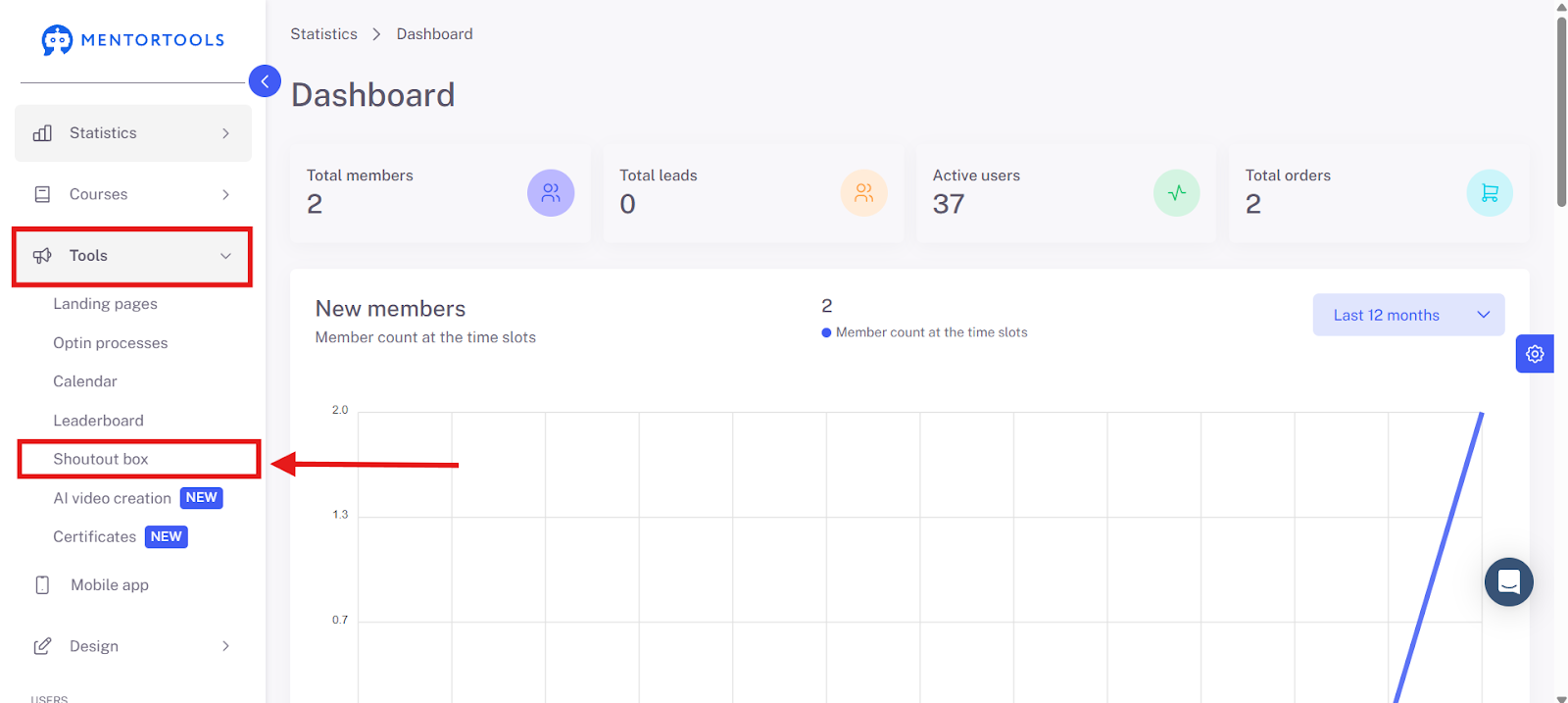
You can find the Shoutout Box in the menu bar under Tools - Shoutout Box.
You can decide whether you want to activate and display the Shoutout Box. You can also use this feature only temporarily, for example, when launching a new product.
You can use this tab to activate or deactivate the feature.
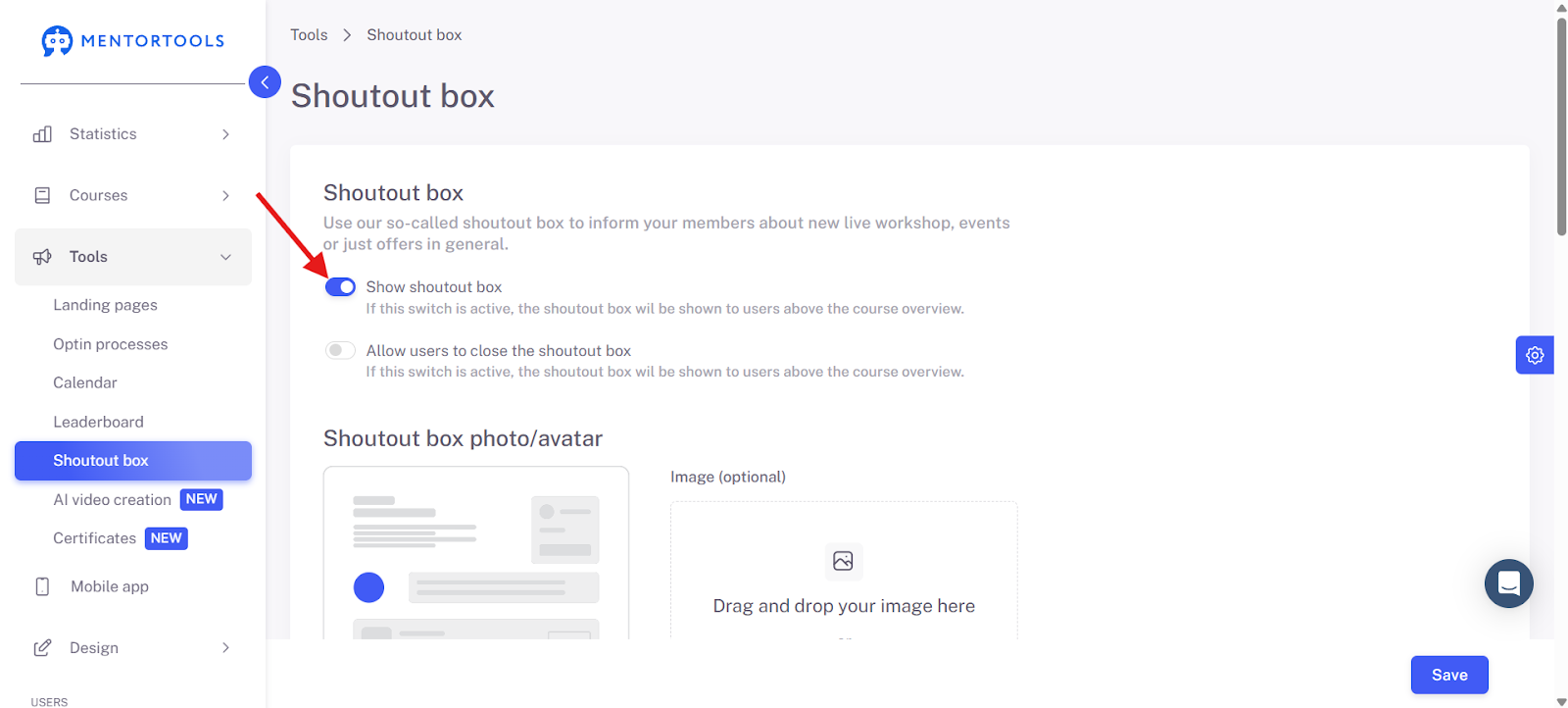
With the tab below it, you can allow your members to close the Shoutout Box if you set it to active.
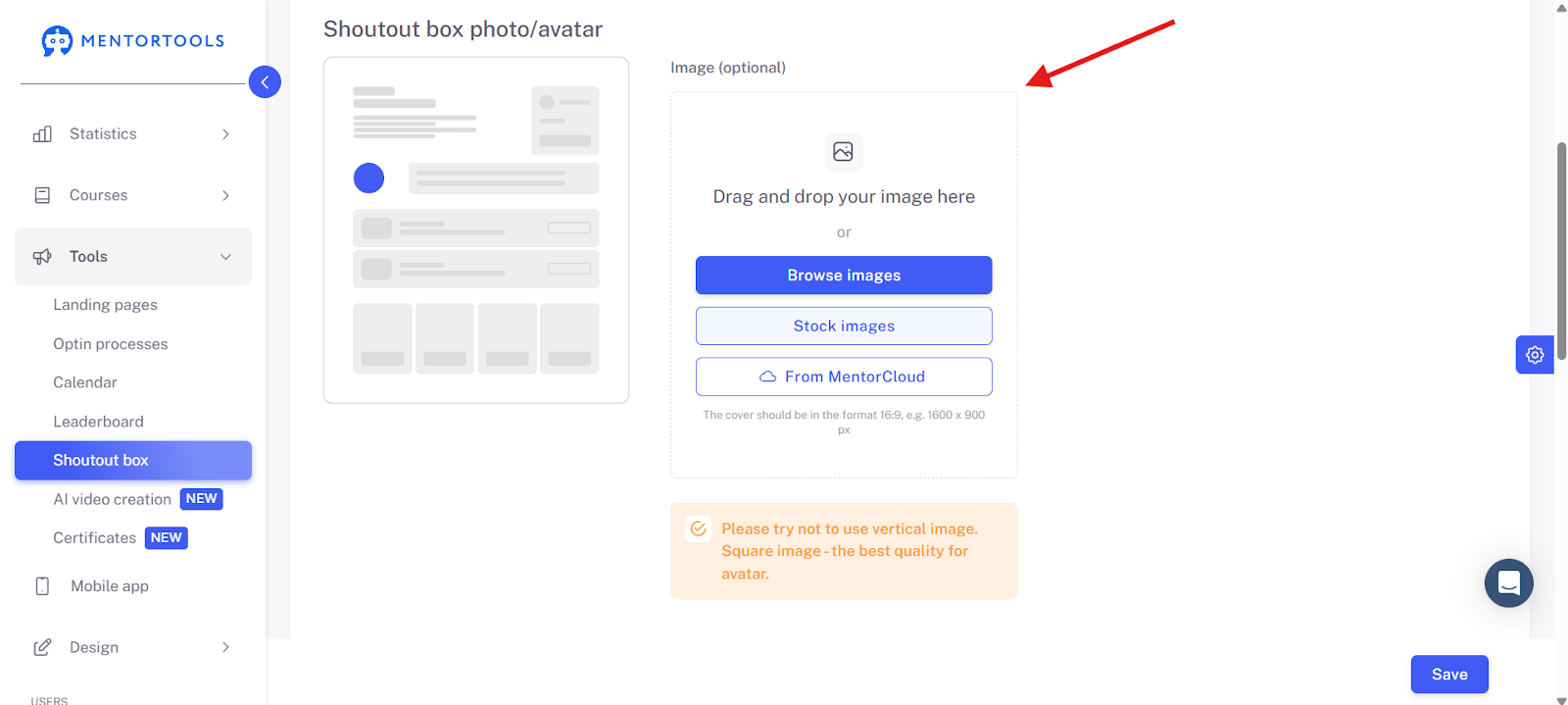
You can change the photo and the content of the box at any time.
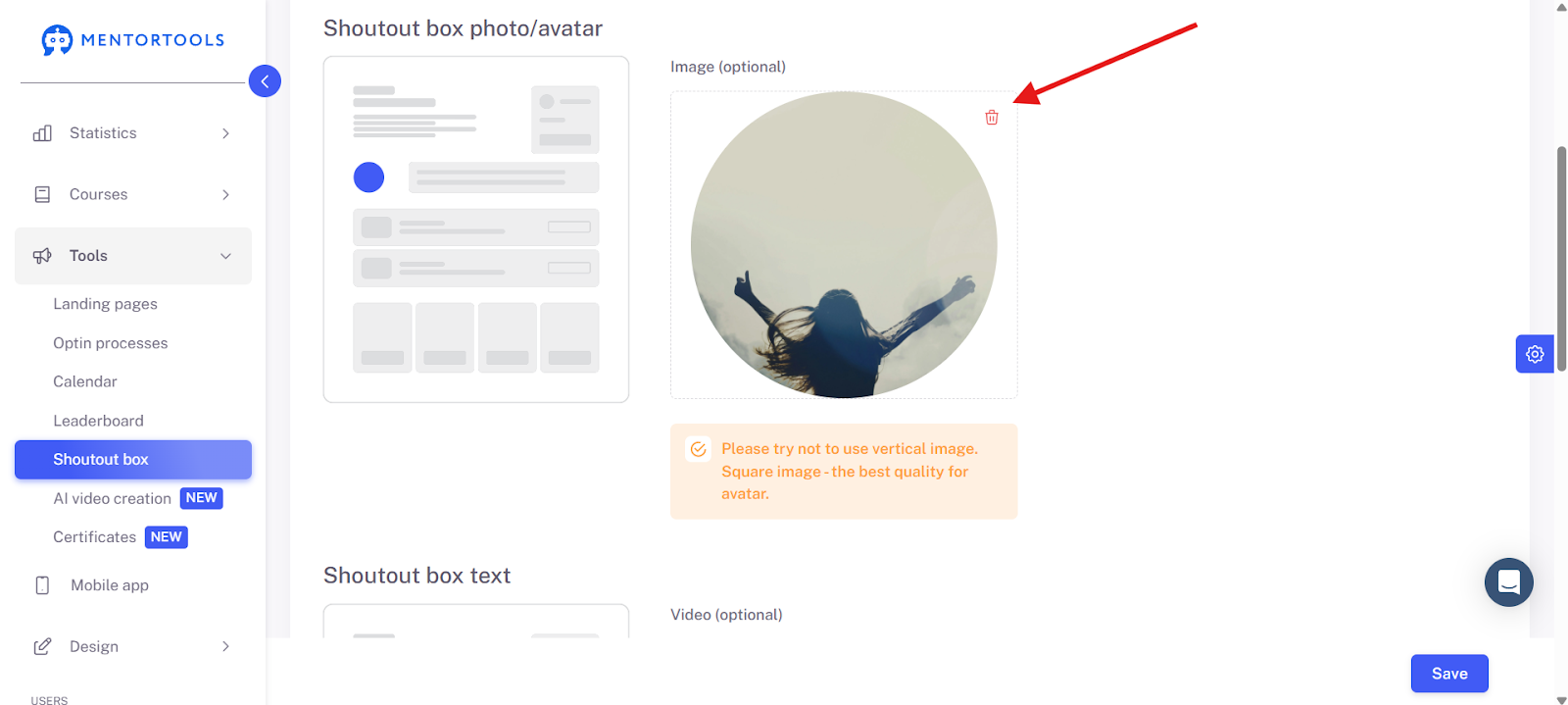
Upload an image here from your own files, from the Mentorcloud, or from our templates of license-free images.
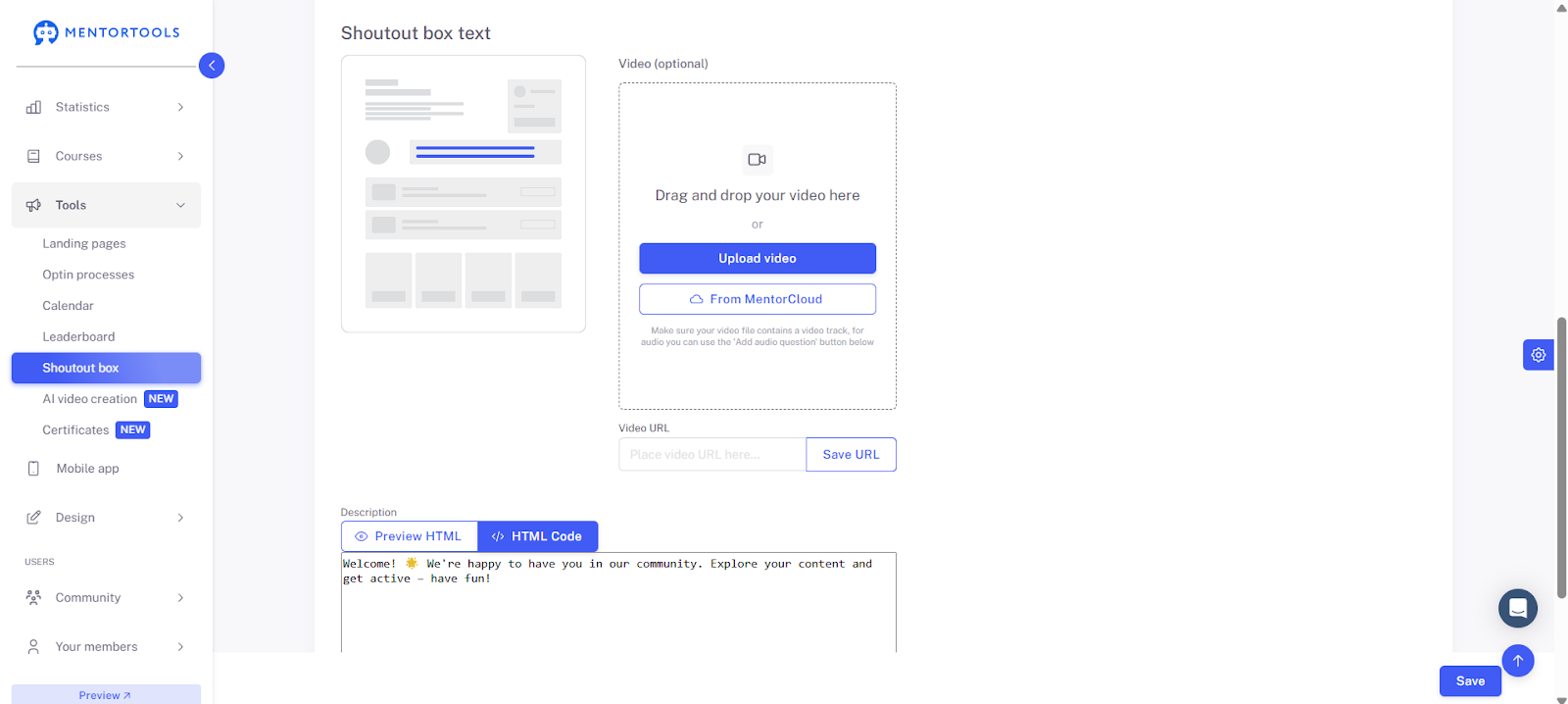
Here you can change the text and content. You can add a link or upload a video.
Have fun & success with the Shoutout Box marketing tool!