How Do I Create a Download Link?
Last updated 11 months ago
If you want to make a free PDF available to your users, you've come to the right place. In this guide, you will learn how to upload the PDF and link it so that clicking it starts a download.
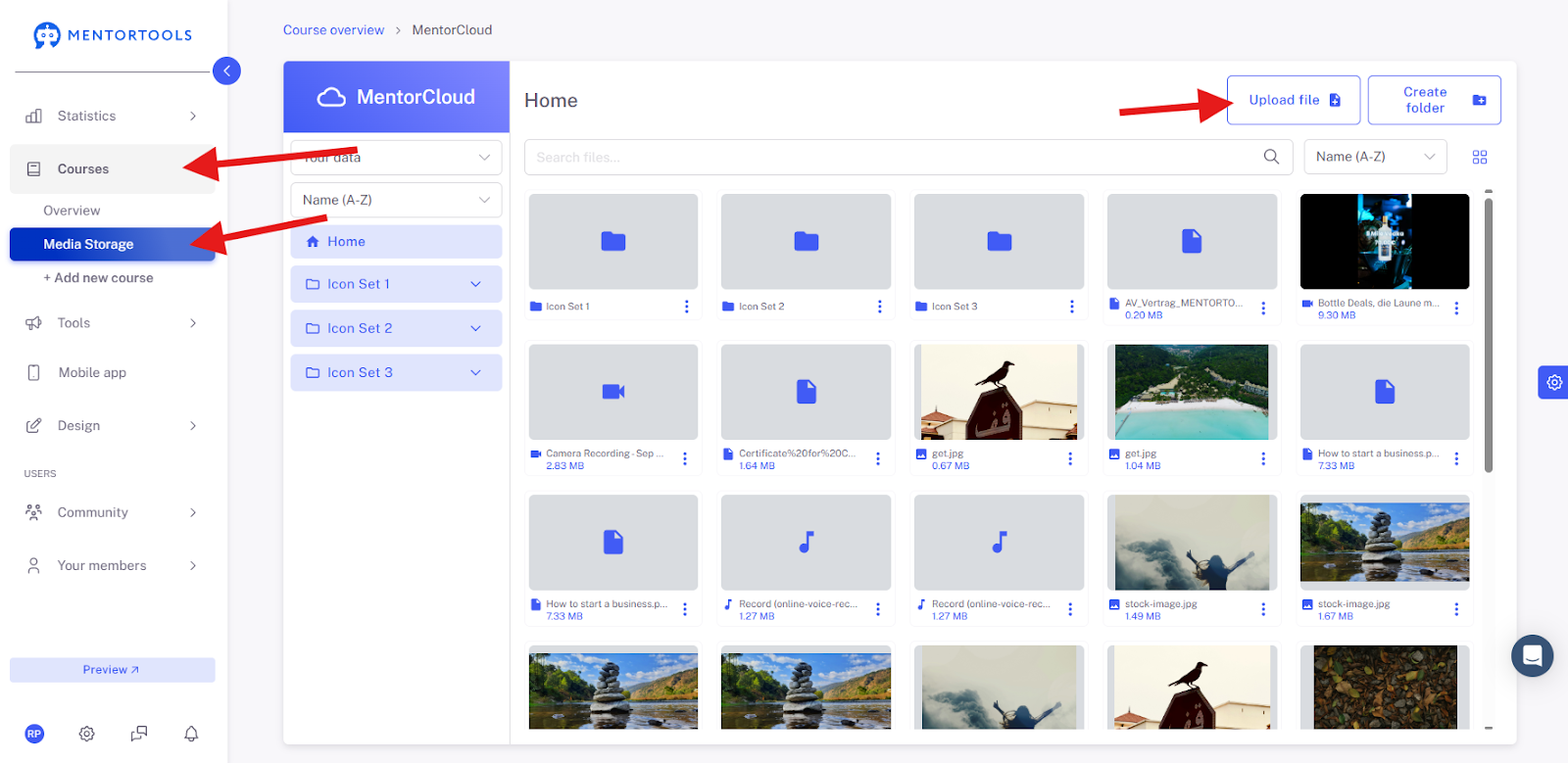
First, navigate to the Media Library, where you can upload a PDF from your computer.
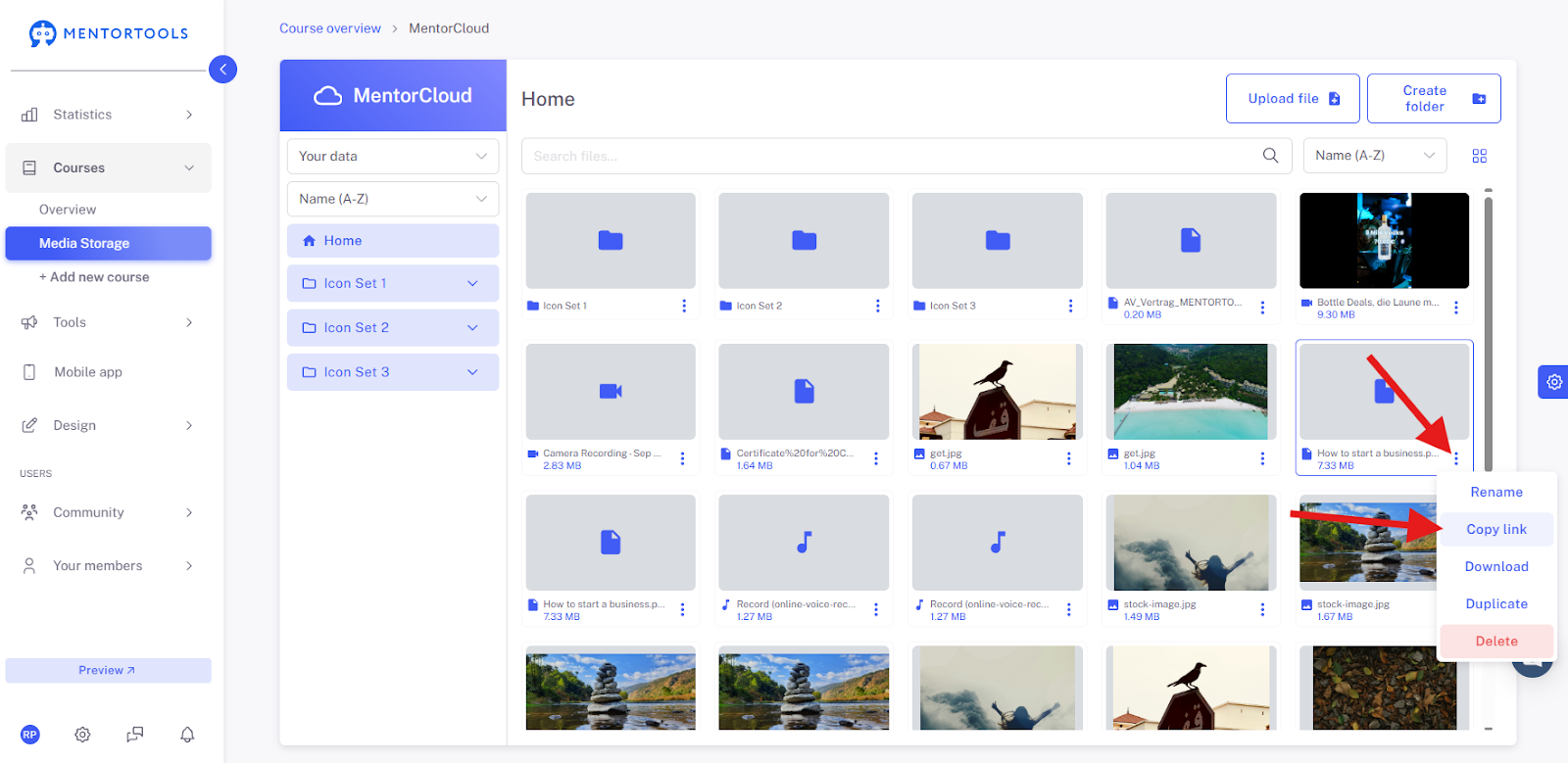
If you have already uploaded a PDF, left-click once on the three dots next to the file. You will now see the option to copy the link to the PDF file – left-click once on the button “Copy Link”.
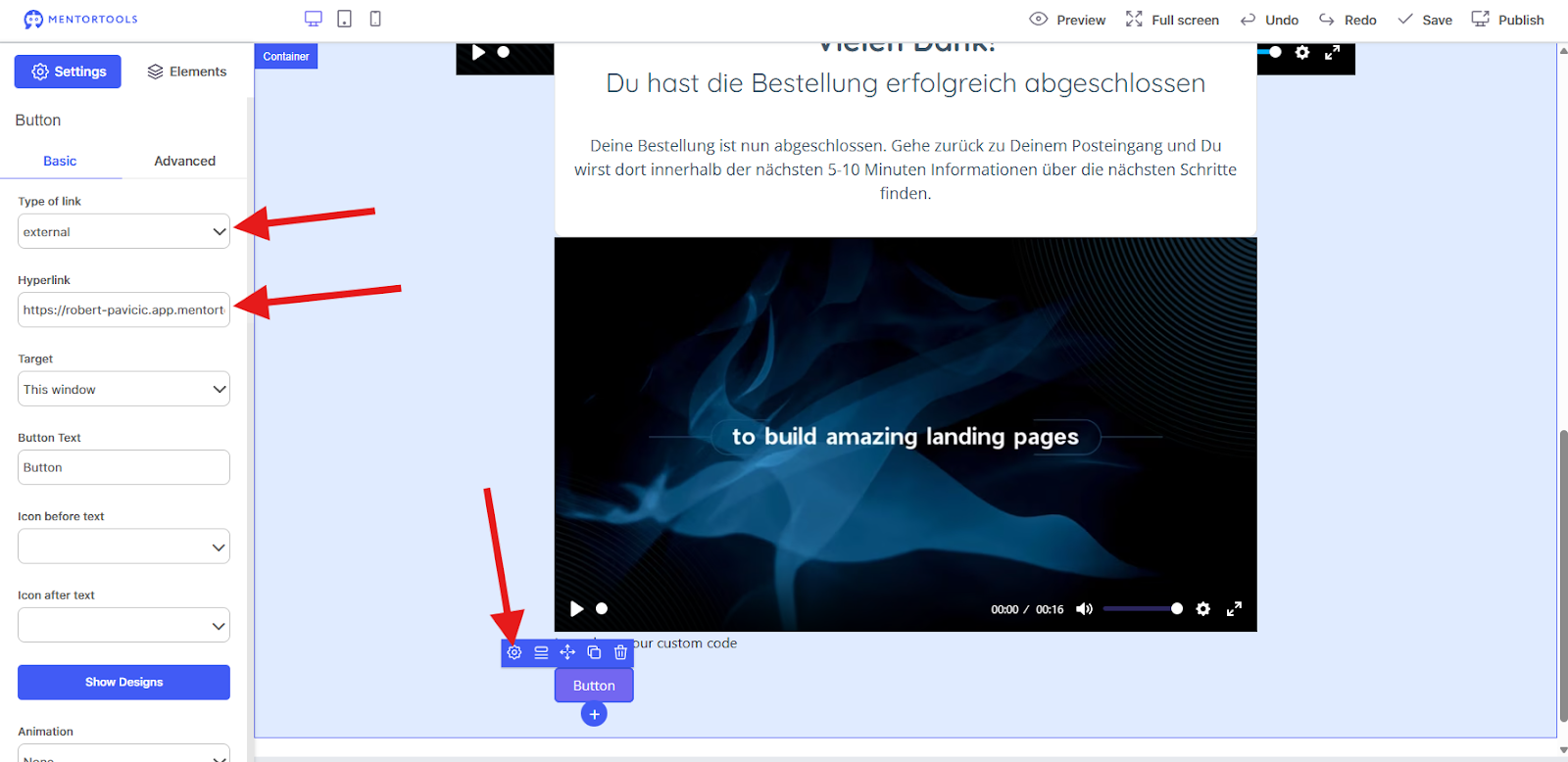
You are now able to insert the download link into one of your Landing Pages. You can also insert the download link anywhere else a link is possible.

Wishing you fun and success, Team Mentortools