Import Customers with a CSV File
Last updated 12 months ago
If you already have existing customers who have access to your online courses, you can import them into your member area using a CSV file. This means all users you already have will be imported into the system and their access created.
First, download this CSV file as a template, then "Download".

Once you have done that, you can enter the customer data based on the parameters listed below and prepare the list for upload.
The parameters are listed as follows:
Email Address with which the customer ordered the product.
Customer's First Name
Customer's Last Name
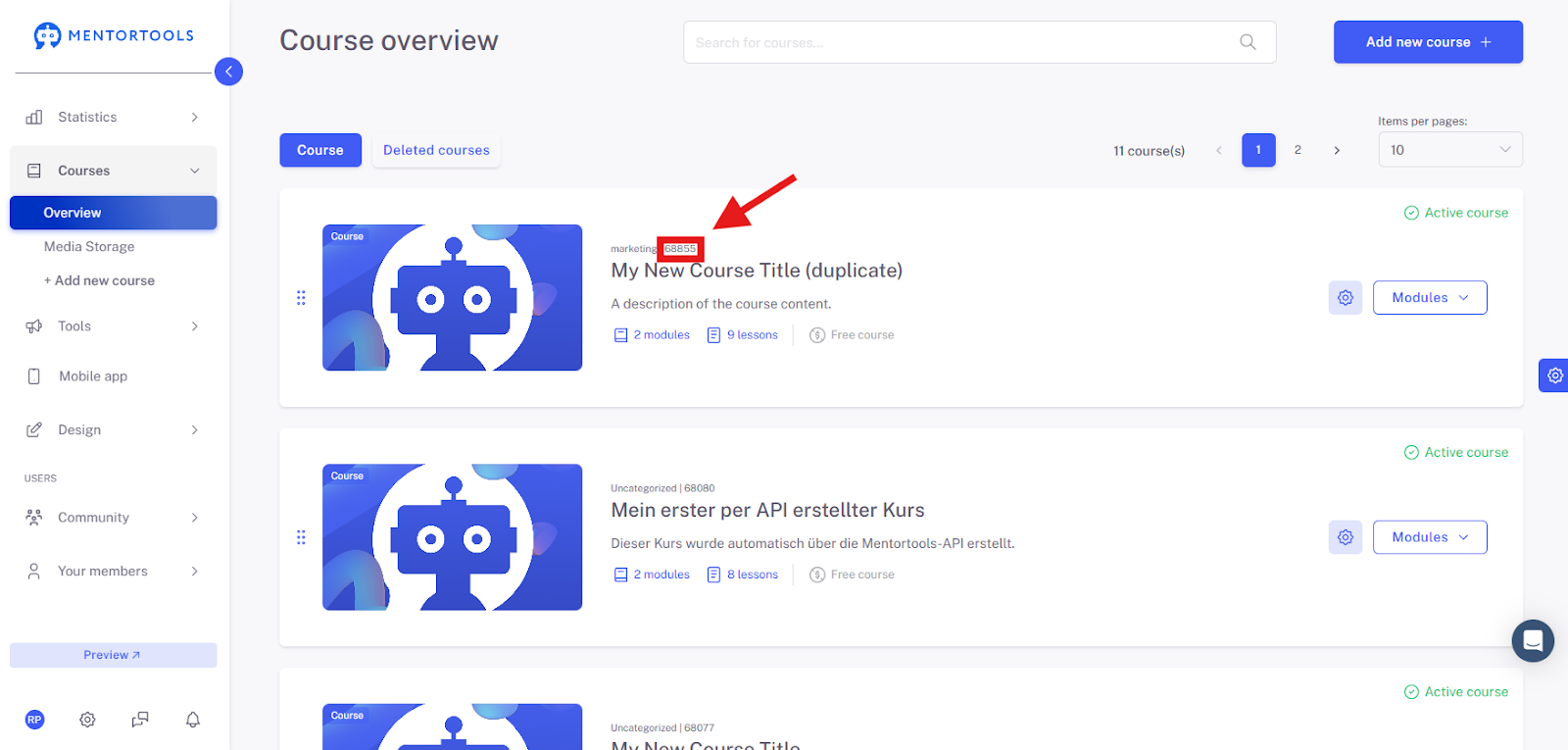
Course ID – (1) The ID indicates which course the user ordered in this specific order. You can enter multiple course IDs separated by a space, e.g., "101 104 211".
Type of Purchase – Indicate whether the purchase is a one-time payment, a subscription, or a free course. You can insert the following options: One-time purchase: single – Subscription: subscription – Free Course: free
Date of Order – The format of the order date must be ISO: yyyy-mm-dd hh:mm:ss – If you do not provide an order date, the current date will be used.
Please note that you should not use umlauts (Ä, Ö, Ü) or special characters (such as ß, é, á, or similar) in the table so that the CSV file can be uploaded correctly.
When saving the CSV file, please make sure to save it with a semicolon as the separator, not a comma. This is the only way the file can be processed by us.
(1) The Course ID can be found via the "Course Overview":
How to Upload a CSV File?
Once you have prepared the CSV file with all the content, you can upload it to your member area. To do this, navigate to the submenu item Order Overview:
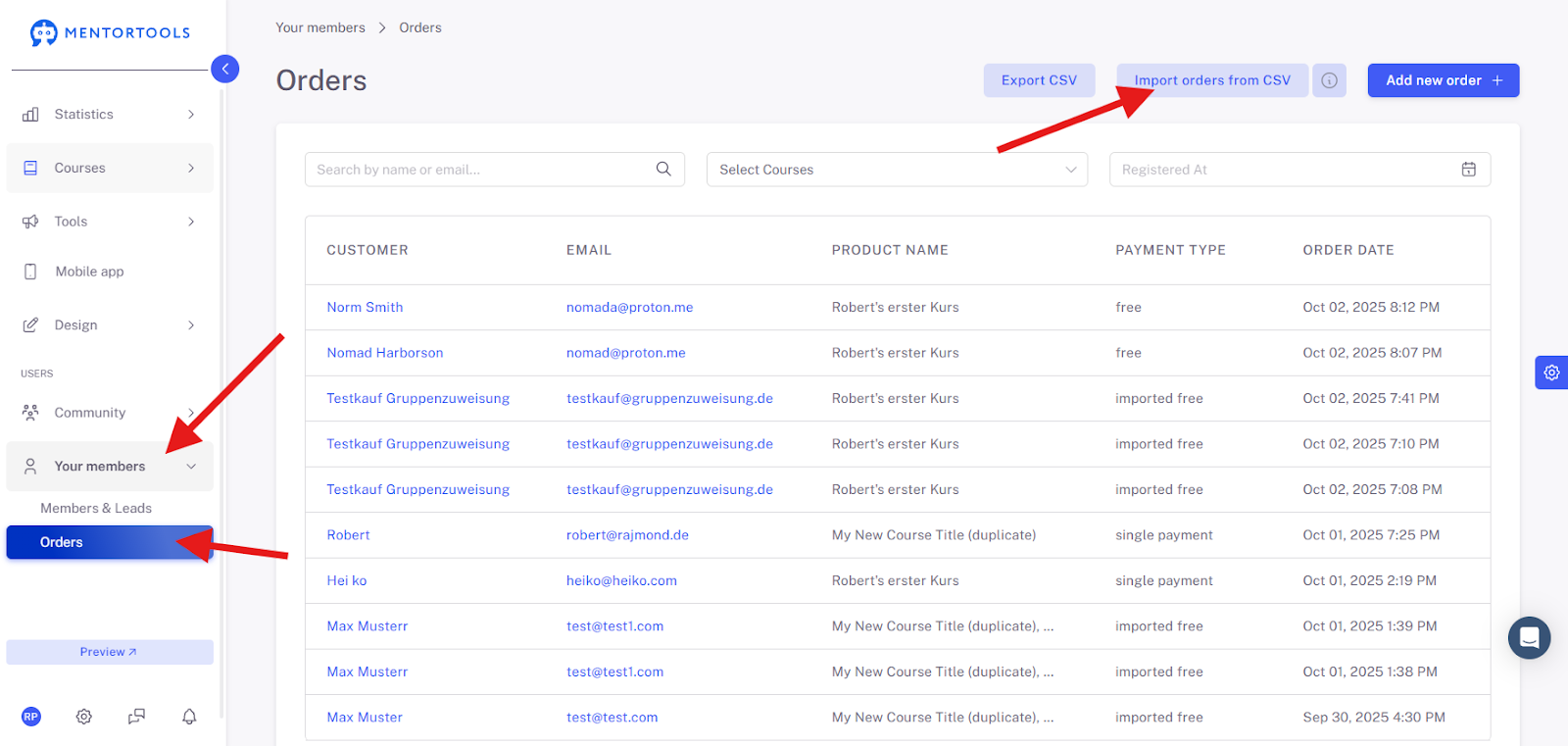
In the upper right corner, you will see the button “import orders from CSV” – you can click on it and upload the prepared file.
If you are unsure whether the prepared file is indeed correct, you can send it to us at support@mentortools.com, and we will gladly check it for you.
Wishing you success and fun,
Team Mentortools
Was this helpful?