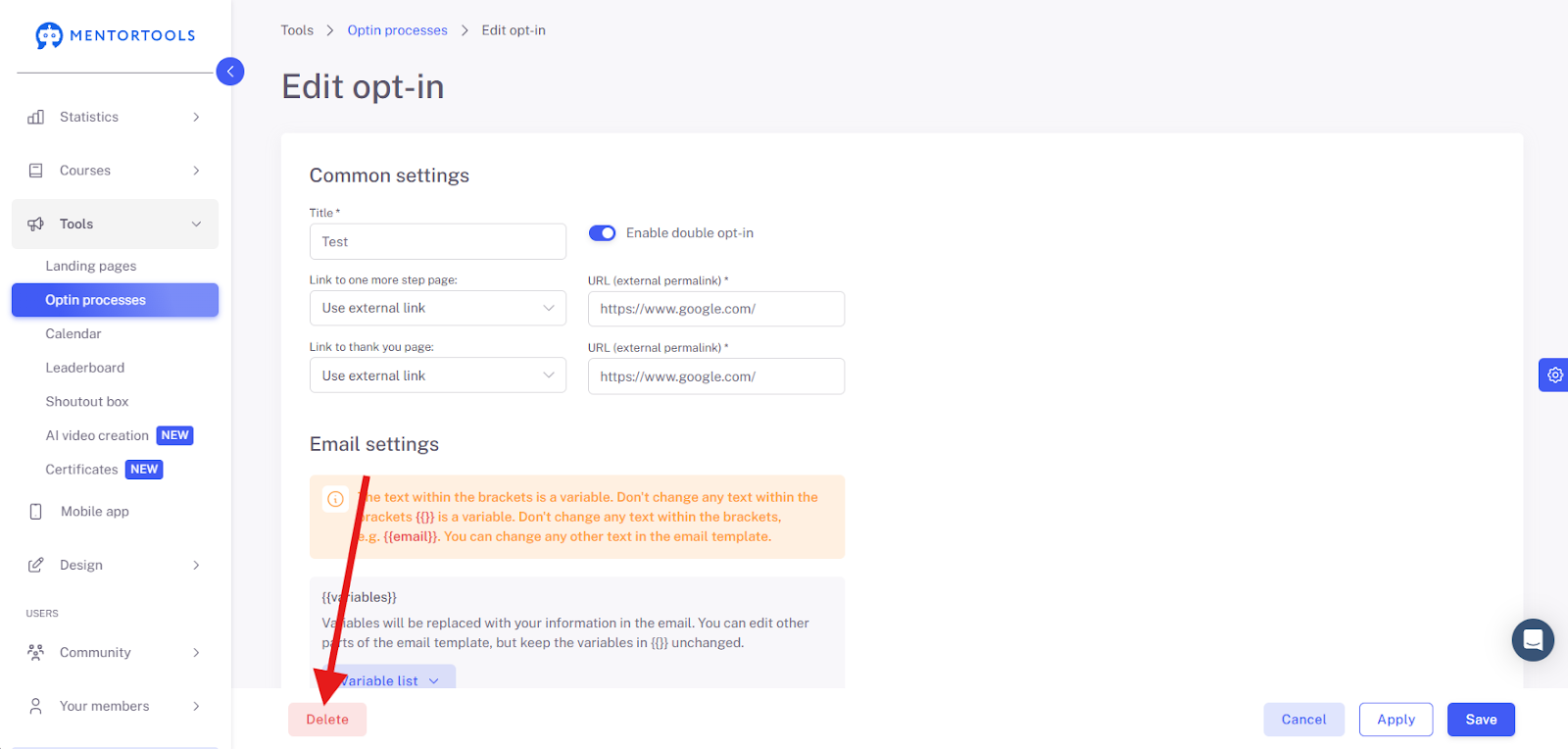
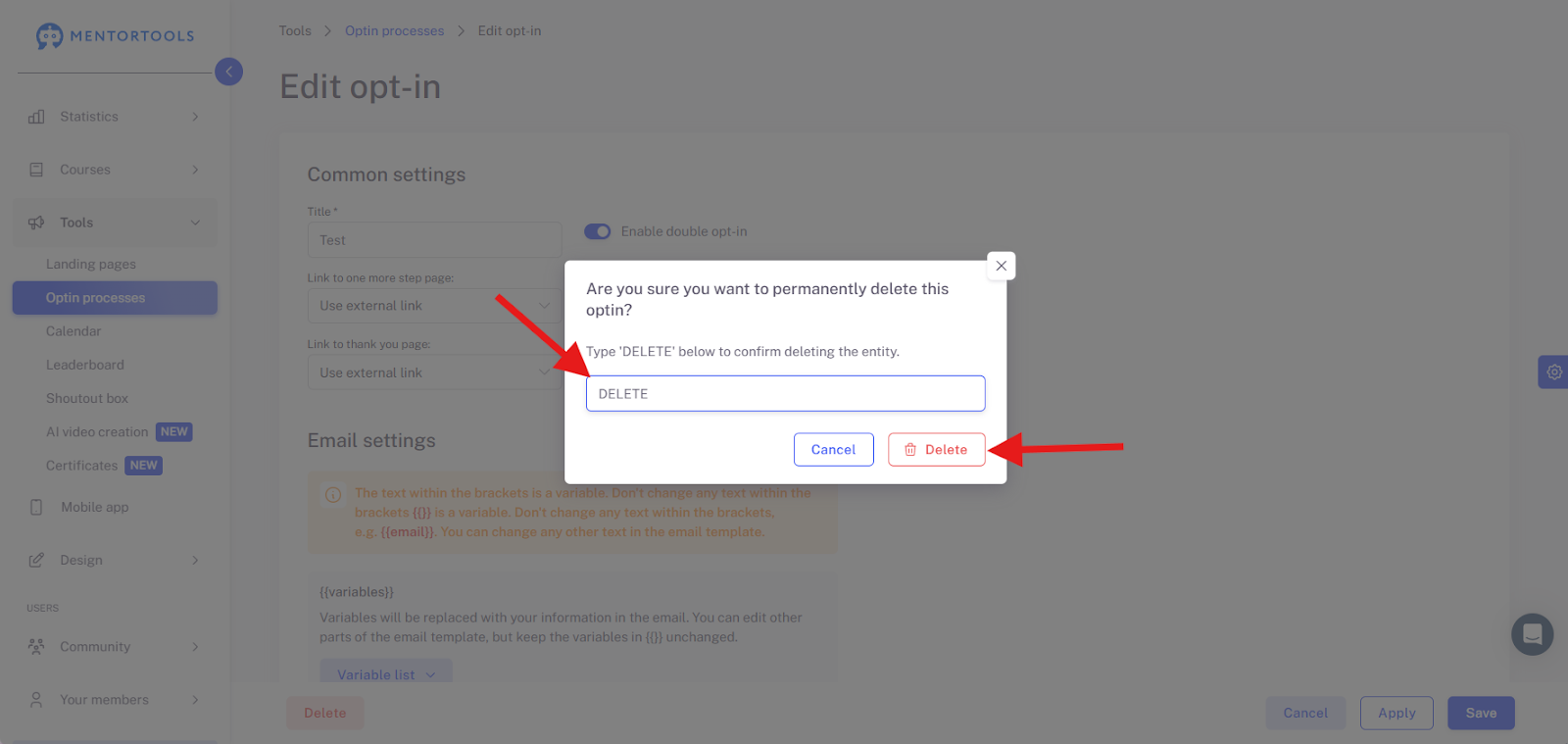
Delete Opt-In Process
If you currently have an active Opt-in Process that you no longer need, you can delete it as follows.
Last updated 11 months ago
Navigate with your mouse to the "Tools" menu item, then click on the submenu item "Opt-in Processes".
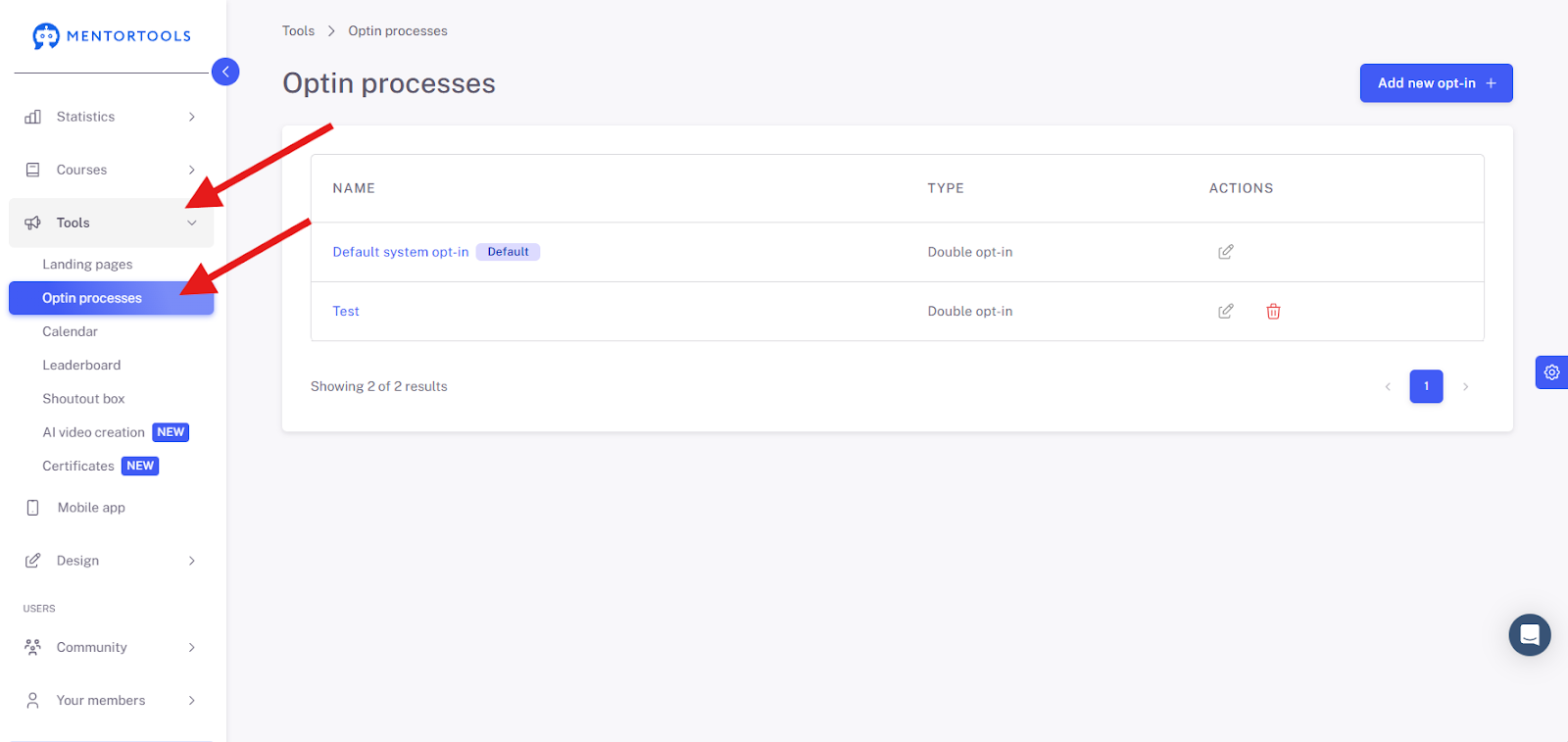
Now, select the Opt-in Process you want to delete.
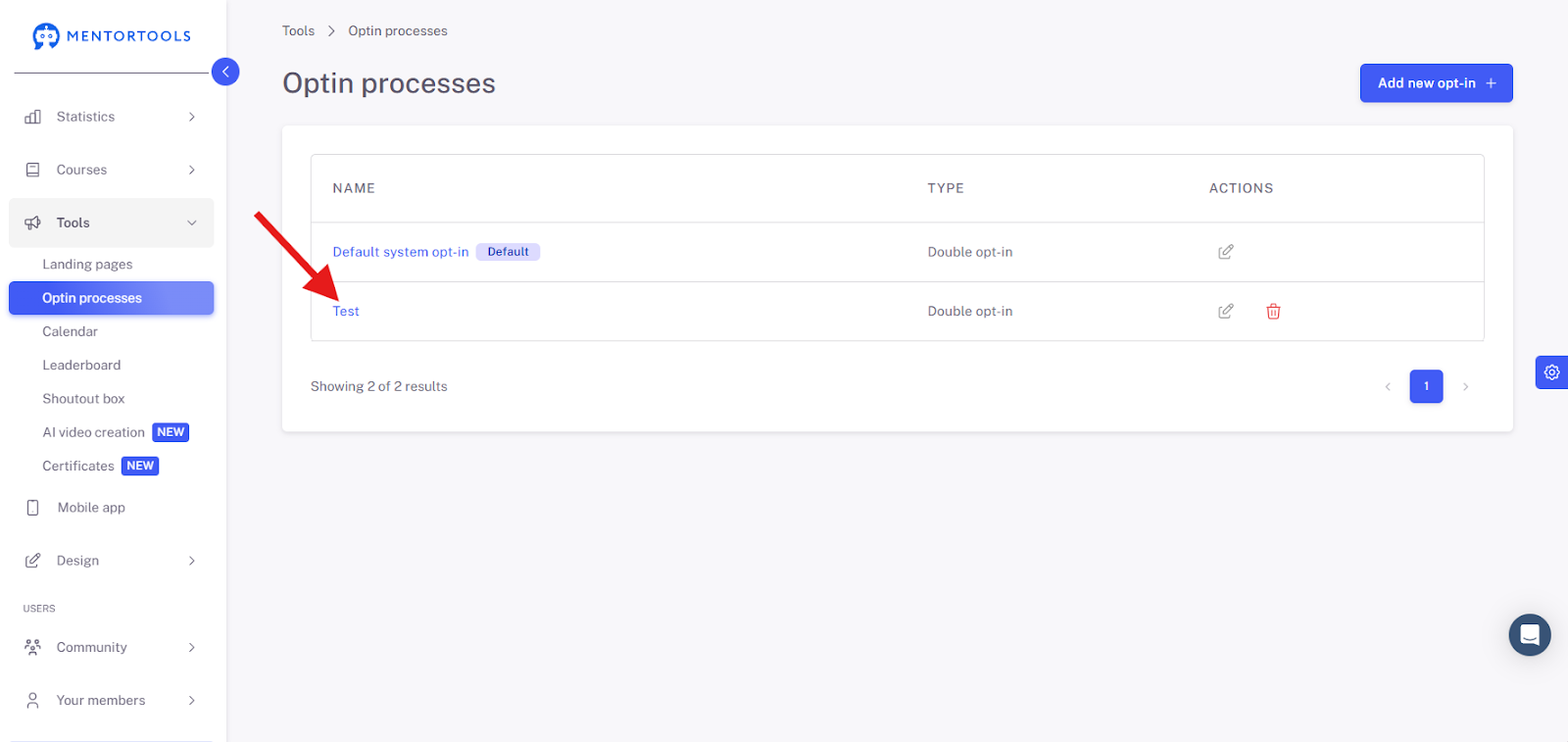
A new page will then load. Right at the beginning of the page, you will see the text "General Settings". There, first set all bars to "Use external link" and deactivate the Double Opt-in Process so that the button no longer appears blue.
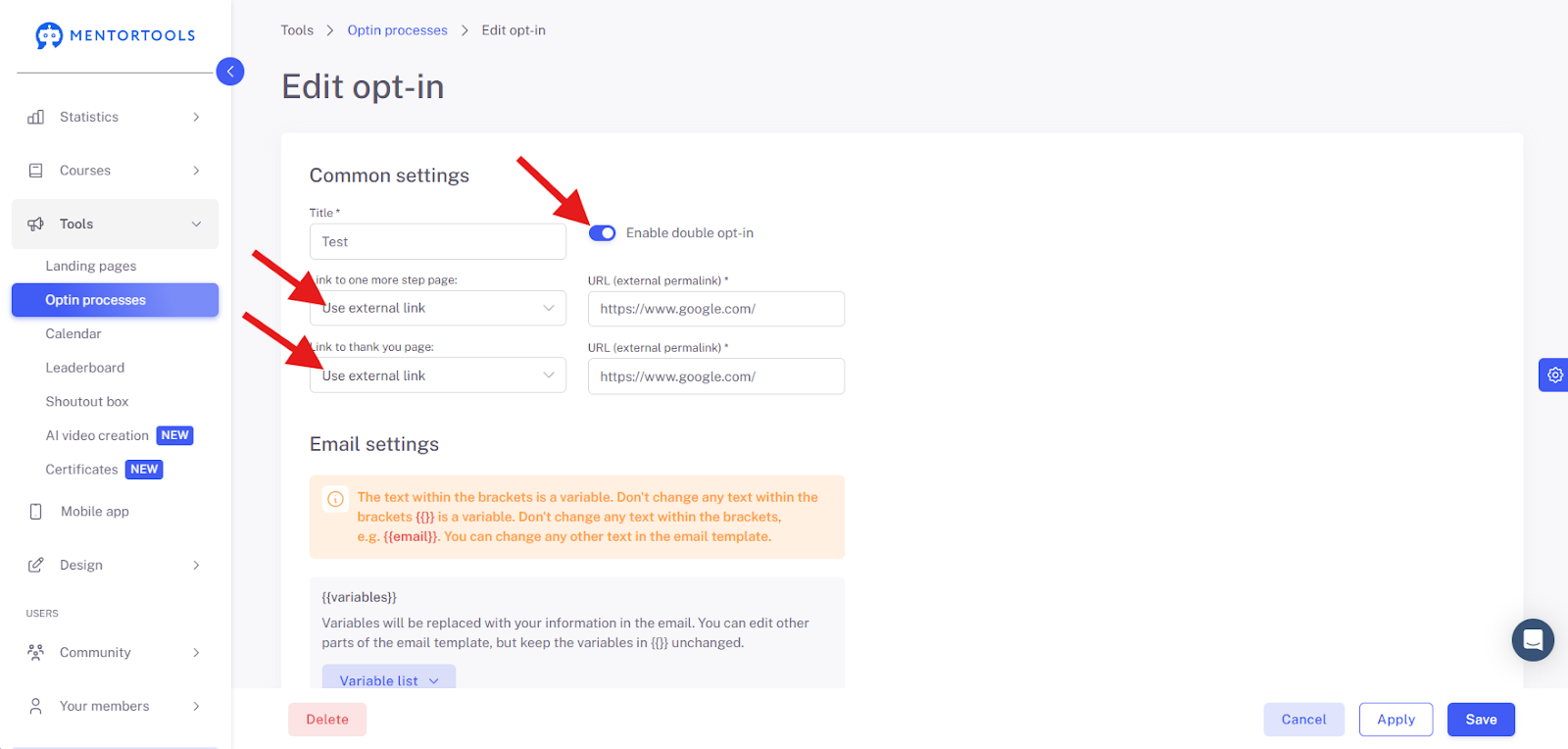
Afterward, click the "Delete" button (in the very bottom left) and go through the deletion process.