Welcome emails – Order Emails
In these settings, you can define what the message (also called a welcome email) should look like.
Last updated 12 months ago
Emails After Orders
In these settings, you can define what the message (also called a welcome email) should look like.
You can differentiate between "New User Purchases" and "Existing User Purchases."
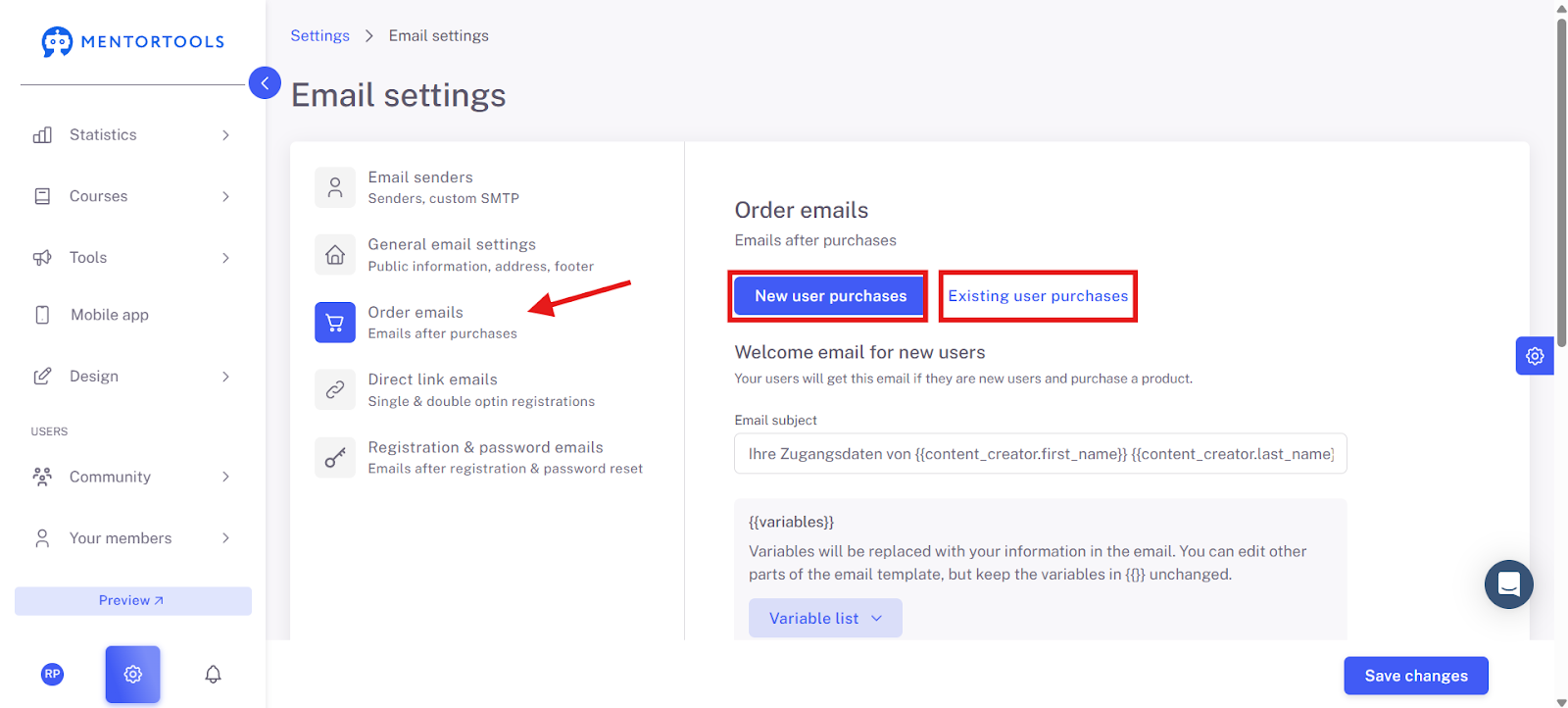
New User Purchases: New user purchases are all orders from new buyers who do not yet have access to your member area.
Existing User Purchases: This refers to existing users who purchase an additional course. All users who already have access to your member area and purchase an additional course.
Customizing the Welcome Text
You can customize the content of the welcome email text.
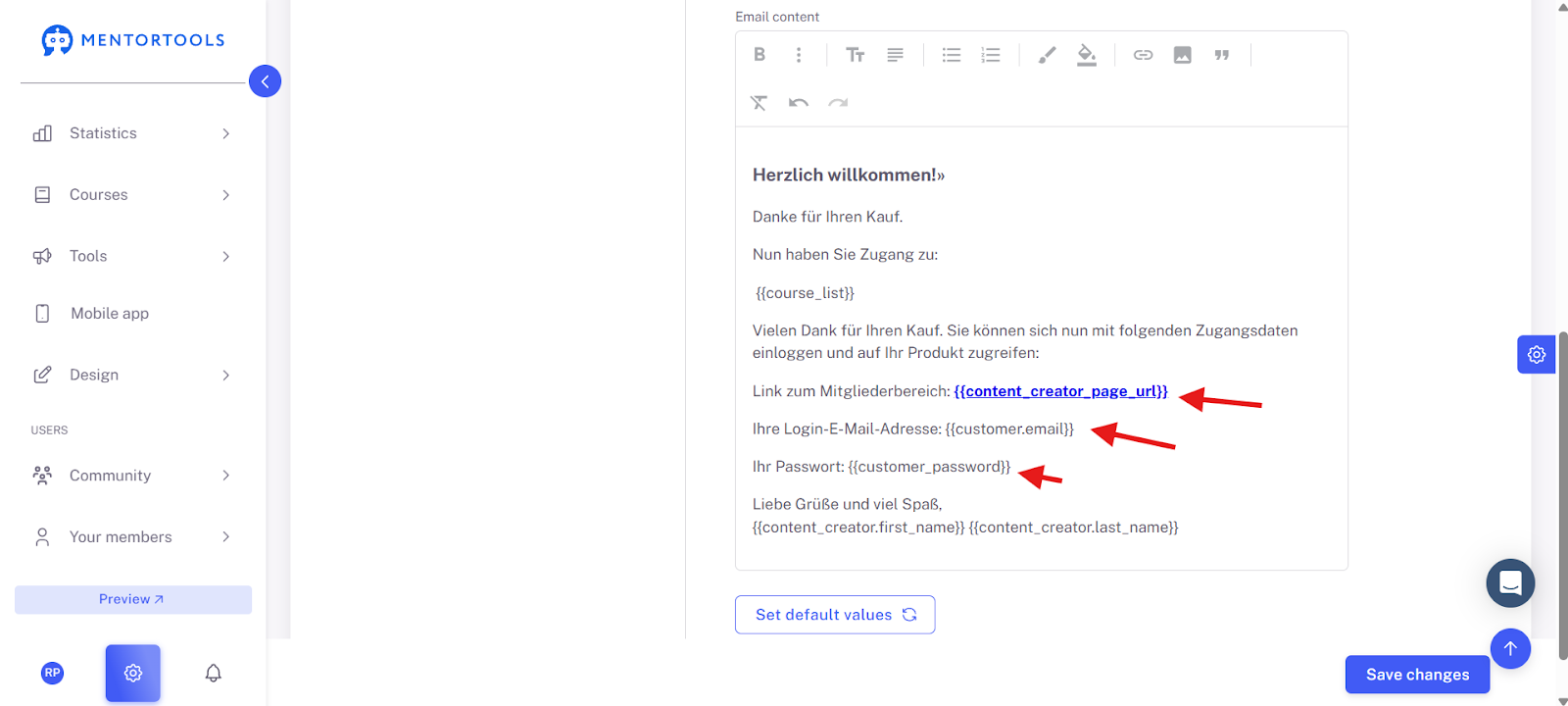
IMPORTANT: Just make sure that the three variables "{{content_creator_page_url}}", "{{customer.email}}", and "{{customer_password}} are NOT CHANGED.
IMPORTANT: In the "Existing User Purchases" section, make sure that the variable "{{content_creator_page_url}}" is NOT CHANGED.
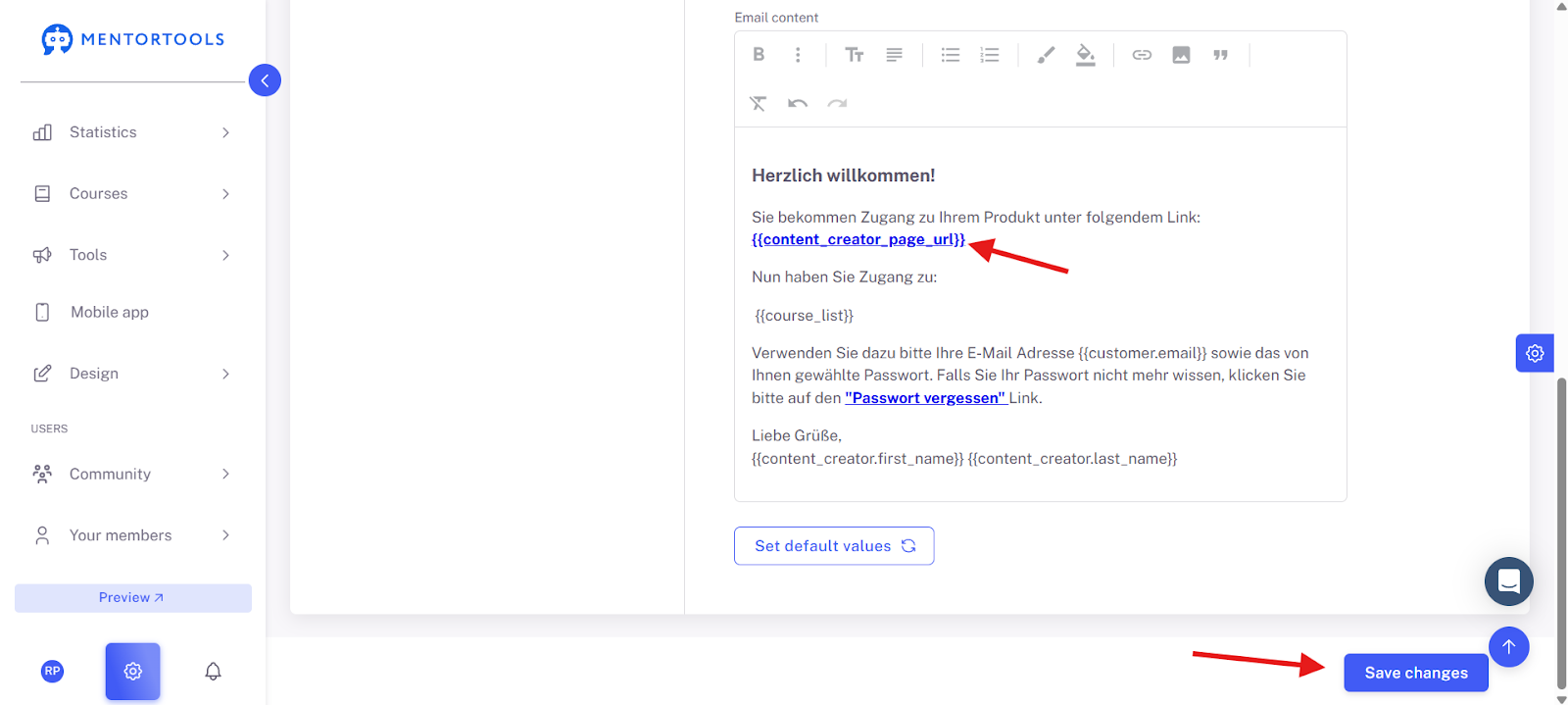
Once you have customized everything, click on "Save Changes."
Good luck!