Certificates
In this section, you will find statistics about the certificates that have been issued to your customers in your online academy.
Last updated 12 months ago
To view the certificate statistics, follow these steps:
Go to "Statistics"
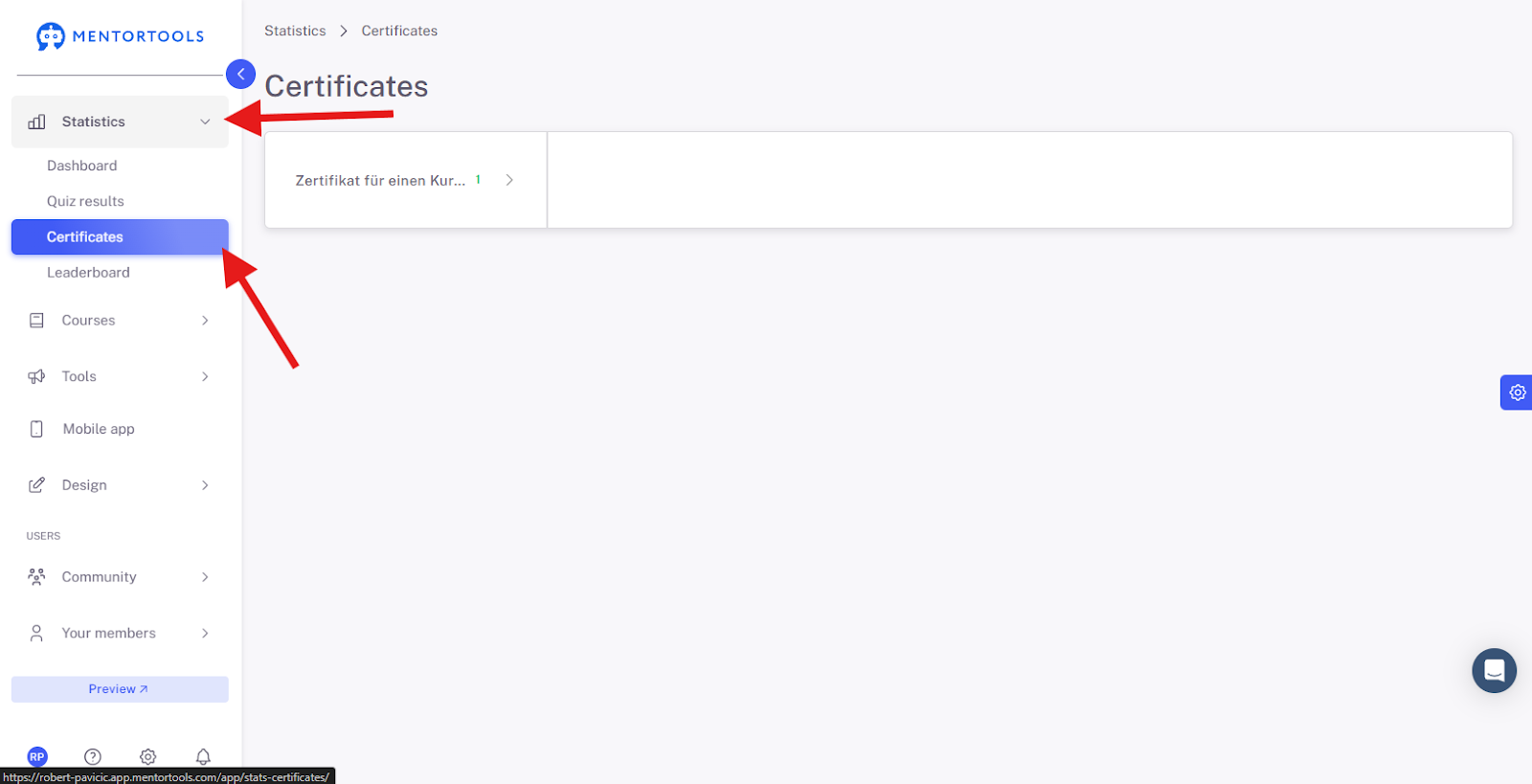
Log in to your membership area and go to "Statistics" in the side menu. Then, select "Certificates".
Certificates
Under the "Certificates" menu item, you will find a list of all the certificates you have created in your membership area in the left-hand table. When you click on a specific certificate, you will be taken to its statistics.
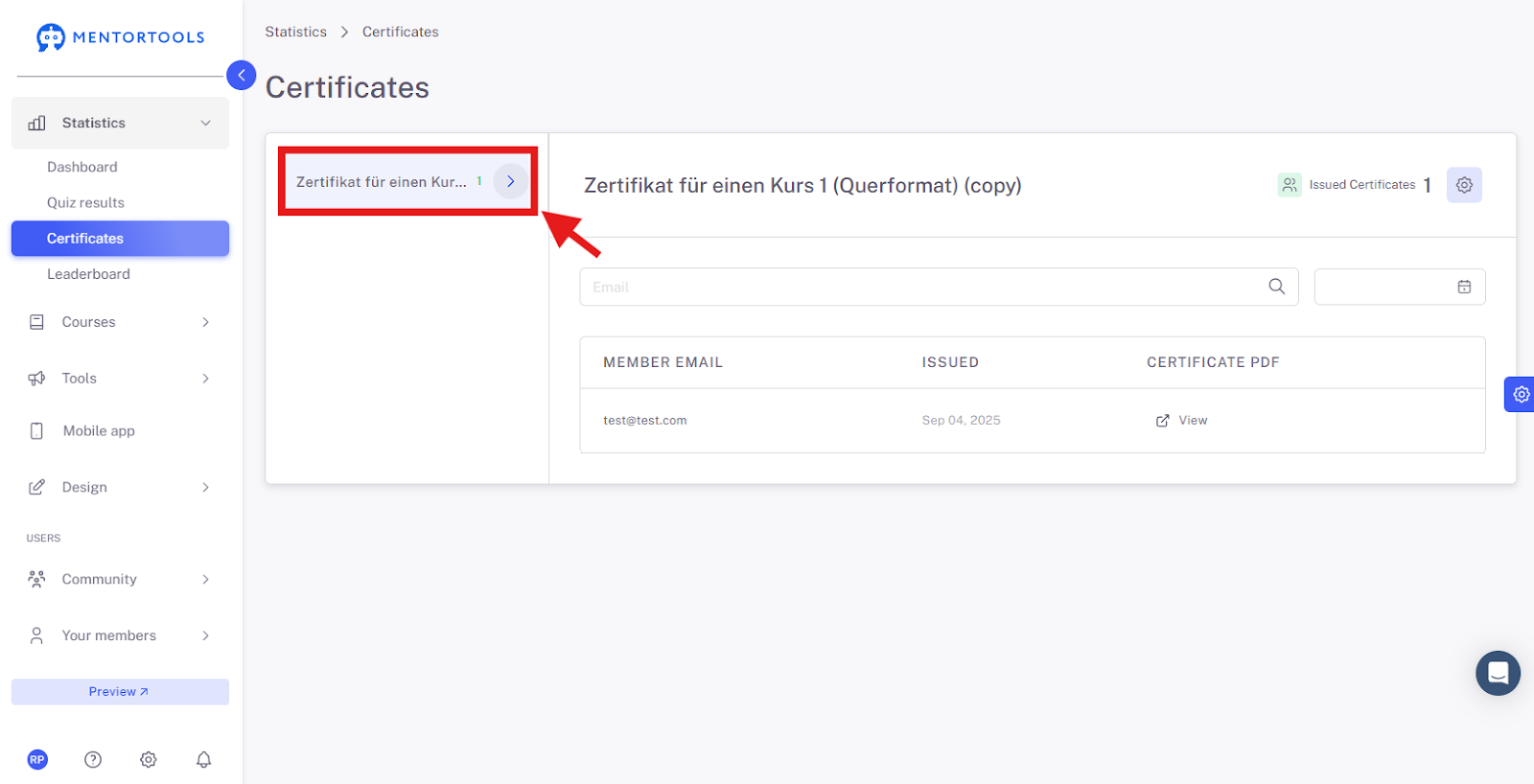
After you have clicked on a specific certificate, the statistics for that certificate will be displayed. In the table, you will find:
Number of certificates issued - shows the total number of certificates that have been issued for this specific certificate.
Member's email - the email address of the member for whom the certificate was issued.
Issue date - the date on which the certificate was issued for the respective member.
PDF of the certificate - by clicking "View", you can view, download, or print the issued certificate.