Payment Providers - How to Test My CopeCart Connection?
If you want to test whether your CopeCart connection is working perfectly, you've come to the right place. Pay attention to the following points. If they are met, there is nothing standing in your way of selling your products directly.
Last updated 12 months ago
The following points should be considered:
The connection to CopeCart should be active.
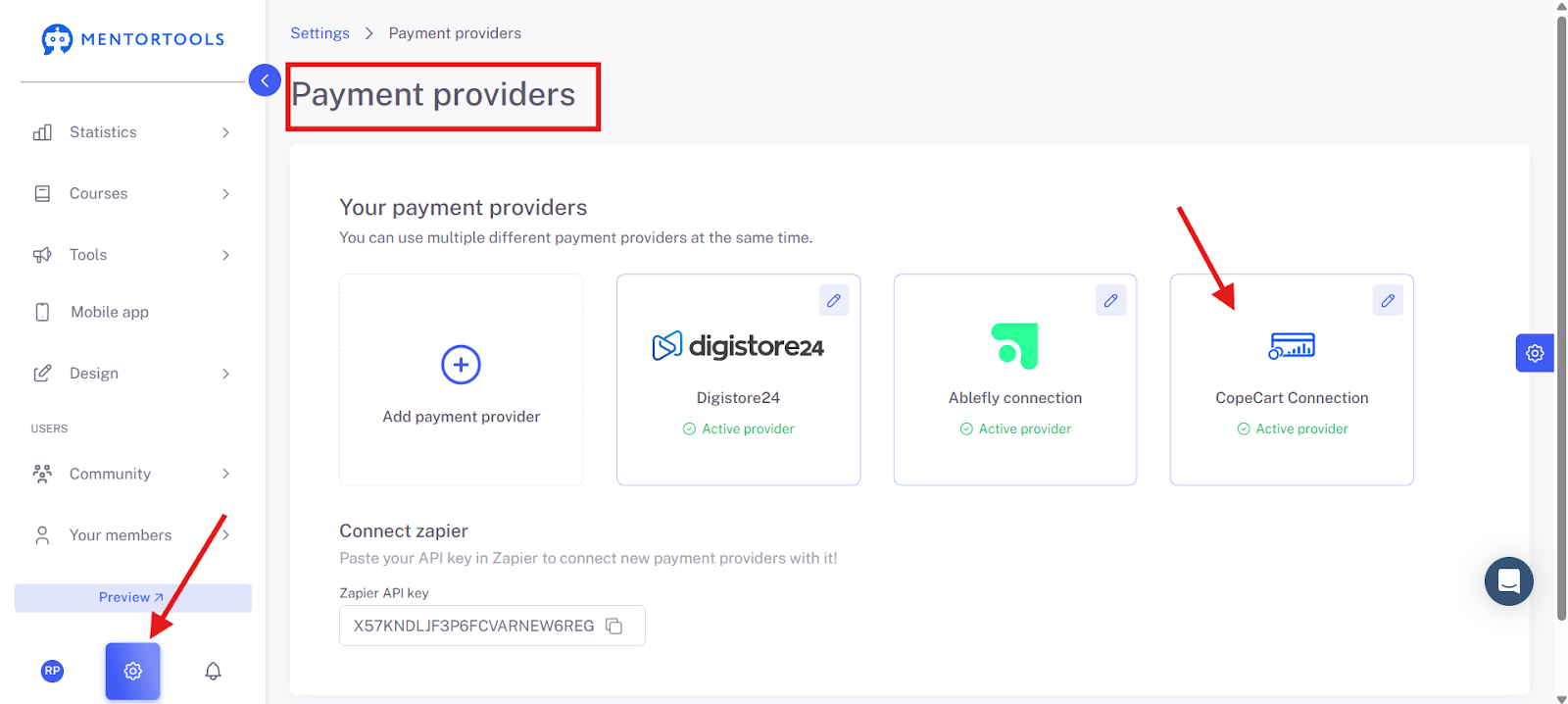
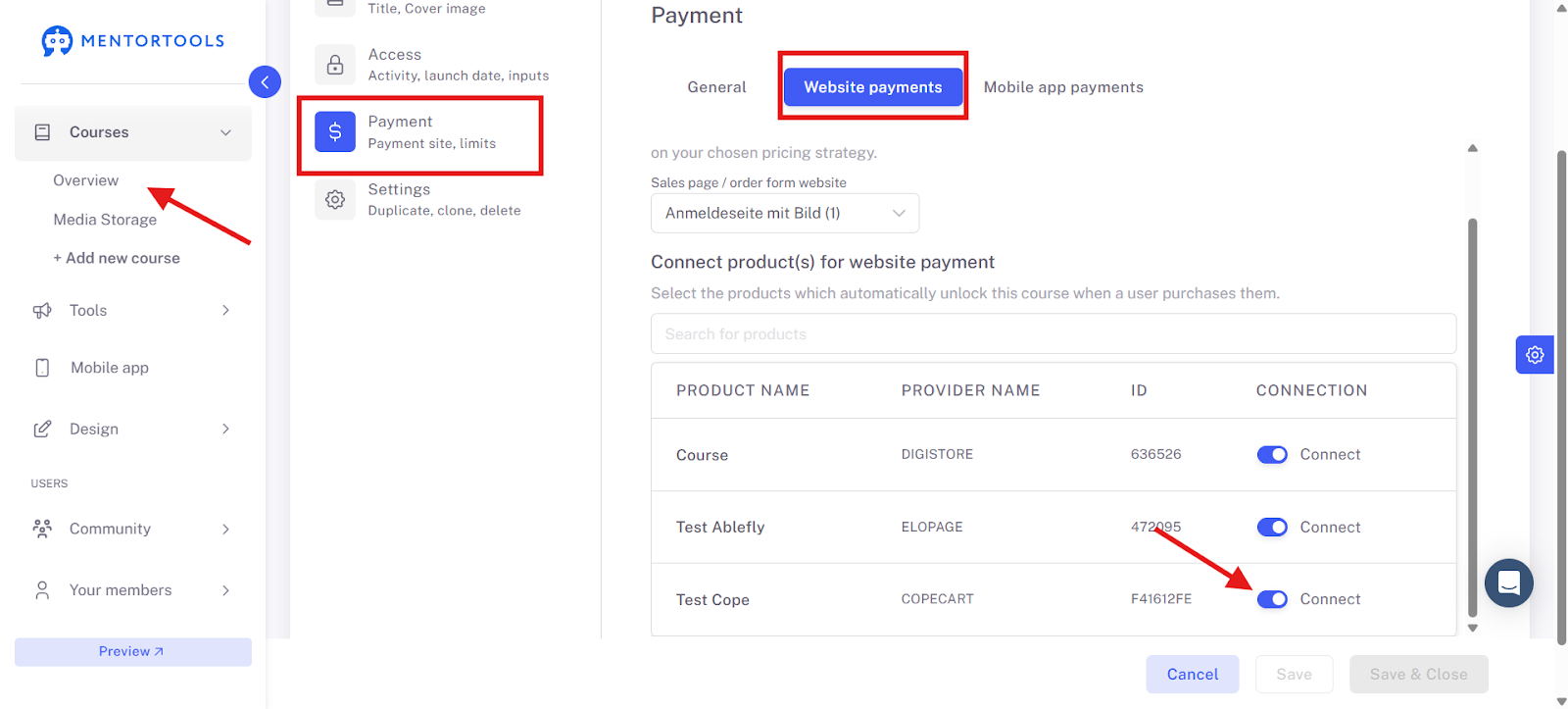
The CopeCart product should be linked to the course in the course settings.
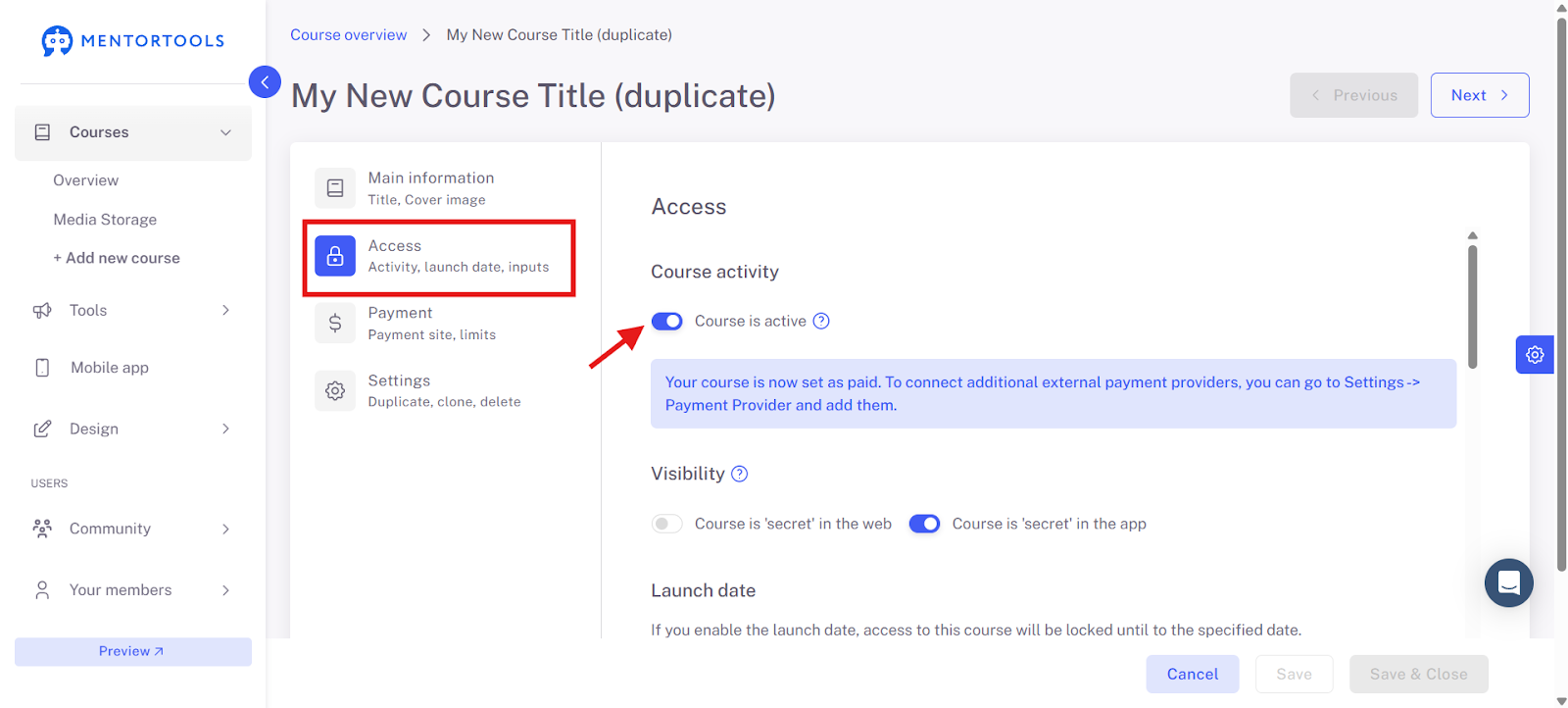
The online course must be active.
Connection to CopeCart
Finally, you only have to activate the interface in your CopeCart product. To do this, navigate to the desired product in your CopeCart account and click on the integration once until it is framed in blue.
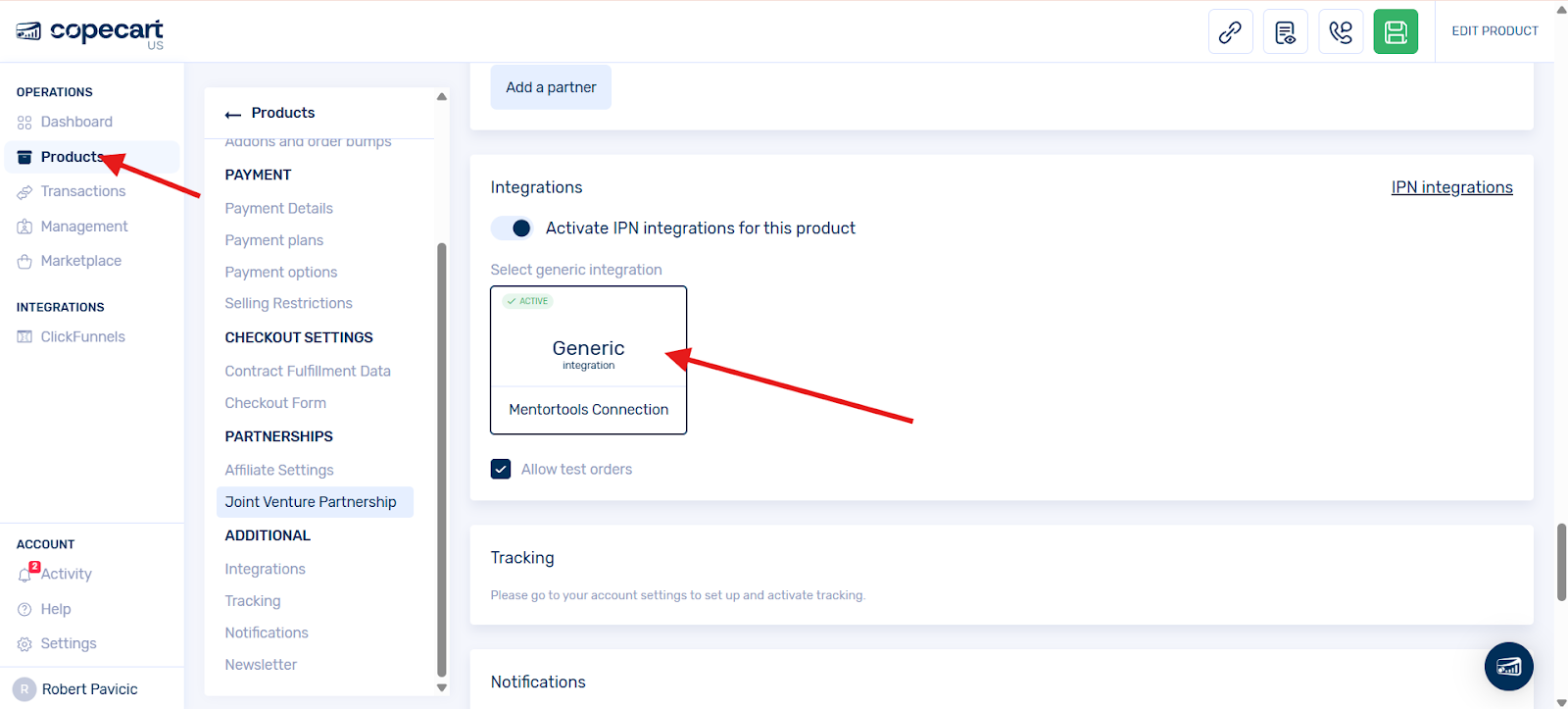
Click on the integration once until it is framed in blue.
Contract Fulfillment
Make sure that at least one item for contract fulfillment is active.
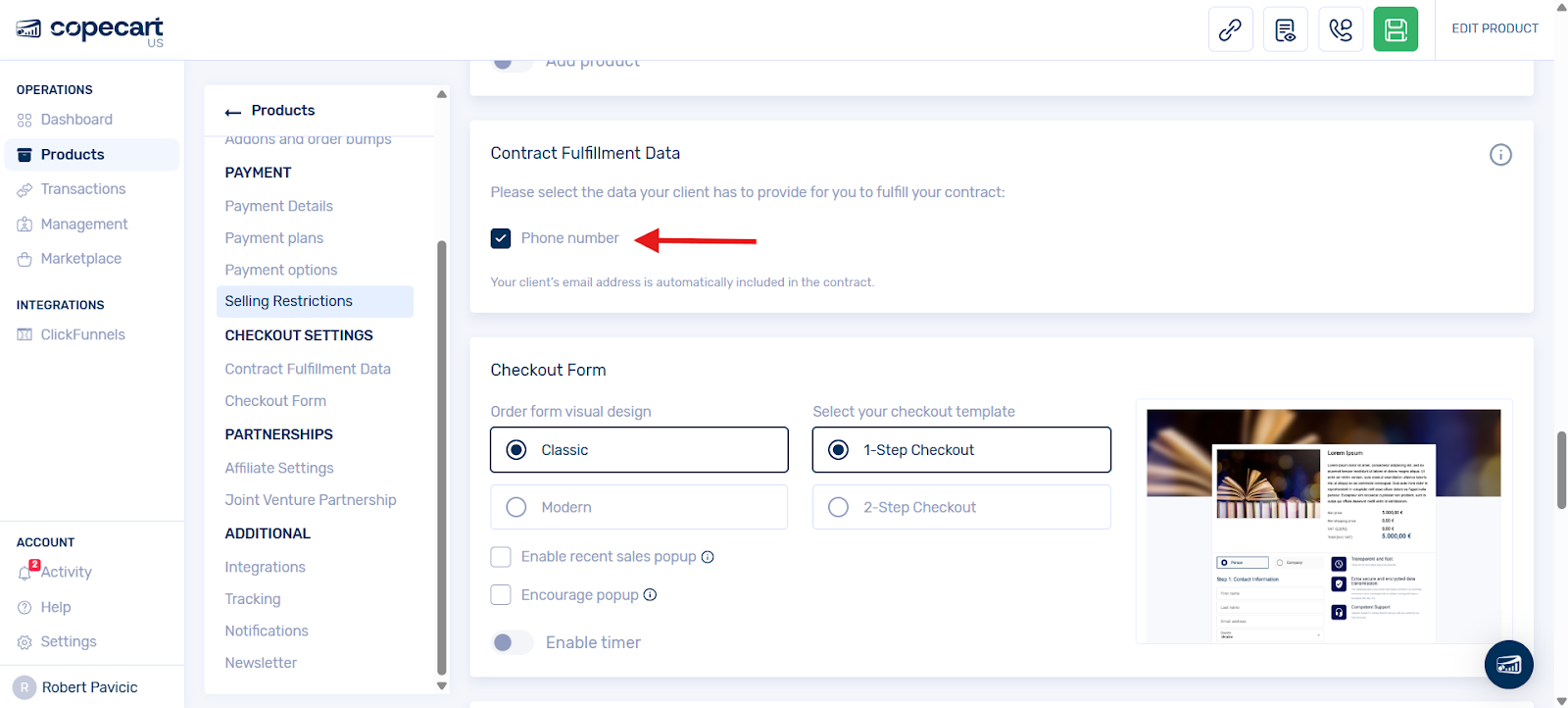
Test Purchase
For the test purchase, a test email address must be used, not an admin email address.
It is best to use an email address that you have not yet used in your Mentortools account.
You can then carry out a test order with the help of -> this CopeCart guide. After the order, check if you have received an email confirming that the course has been released.
Please note: If you have already purchased the product with the same test email address and have already received access data to the member area, you will not receive new access data with a repeated purchase, but only a notification that the course has been released.
Check: After the purchase process, log into your Mentortools account as an admin and check if the user has been automatically created and has course access.
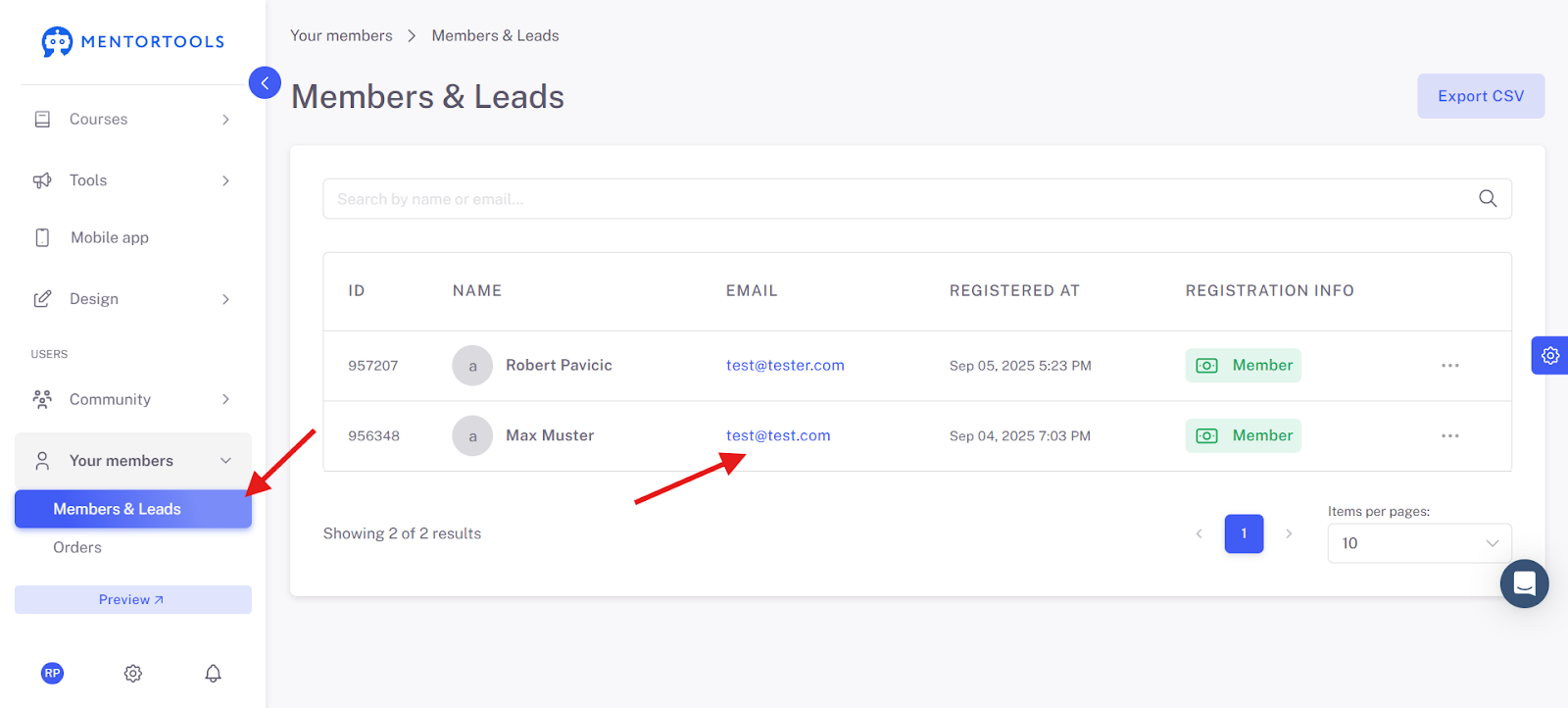
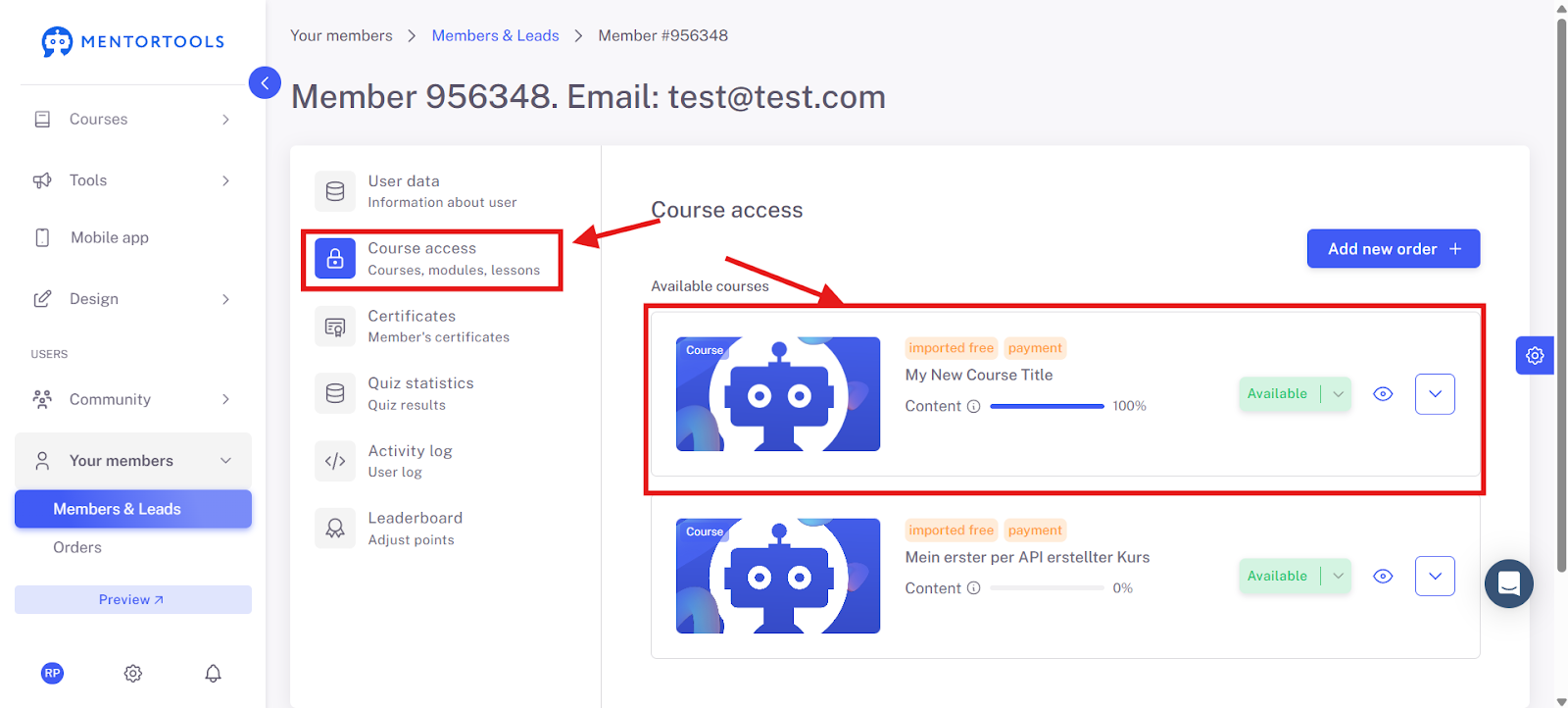
If there is no course access, delete the connection to CopeCart and create a new API key. As described in -> this "CopeCart Connection" guide. Then go through the guide again step by step and check if all points have been implemented.
Important Note:
If the user (test email address) exists under the "Members" menu item, but no access data has been sent, you would have to check whether the email settings have been correctly configured.
There you can use our SMTP server (our recommendation) or set up your own email sending address. If you would like to use your own email sending address, we recommend -> this guide here.
Good luck!
Was this helpful?