Payment Providers - Connecting Mentortools with Upgates
In this guide, you will learn how to integrate Upgates as a payment provider in Mentortools. This allows you to automatically receive and manage payments for your courses.
Last updated About 1 year ago
1. Open Mentortools
Log in to your admin area at https://app.mentortools.com.
2. Open Settings
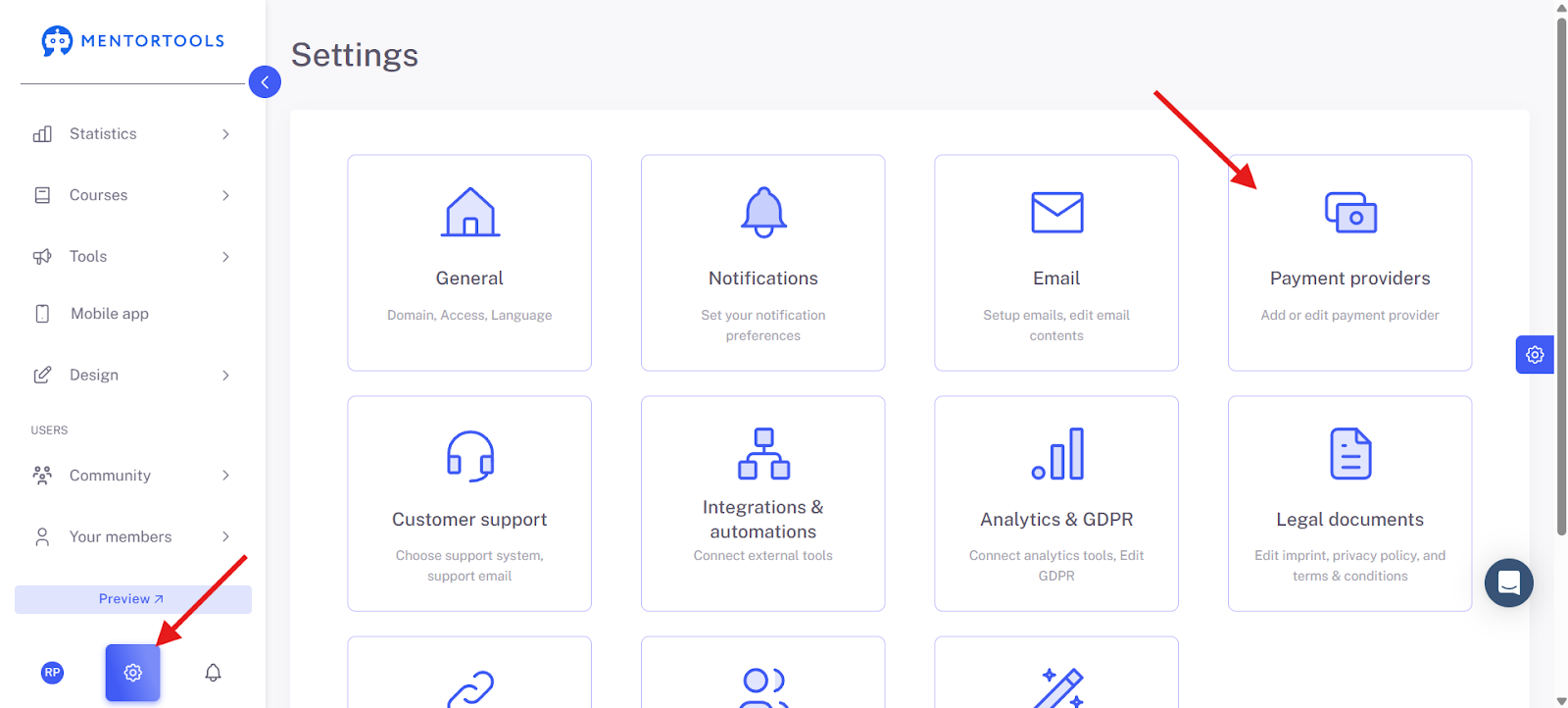
Click on the gear icon at the bottom left of the menu and select "Payment Providers".
3. Select Payment Provider
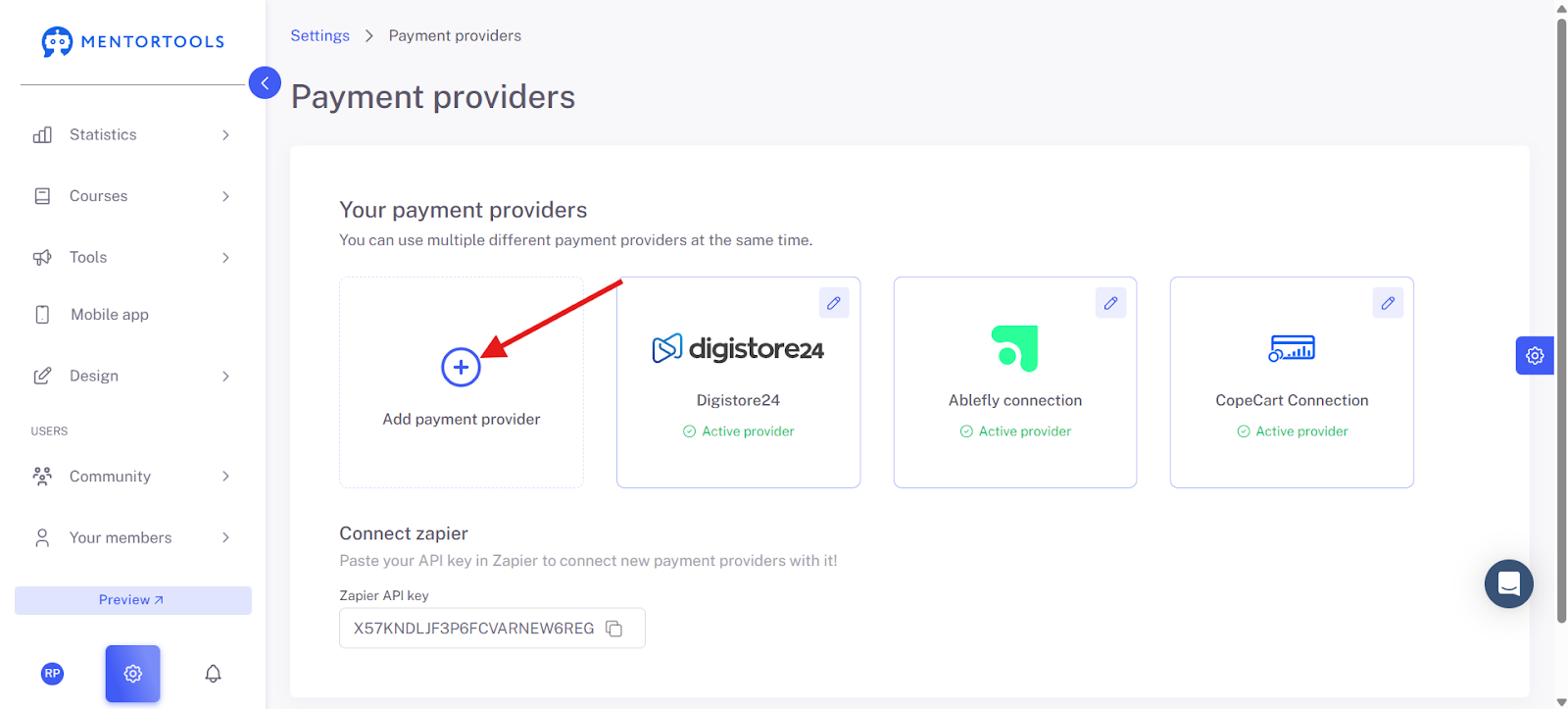
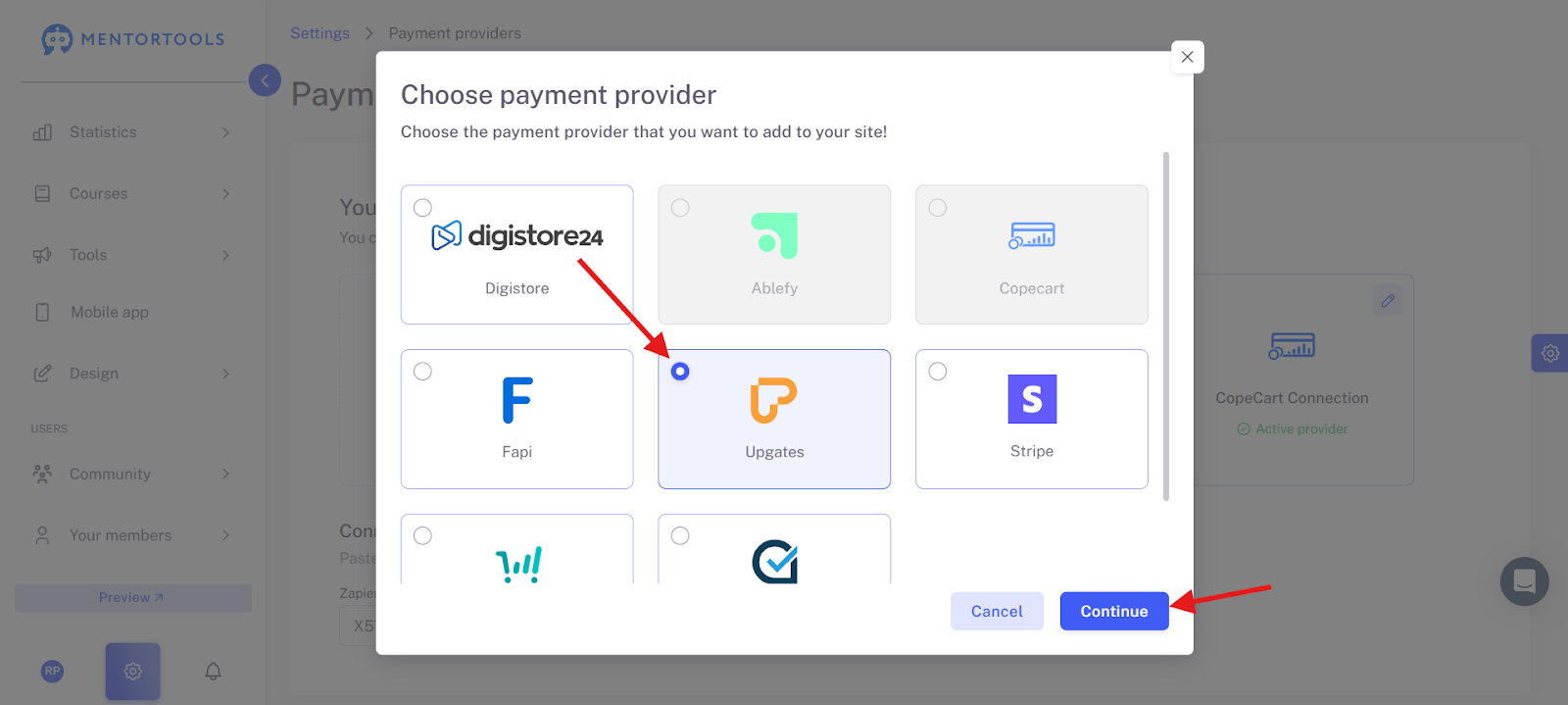
From the list, select the provider Upgate.
4. Enter Provider Information
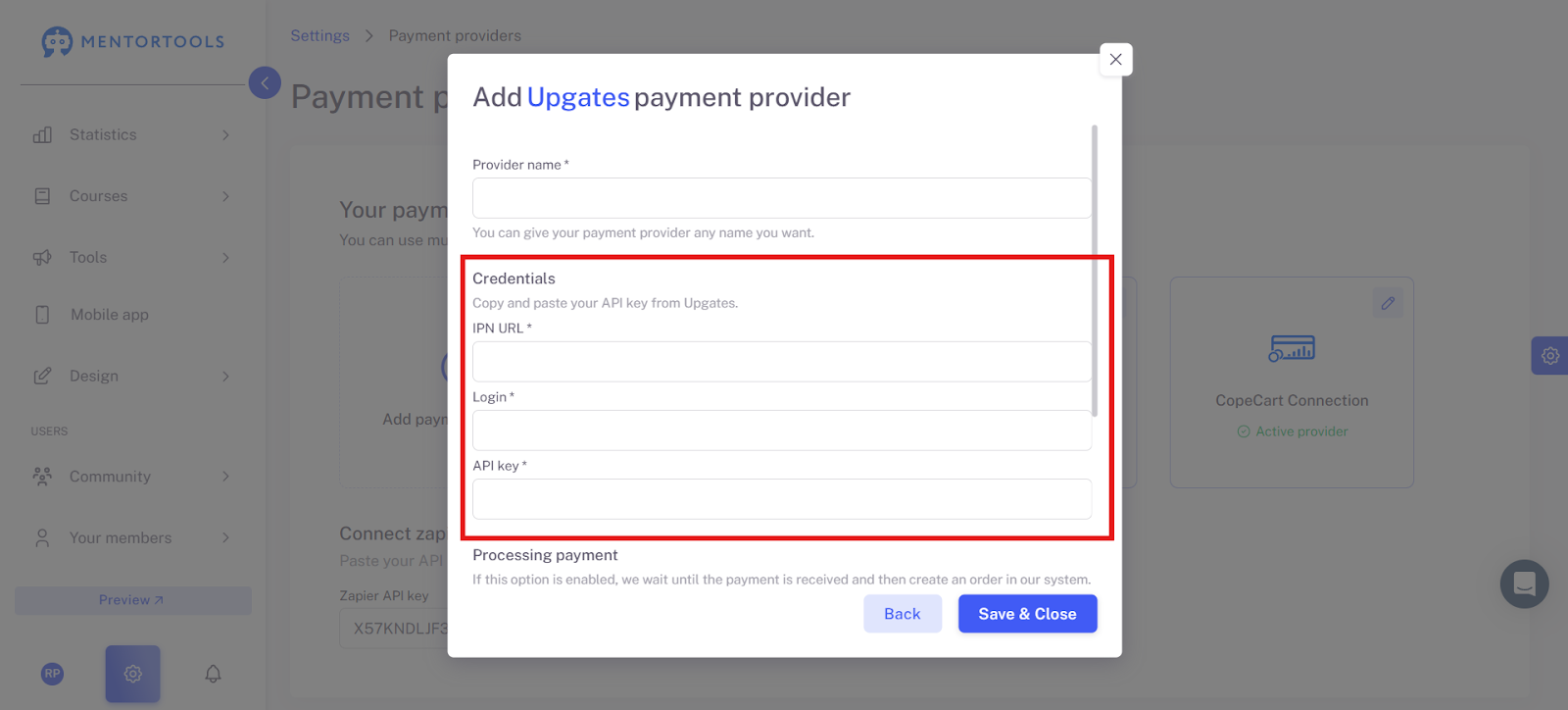
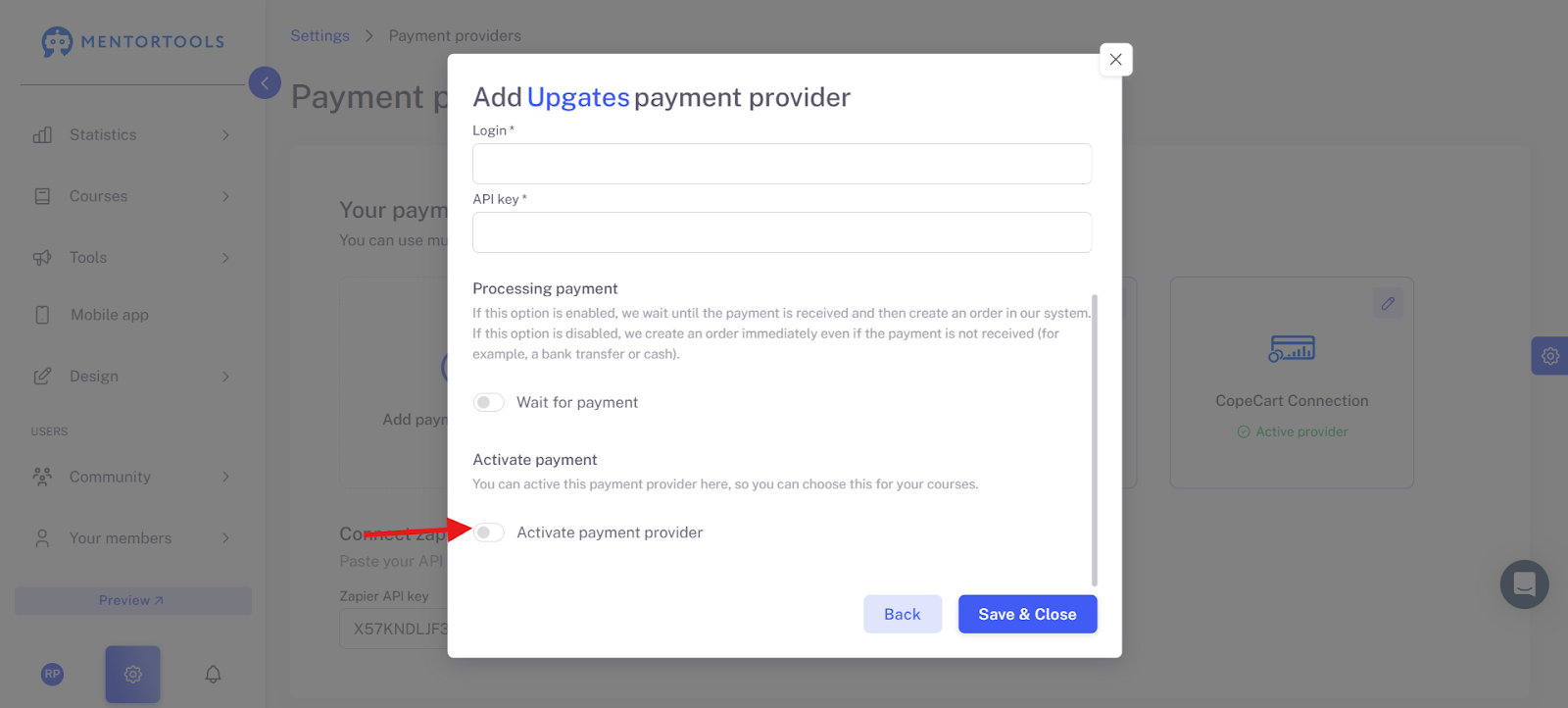
Enter the provider name (e.g., "Upgate") and your API key, which you can find in your Upgates account.
5. Activate Payment Provider
Check the box next to "Activate payment provider" to activate Upgates.
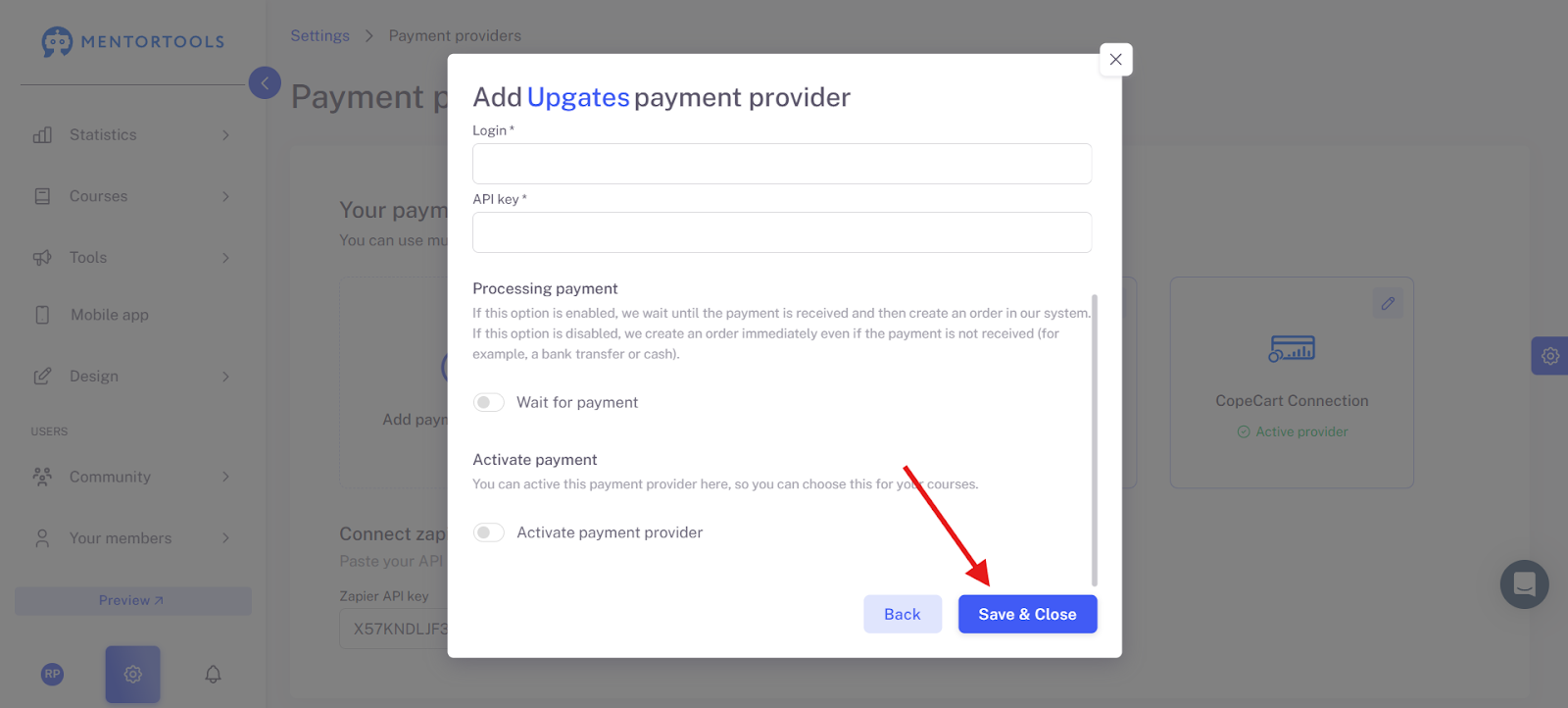
6. Save and Close
Click on "Save and close" to complete the integration.
Conclusion: You can integrate Upgates as a payment provider in Mentortools with just a few clicks. This allows you to receive payments for your courses automatically and reliably.
Was this helpful?