Academy Design – Lesson View
In this article, you will learn how to set up the Academy Design for your member area.
Last updated About 1 year ago
This refers to the Dashboard, which is essentially the main or homepage. This is the page your members land on after they have logged in with their credentials.
The motto here is: The first impression counts. This means this page should be as clear and inviting as possible and should suit you, your members, and your topic.
To do this, please go to Design and then Academy Design in the menu bar.
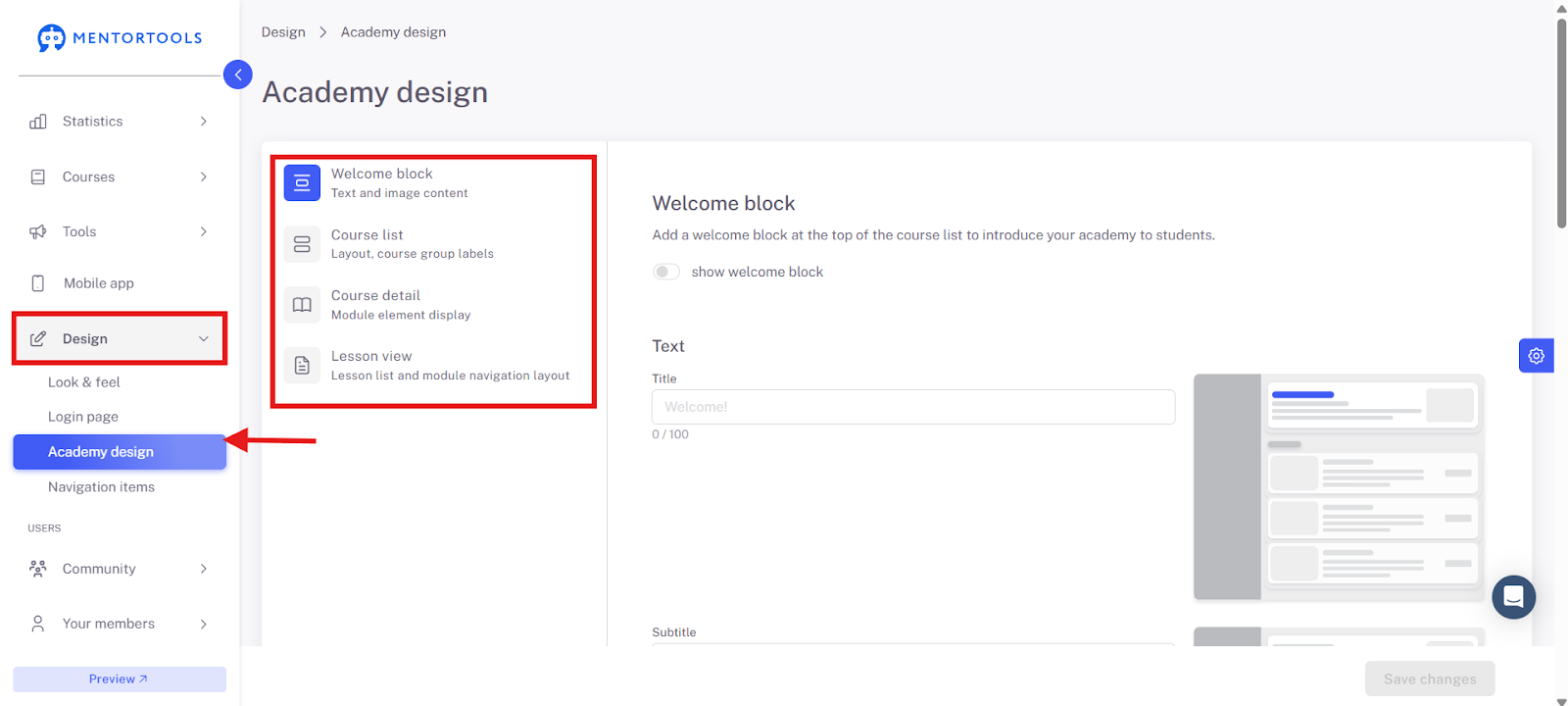
Under Academy Design, you will find 4 sections:
Welcome Block
Course List
Course Details
Lesson View
We will go through these one by one.
Lesson View
In this section, you set how your lessons and modules are displayed.
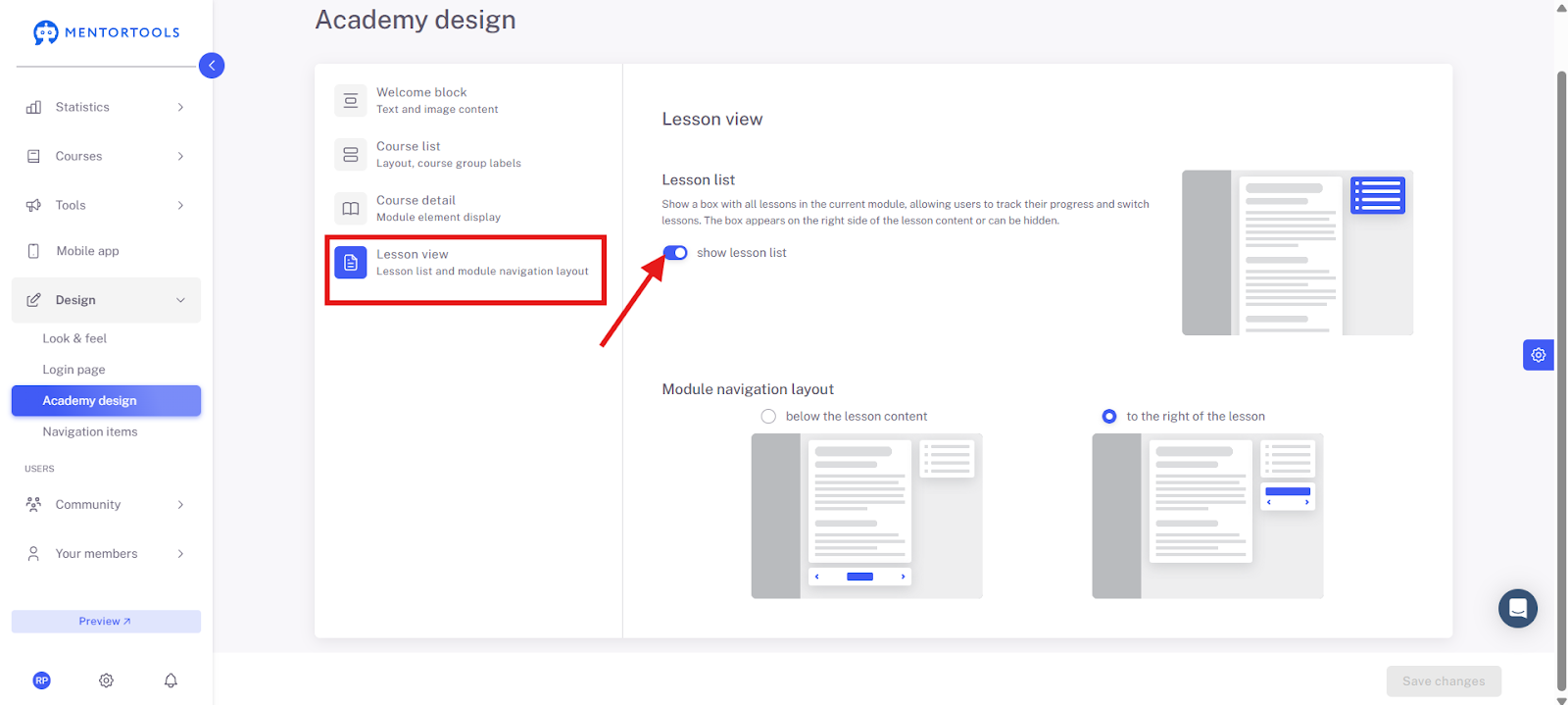
If the tab for "Show lesson list" is active, it looks like this in the preview:
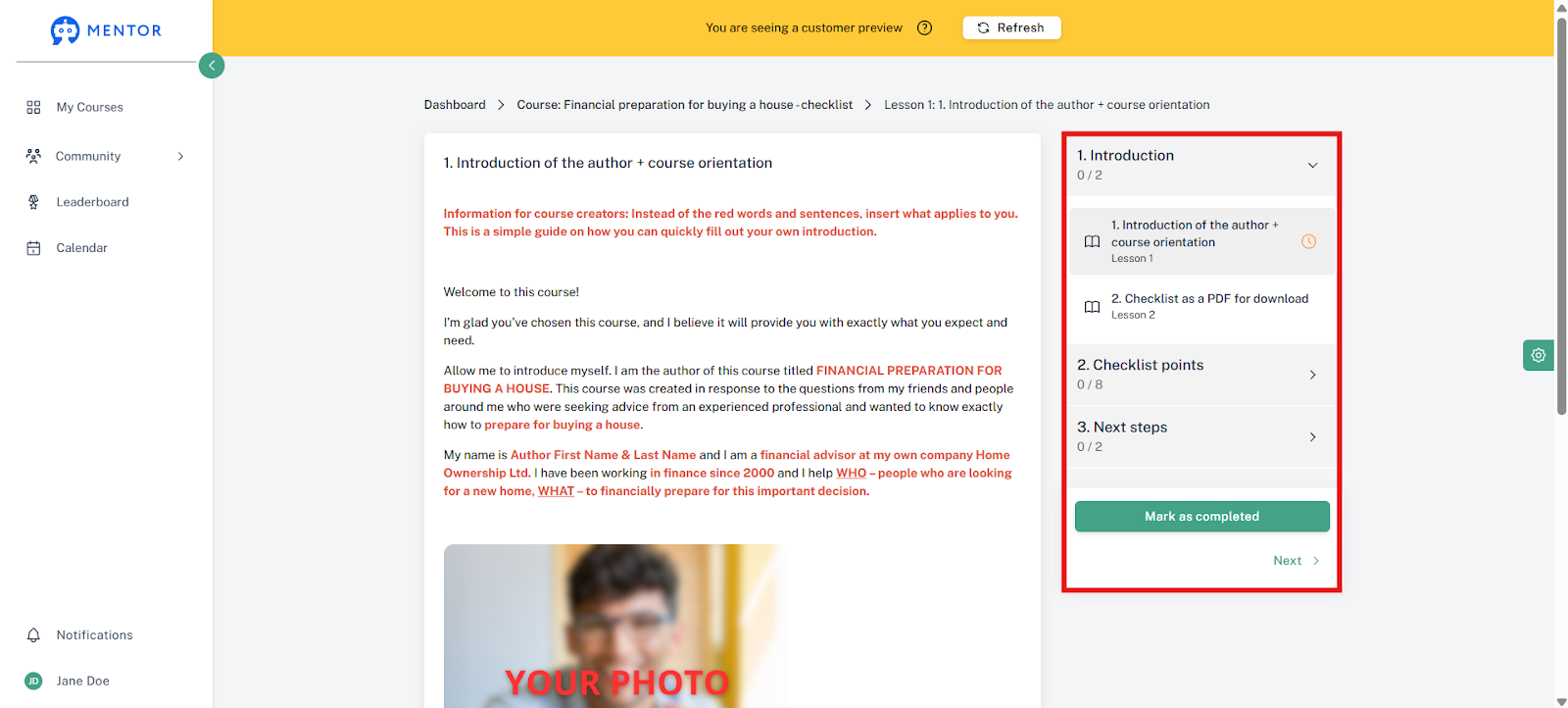
If you choose this setting:
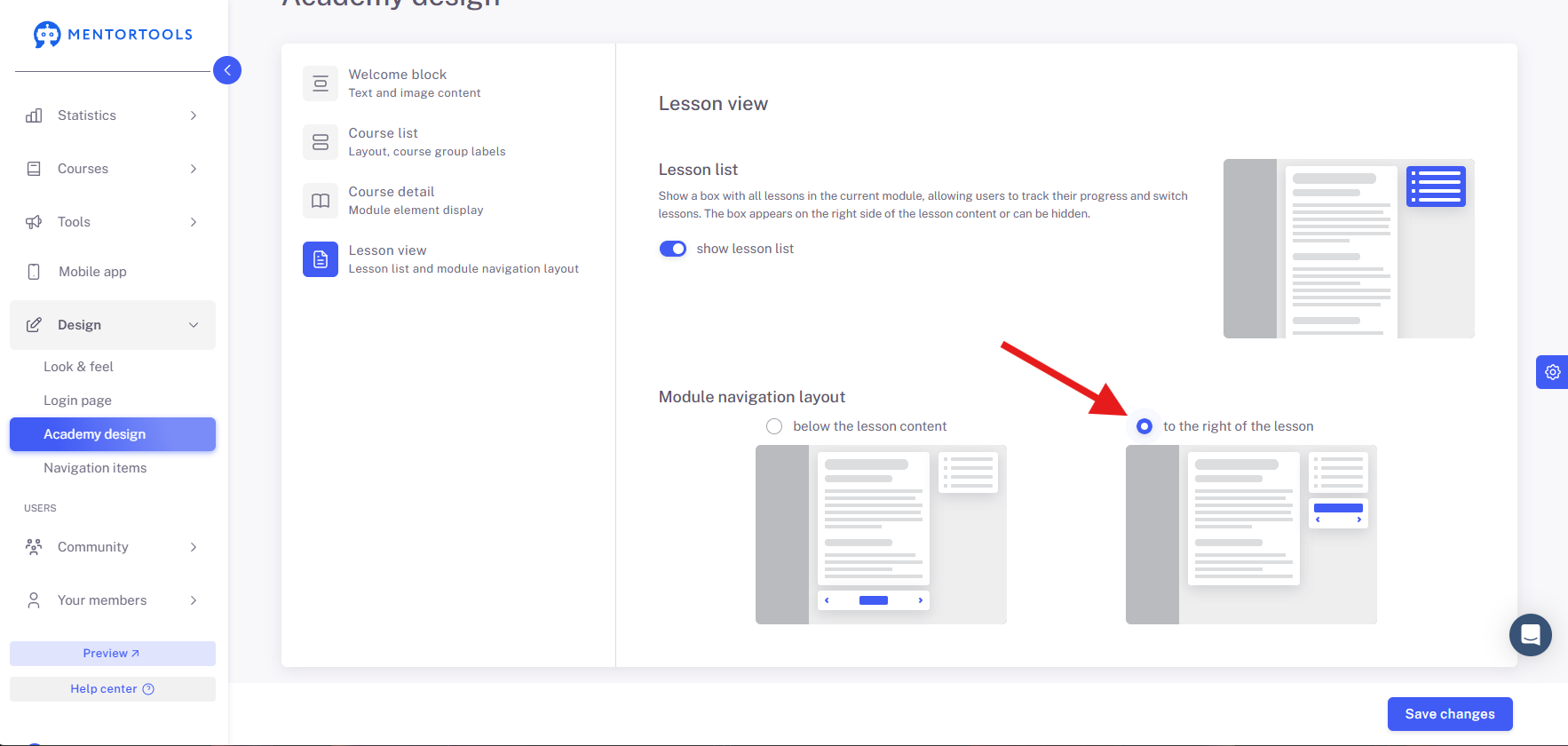
... it looks like this in the preview:
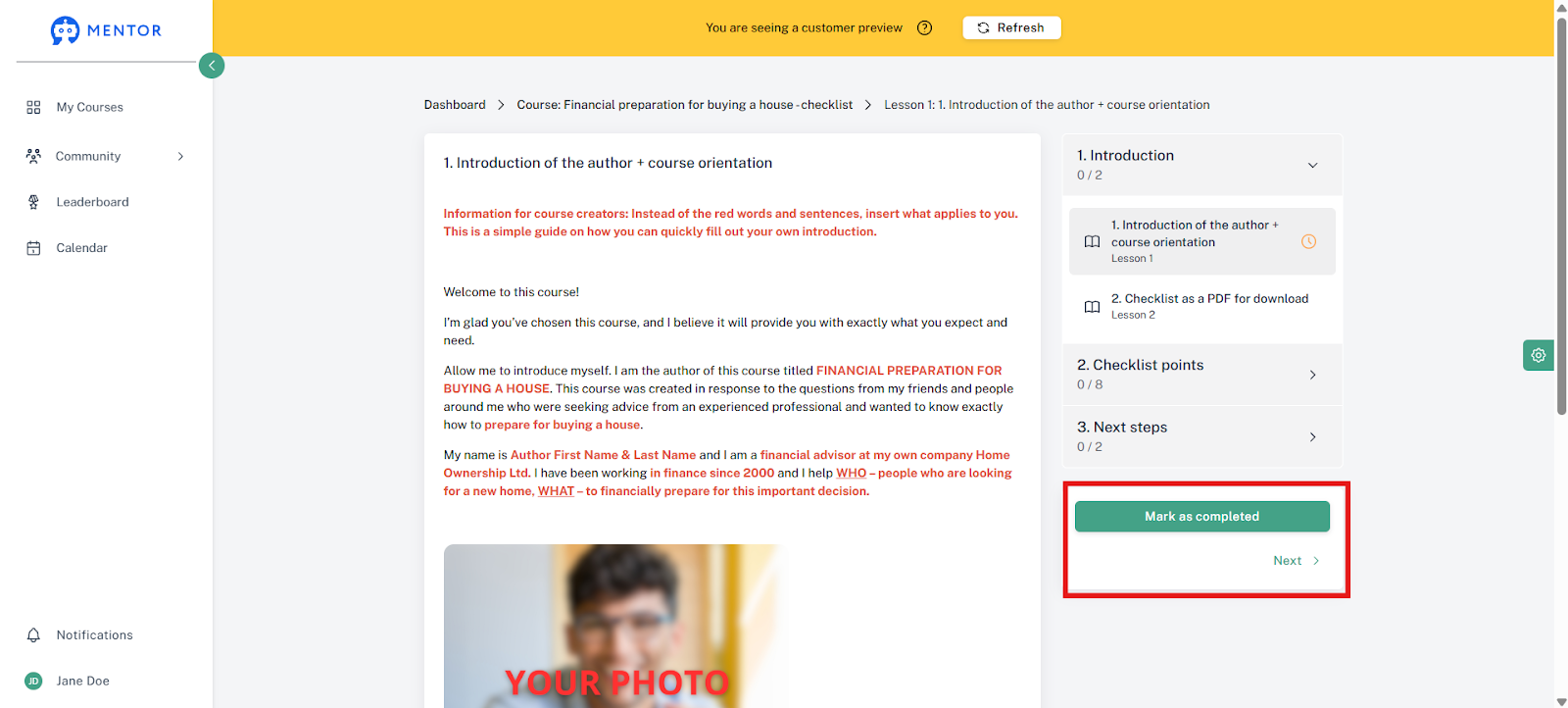
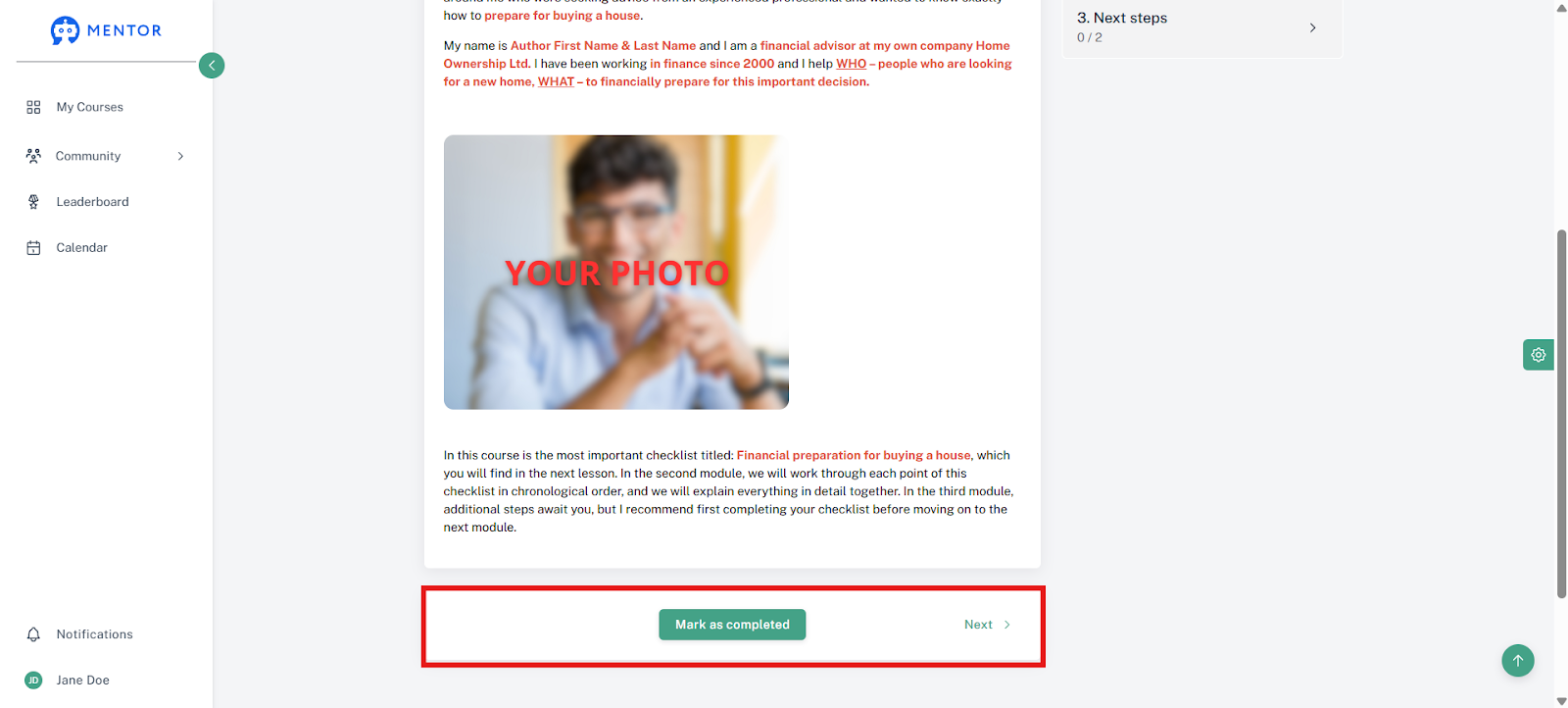
With the other setting, this box (outlined in red) appears below the content in the middle.
Important: As always, remember to save changes!
Have fun and continued success!
Was this helpful?