Navigation items
The custom menu allows you to easily customize the individual menu items for your members. You can set your own names and also add your own items.
Last updated About 1 year ago
You can edit the menu items or your custom menu for your member area under Tools > Design > Navigation items.
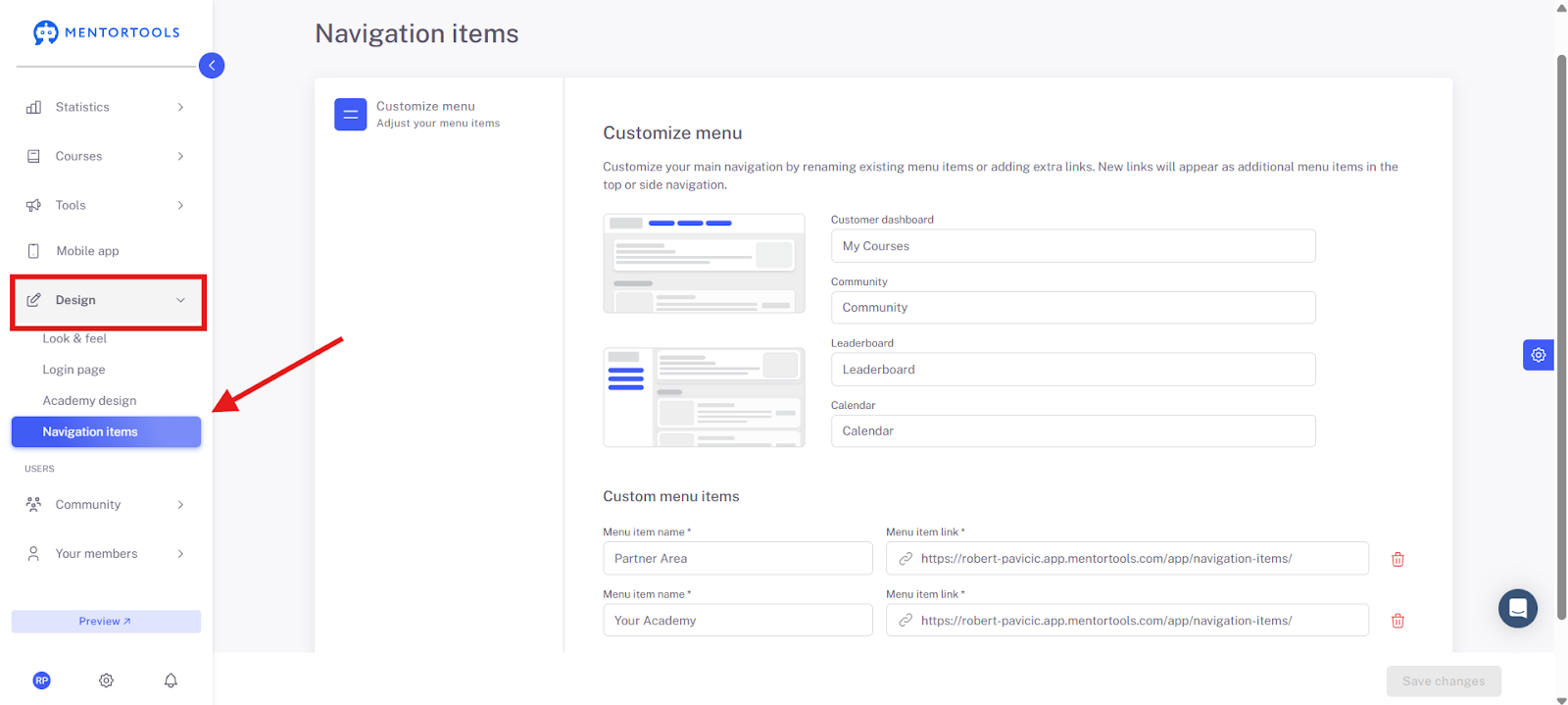
Here you can set 4 menu items, such as Customer Dashboard, Community, Leaderboard, Calendar.
Additionally, under Custom Menu Items, you can link to your website or your Facebook page, for example. Here you have the option to add even more menu items. Important: Don't forget to click "Save Changes."
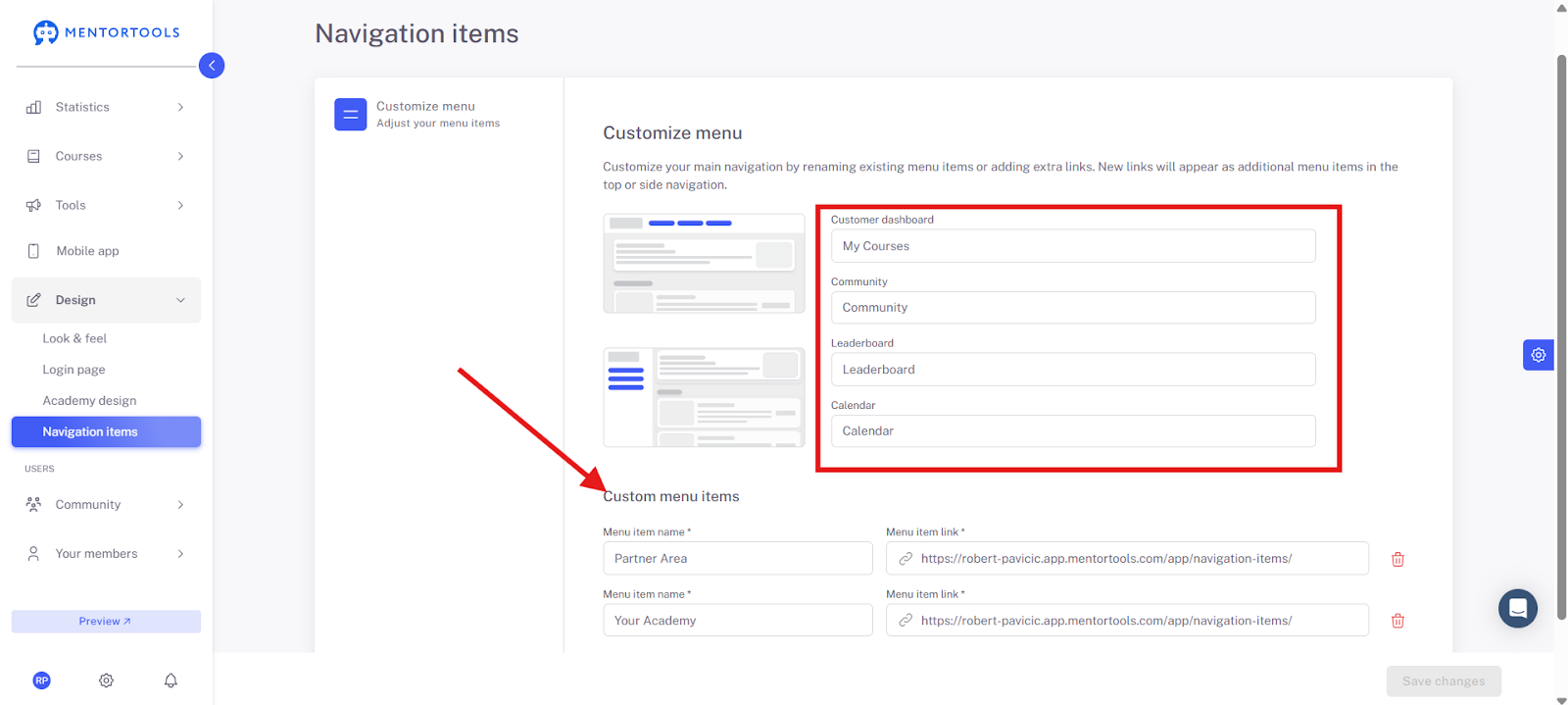
This way, you can further individualize your member area and create a perfect offer for your participants. You are also free to choose the names for the menu items. For example, you can call a Community a "Group" or the Leaderboard a "Ranking," whatever fits your member area and your topic best.
Here is a screenshot of the menu items from our Mentortools Academy as an example.
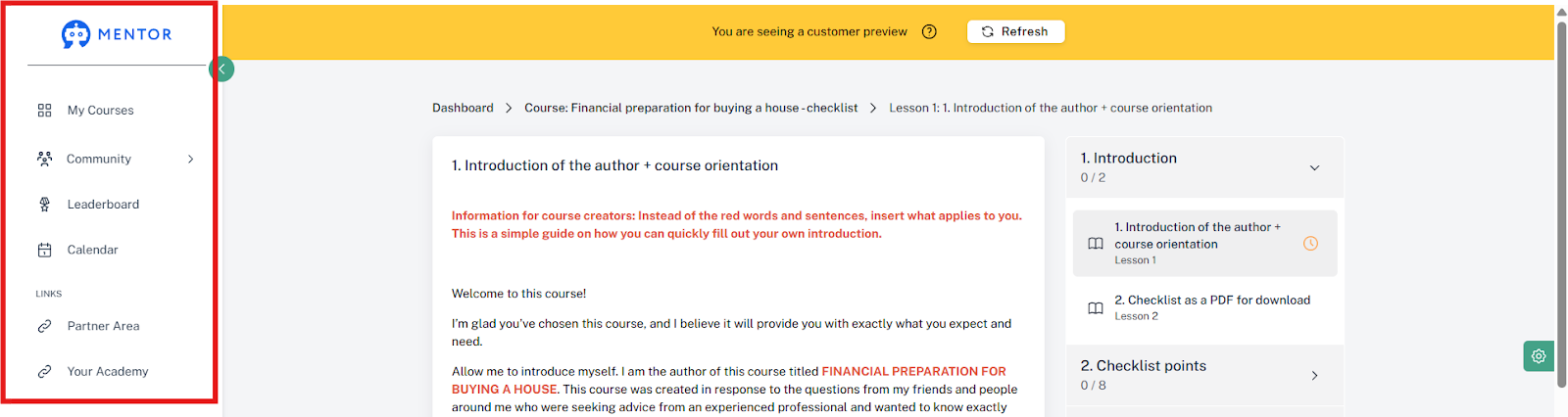
We have chosen 4 menu items here—My Courses, Community, Leaderboard, Calendar—and also 2 custom menu items—Partner Area and Your Academy.
Important: As always, remember to save changes!
Have fun and continued success!
Was this helpful?